
Email marketing for bars and pubs
This guide shows owner-operators and marketing managers at bars and pubs how to build a regulars list from guest WiFi logins and use it to fill quiet nights with targeted email. It covers how Purple Engage captures GDPR-compliant first-party data at the captive portal, which automated campaigns deliver the best return on a quiet Tuesday, and how to measure success in foot traffic and revenue rather than open rates.

Why this matters for your venue
The hardest night to fill is not Saturday. It is Tuesday. You have the crowd at the weekend, but converting that energy into mid-week footfall is where most bars and pubs leave money on the table. Social media organic reach is effectively zero for most venues. Paid ads are expensive and hard to attribute. Asking staff to collect email addresses at the bar never works.
The answer is already mounted on your wall. Your guest WiFi access point captures a verified email address every time a guest connects. That is not a scraped list or a bought database - it is a GDPR-compliant, conscious-choice opt-in, collected at the exact moment your guest decides to be in your venue. Purple Engage turns those logins into a regulars list that builds itself, then runs the campaigns that bring those guests back automatically.
Venues that do not do this are left importing lists into Mailchimp's blank import screen and wondering why nothing grows. Generic email tools send campaigns. They do not build the list. That is the difference.
The approach
Purple Engage uses your existing guest WiFi infrastructure (Cisco Meraki, HPE Aruba, Ruckus, Juniper Mist, Ubiquiti UniFi and others) as a data capture layer. It sits on top of your hardware as a cloud overlay. You do not replace anything.
When a guest connects, they see a captive portal - the branded login page before they reach the internet. That portal asks for their email address, optionally their date of birth, and presents a clear, unticked marketing consent checkbox. This is a conscious-choice opt-in. It is not buried in terms and conditions. The guest makes an active decision. Purple records the consent timestamp and the specific wording they agreed to, which satisfies the GDPR accountability requirement.
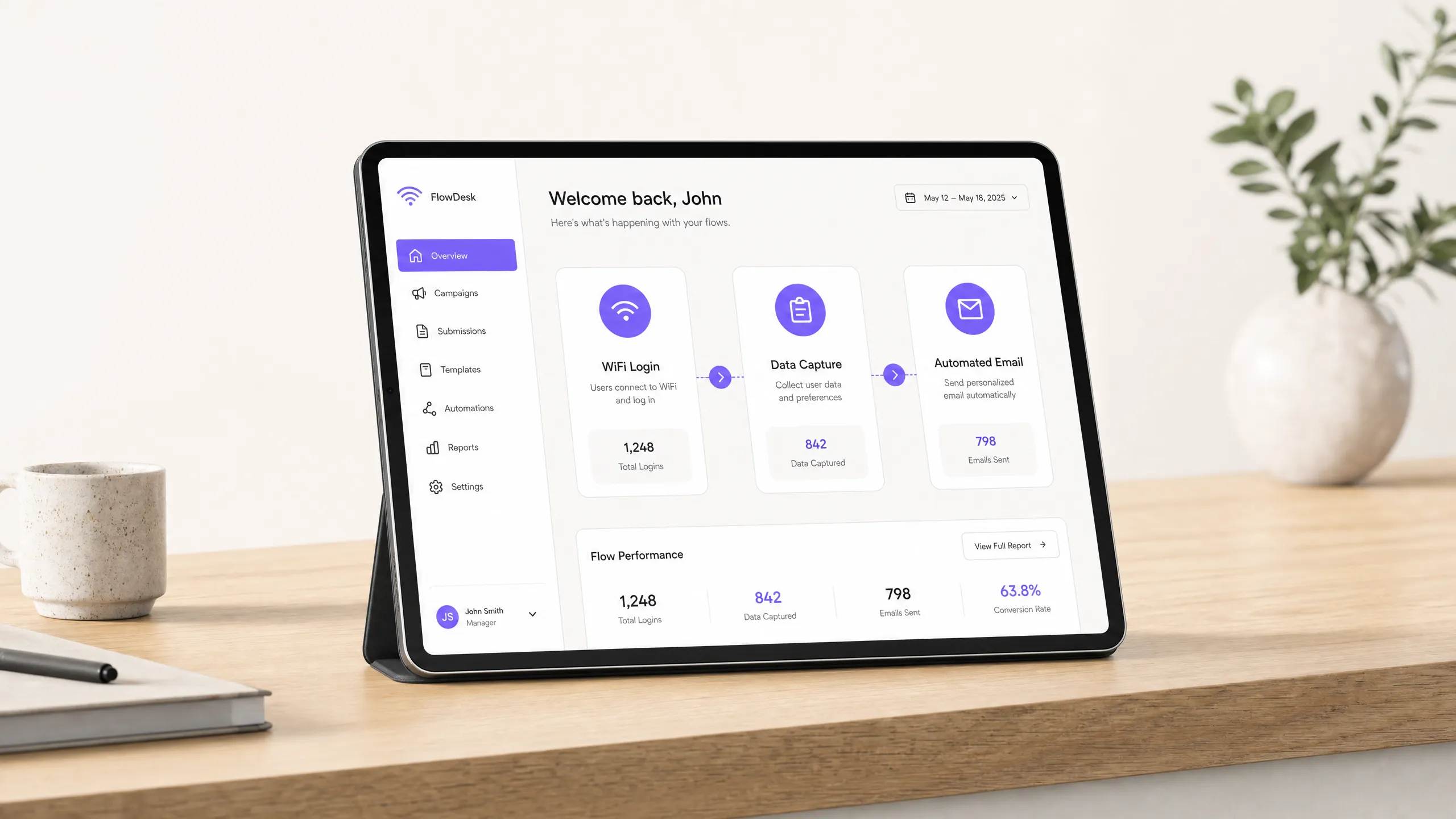
The key distinction from tools like Mailchimp or Klaviyo is this: those platforms are excellent at sending campaigns to a list you already have. They do not help you build the list from physical footfall. Purple Engage does both. It captures the data and runs the campaigns in a single platform.
How to do it with your guest WiFi
The setup has three steps.
First, configure your captive portal. Ask for an email address, a date of birth (for the birthday campaign) and marketing consent. Keep the form short - two fields and a checkbox. Longer forms reduce completion rates. Purple Engage handles the consent records automatically.
Second, connect your email domain. Authenticate your sending domain with SPF and DKIM records. This tells inbox providers your emails are legitimate and improves deliverability. Purple Engage walks you through this in the platform settings.
Third, activate your first automation. Do not wait until you have a large list. Set up the lapsed guest automation on day one. Any guest who has not logged in for 28 days receives an automated email with a specific offer. The list will be small at first. It grows every week.
For pubs and bars already running Cisco Meraki or HPE Aruba hardware, the integration is a cloud configuration. No engineer visit is required.
What to send, and when
The campaigns that drive the most return visits for bars and pubs fall into four categories.
The lapsed guest email. Trigger: no WiFi login for 28 days. Content: a specific offer valid Tuesday to Thursday, such as a free side with any main, or a discount on a round. Subject line: "We haven't seen you in a while." This email targets warm leads - people who already know and like your venue - and gives them a reason to return on a quiet night. Stonegate Pubs uses this kind of behavioural trigger across its estate to shorten the gap between visits.
The birthday campaign. Trigger: 14 days before the guest's birthday. Content: a free bottle of prosecco or a round on the house for a table booking of six or more. This drives group bookings, and group bookings are the highest-revenue visit type for most venues. A free bottle of prosecco costs around £8 wholesale. A booking for a table of eight spending £30 a head brings in £240.
The quiet-night push. Trigger: manual send, Tuesday or Wednesday morning. Segment: guests who have previously visited on a weekday. Content: a limited-time offer valid that evening only. Because you are targeting guests who have already visited mid-week, the offer resonates. You do not send a Tuesday-night offer to someone who only ever comes in on Saturdays.
The post-event follow-up. Trigger: 24 hours after a ticketed event ends. Content: a thank-you note with a link to book the next event or a discount on the next visit. This converts one-off event attendees into regulars.
For every campaign, keep the email short. One offer, one call to action, one link. Hospitality emails that perform well rarely exceed 150 words.
| Campaign | Trigger | Best send time | Primary goal |
|---|---|---|---|
| Lapsed guest | 28 days since last login | Tuesday 11:00 | Mid-week footfall |
| Birthday | 14 days before birthday | Any day, morning | Group bookings |
| Quiet-night push | Manual | Tuesday or Wednesday 10:00 | Same-day footfall |
| Post-event follow-up | 24 hours after event | Next morning | Repeat visits |
Measuring what works
Open rates and click rates are useful for diagnosing deliverability problems. They are not the measure of success for a bar or pub. The measure of success is: did the guest come back?
Purple Engage tracks footfall attribution. When a guest who received an email subsequently logs into your WiFi, the platform records the connection. You can see, for each campaign, how many recipients returned within 7, 14 or 30 days. That is the data that matters.
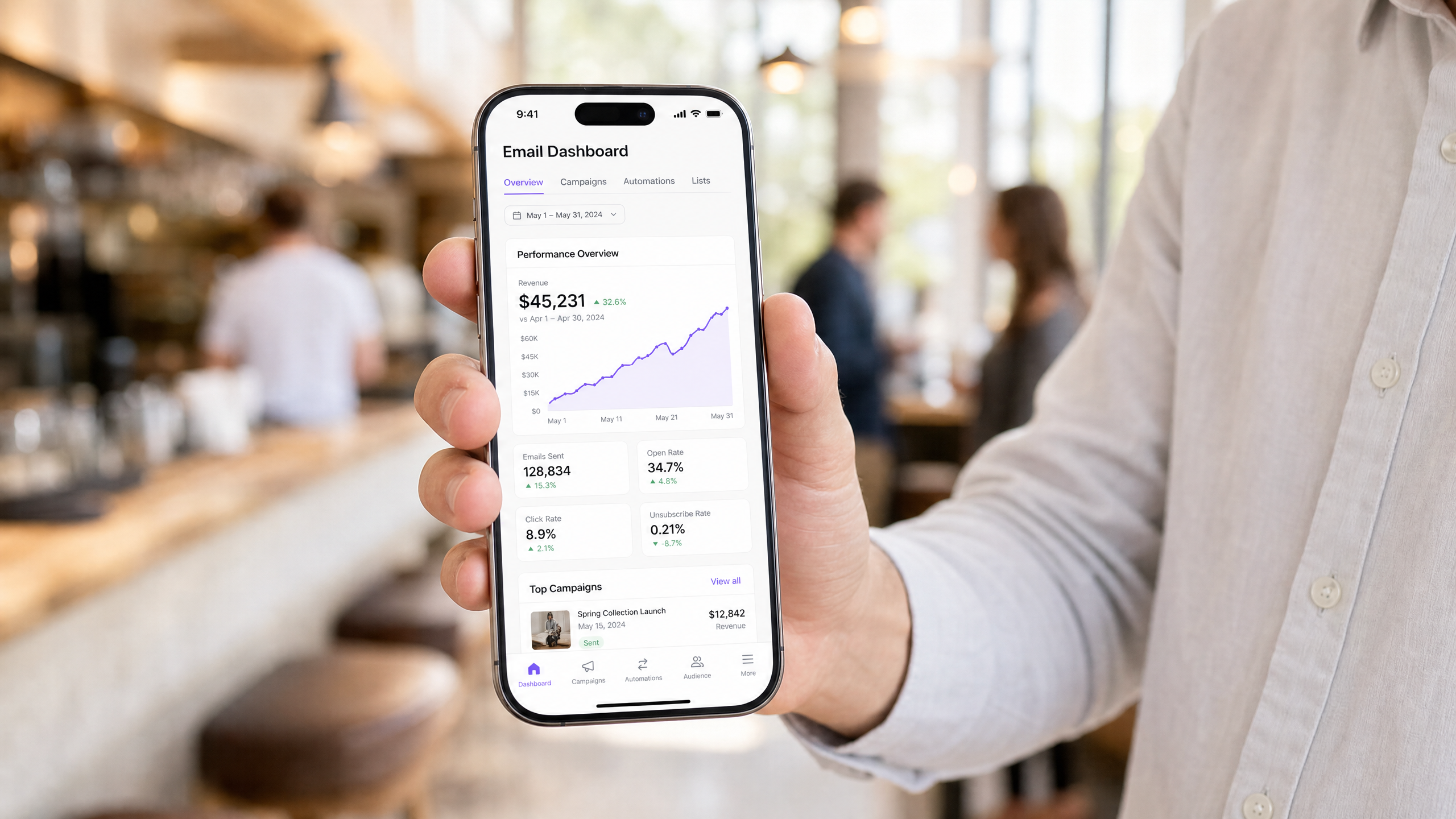
The secondary metric is revenue per send. If you know your average spend per head and you know how many guests returned after a campaign, you can calculate the revenue the campaign generated. For example, a lapsed guest campaign sent to 500 people with a 12% return rate and a $25 average spend delivers $1,500 in attributed revenue per send.
Track these three numbers for every campaign: return rate, revenue per send and list growth rate (new subscribers per week). Everything else is background information.
For more on consent and compliance, read our guide: UK PECR and the soft opt-in: email marketing rules for venues.
Where to start
- Audit your captive portal today. Log into your guest WiFi as a customer would. Does it ask for an email address? Is the consent checkbox unticked by default? If not, fix that first.
- Authenticate your sending domain. Add the SPF and DKIM records in Purple Engage. It takes 20 minutes and materially improves deliverability.
- Activate the lapsed guest automation. Set the trigger to 28 days. Write one email with one offer. Turn it on.
- Set up the birthday campaign. If your portal does not yet collect dates of birth, add the field now. The birthday campaign is the highest-ROI automation for most venues.
- Review footfall attribution weekly. Check which campaigns are driving return visits. Double down on what works.
From the moment you switch the portal on, the list builds itself. The campaigns run themselves. Your job is to set the triggers once and review the footfall data every week.