
Welcome email series for first-time venue guests
A welcome email series is the fastest way to turn a first-time venue guest into a repeat customer. This guide details a three-email sequence - Welcome, Value, Incentive - triggered automatically by a first WiFi login via Purple Engage, using verified, GDPR-compliant first-party data. You will learn what to send, when to send it, and how to measure success by tracking actual return visits rather than email opens.
Why this matters for your venue
The most profitable action a venue operator can take is to turn a first-time guest into a repeat customer. Hospitality sector research consistently shows that a returning guest spends more, costs less to acquire, and is more likely to recommend your venue to others. Yet, most venues have no systematic way to communicate with guests once they walk out the door.
A well-structured welcome email series, automatically triggered by a first-time WiFi login, changes this. The mechanics are simple. A guest connects to your network, opts in to marketing via a GDPR-compliant Captive Portal, and Purple Engage captures their verified, first-party data. The welcome sequence begins immediately. No manual uploads. No delayed CSV exports. No guesswork.
Standard email tools cannot fill this gap. Mailchimp, Klaviyo, and HubSpot do an excellent job of sending campaigns. But they do not build the list. Purple builds the list from active consent at the moment of visit and pushes that data to the campaign engine. This results in a welcome series that reaches the right guest, with the right message, at the right time.
Our data from 80,000+ live venues shows that venues running an automated welcome series see up to a 28% increase in repeat visits (Purple internal data, 2024). That is the outcome. And the welcome email series is the vehicle.
How it works
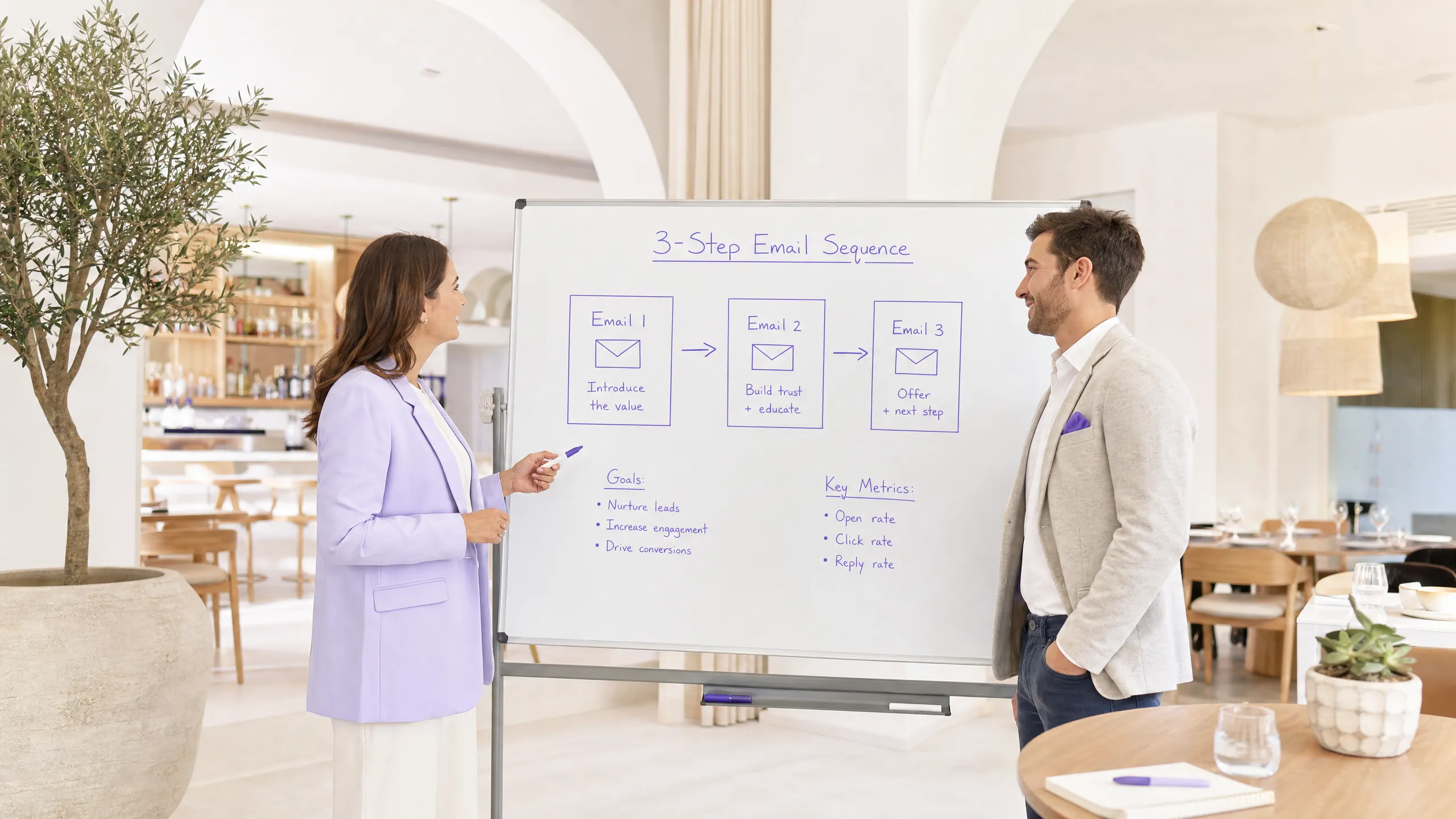
This sequence delivers three emails over seven days. Each email has a single, clear objective. Do not try to achieve everything in a single email.
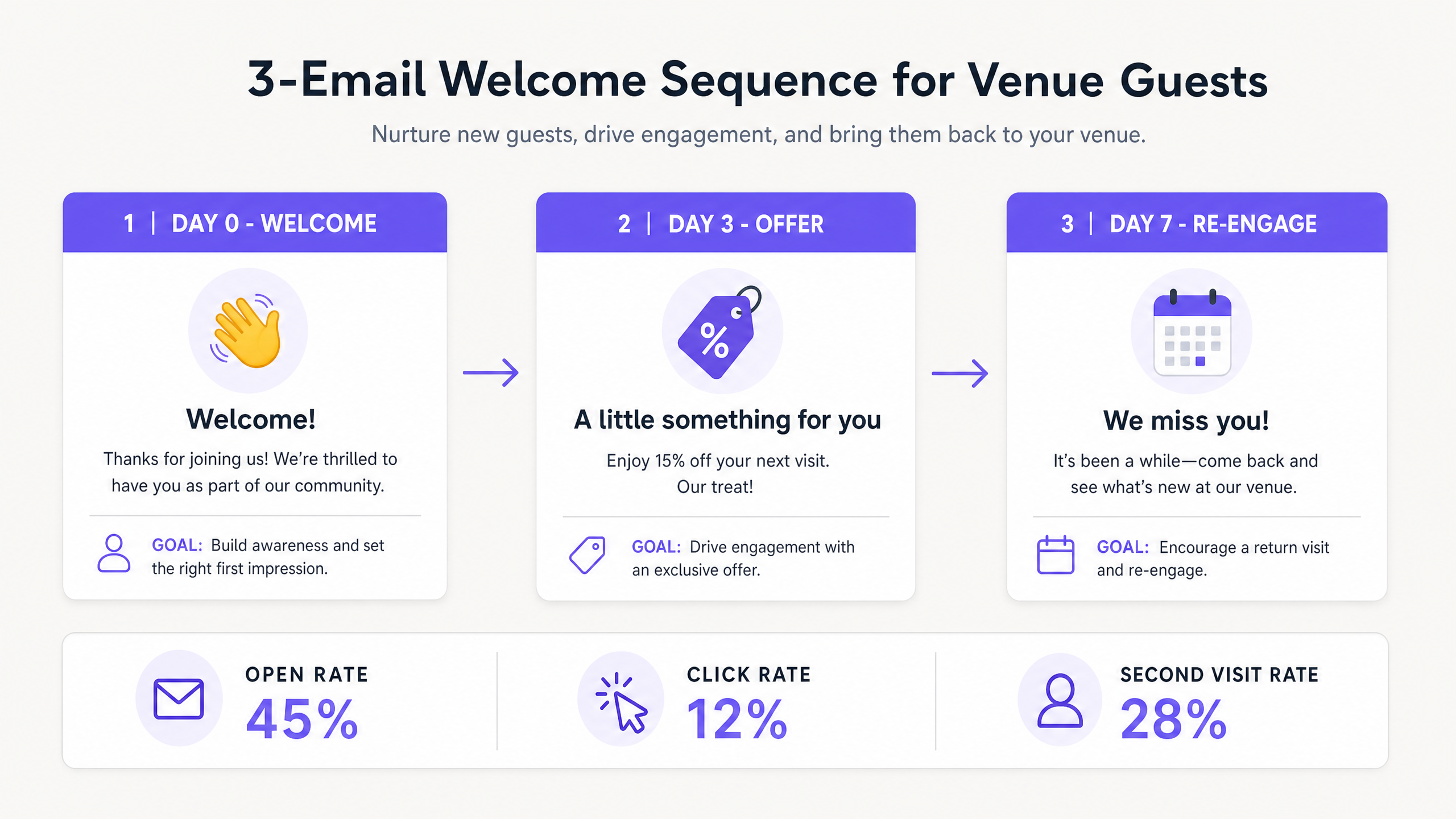
Email 1: The Welcome (Day 0). Send this within minutes of the guest logging in. The goal is recognition and a warm first impression. Thank them for visiting. Introduce your brand in two or three lines. Tell them why they should return to your venue. Do not include a discount or offer here. The guest is already in your venue - there is no need to discount a visit that is already happening.
Email 2: The Value Add (Day 3). Send this three days after the first visit. The goal is engagement and education. Share something about your venue that the guest might not know. A signature dish, an upcoming event, or a behind-the-scenes story about your team. This email builds a relationship without asking for anything in return.
Email 3: The Incentive (Day 7). Send this seven days after the visit. The goal is to secure that second visit. Provide a clear, time-limited offer to return. A percentage off their next meal, a complimentary item, or early access to an event. The time limit creates urgency. Without it, the offer sits in the inbox indefinitely.
How to do this with your guest WiFi
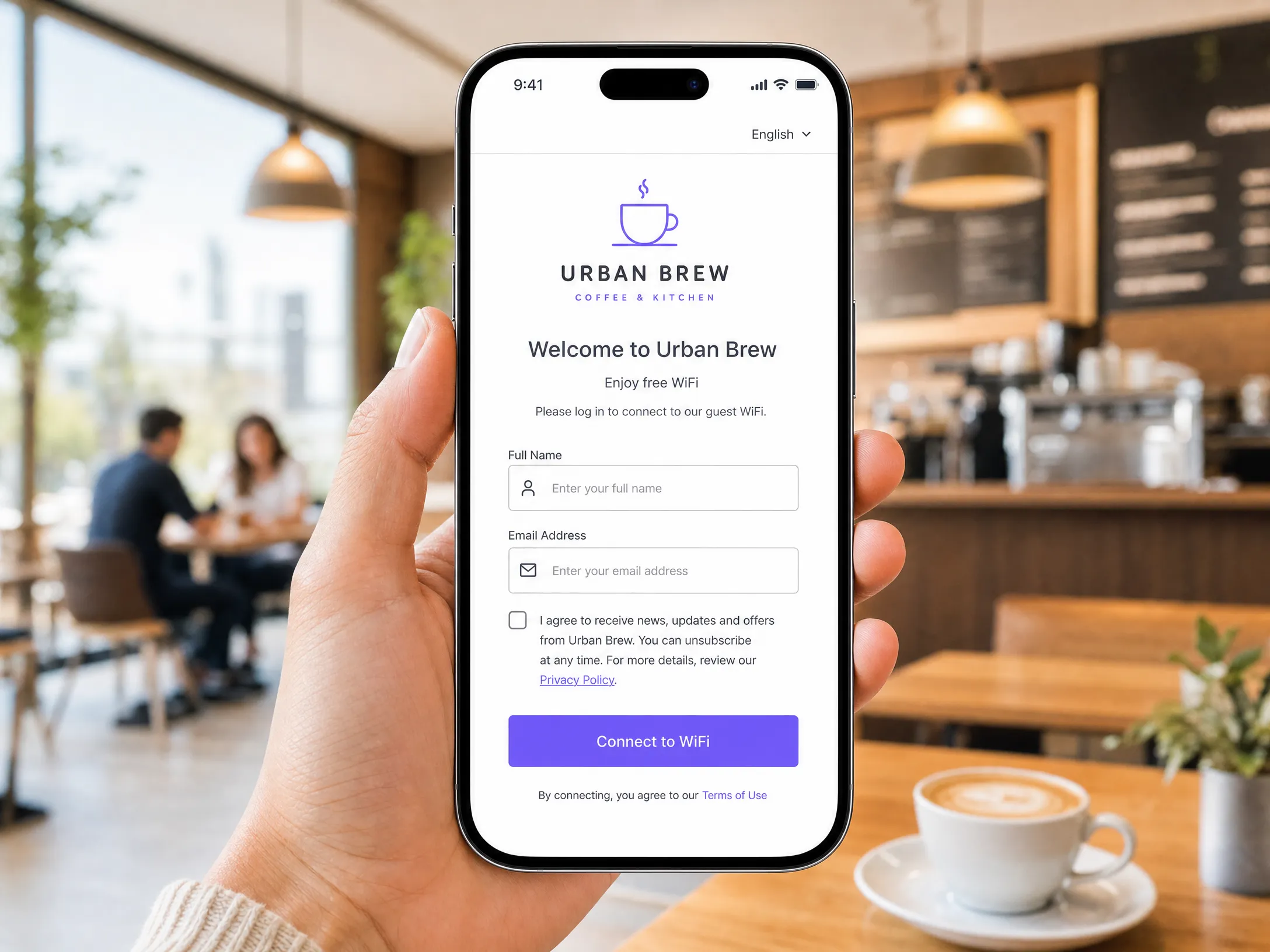
Purple Engage automates the entire process from login to campaign. When a guest connects to your network, they see a branded Captive Portal - a web page that sits between the device and the internet. They provide their name and email address. They see a clear, unchecked checkbox for marketing consent. They check it. They connect.
This single interaction creates a verified, first-party contact record. Purple logs the date, time, and venue location of the visit. The welcome series trigger is activated automatically.
This works with the hardware you already have. Whether your network runs on Cisco Meraki, HPE Aruba, Ruckus, or Ubiquiti UniFi, Purple acts as a cloud overlay. It handles authentication and data capture without requiring new access points or infrastructure changes. For a detailed guide on how data capture works, read our guide on Guest WiFi email capture: how it works and what to expect.
The key differentiator here is list quality. Because every contact comes from a physical visit and an active opt-in, you are not marketing to a cold audience. You are marketing to people who have already chosen to spend time in your venue. Engagement rates reflect this. Welcome emails sent to WiFi-captured lists consistently outperform broadcast campaigns sent to purchased or scraped lists.
What to send, and when to send it
Timing is the variable that most operators get wrong. For most hospitality and retail venues, seven days is the correct window. Hotels are the exception - a guest checking out on day two will not benefit from a day-seven incentive. For hotels, compress the sequence: send the welcome on Day 0, the value add on Day 1, and the incentive on Day 2 to drive future direct bookings or on-property spend during their current stay.
Segmentation increases the relevance of each email. Purple Engage captures the time of login, which tells you a lot about the guest's context. A guest logging in at 8am on a weekday is likely a breakfast or coffee visitor. A guest logging in at 9pm on a Friday is a completely different audience. Build separate sequences for these segments, or use dynamic content blocks to adjust the Day 3 email based on the visit time.
For multi-site operators, use venue location data to personalise the sequence. A guest visiting your Manchester site should receive an email referencing that location, not a generic brand message. Purple Engage supports location-based segmentation across all sites from a single campaign dashboard.
Subject lines matter far more than most operators assume. For the Day 0 email, a subject line referencing the venue name works best: "Thanks for visiting [Venue Name] today." For the Day 7 offer email, the offer should be front and centre: "15% off your next visit - this week only." Test two subject lines for every email and set your default based on open rate data.
Measuring what works
Do not measure the success of a welcome series by open rates alone. An open rate only tells you that your subject line worked. It does not tell you if the guest came back.
The metric that matters most is the return visit rate - the percentage of first-time guests who return within 30 days. Because Purple Engage sits on your network, it can detect when a previously logged-in device reconnects. You can attribute this second visit directly to the welcome series and calculate the revenue impact.
Track these four metrics together:
| Metric | What it tells you | Target benchmark |
|---|---|---|
| Day 0 open rate | Quality of subject line and send time | 40-50% |
| Day 3 click rate | Relevance of content and appeal of the offer | 8-15% |
| Day 7 offer redemption | Effectiveness of the offer and urgency | 10-20% |
| 30-day return visit rate | Effectiveness of the entire sequence | 20-30% |
If the Day 7 offer redemption rate is low, test a higher-value offer or a shorter expiry window. If the Day 3 click rate is low, the content is not relevant enough - review the segmentation. If the 30-day return visit rate is low despite high email engagement, the issue may lie with the in-venue experience, not the campaign.
To see a full breakdown of the analytics capabilities available in the platform, visit the Purple Engage product overview.
Where to start
Here is a short, sequential checklist to get your sequence live within a week.
- Define your three emails: write the copy for the welcome, value add, and offer before touching any platform settings.
- Configure your Captive Portal in Purple to capture name, email, and a clear, unchecked marketing consent checkbox.
- Set up the automated trigger in Purple Engage: the sequence should start on the first login, not on repeat logins.
- Create the three emails in Purple Engage with the correct send delays: Day 0, Day 3, Day 7.
- Set up a return visit report in Purple analytics to track 30-day repeat logins driven by the sequence.
- Launch, wait 14 days, and review the four metrics above before making any adjustments.