
Turning retail footfall into an email list
Why this matters for your venue
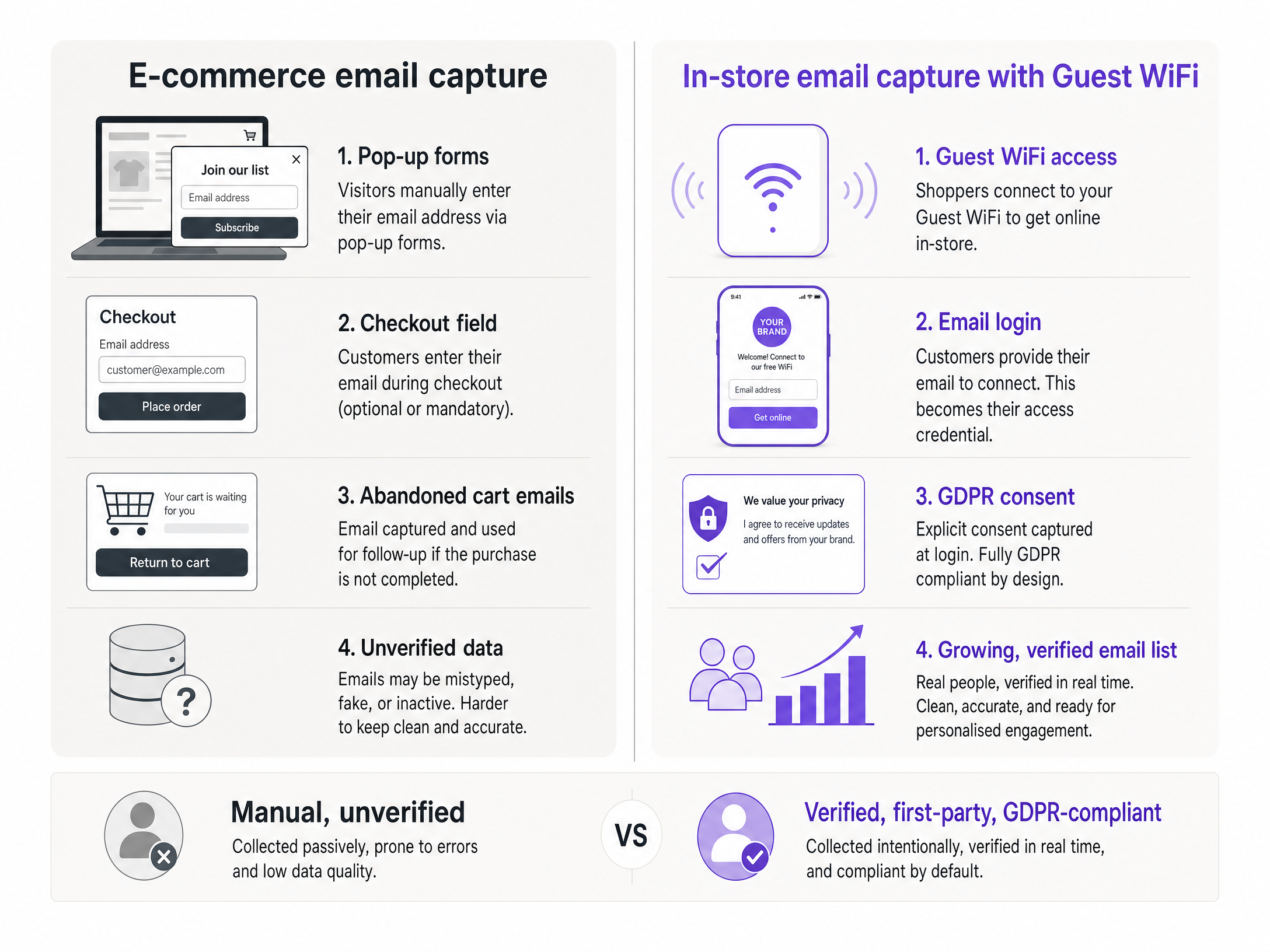
E-commerce has a structural advantage over physical retail when it comes to data. It is possible to track, prompt, and capture every visitor to an online store. A pop-up appears after 30 seconds. An email address is required for checkout. An abandoned cart triggers a follow-up. The list builds itself.
In a physical store, none of this happens by default. A shopper browses for 40 minutes, picks up three products, puts two back, and leaves. You have no idea who they were, what they looked at, or whether they will return. If they pay by card, your bank might tell you the transaction went through. They will not tell you the customer's name or email address.
This is the retail email capture problem. And it is expensive. The cost of acquiring a new customer is five times higher than retaining an existing one (Purple internal data, 2024). If you cannot identify and re-engage the shoppers who are already walking through your doors, you are paying the full acquisition cost every single time.
Guest WiFi solves this. When a shopper connects to your network, you present a branded Captive Portal - a login screen requiring an email address or social account to grant internet access. The shopper gets online access. You get a verified, GDPR-compliant contact. The list builds itself automatically from the footfall you already have.
Harrods implemented this approach across their physical estate and transformed their Guest WiFi into a loyalty channel that delivered a 57x ROI (Purple, 2024). This number is not a campaign metric. It is a business outcome.
Methodology
This mechanism is a value exchange. You offer fast, reliable internet access. The shopper provides their contact details and explicit consent to receive marketing communications. This exchange is transparent, voluntary, and fully compliant with GDPR requirements for active, opt-in consent.
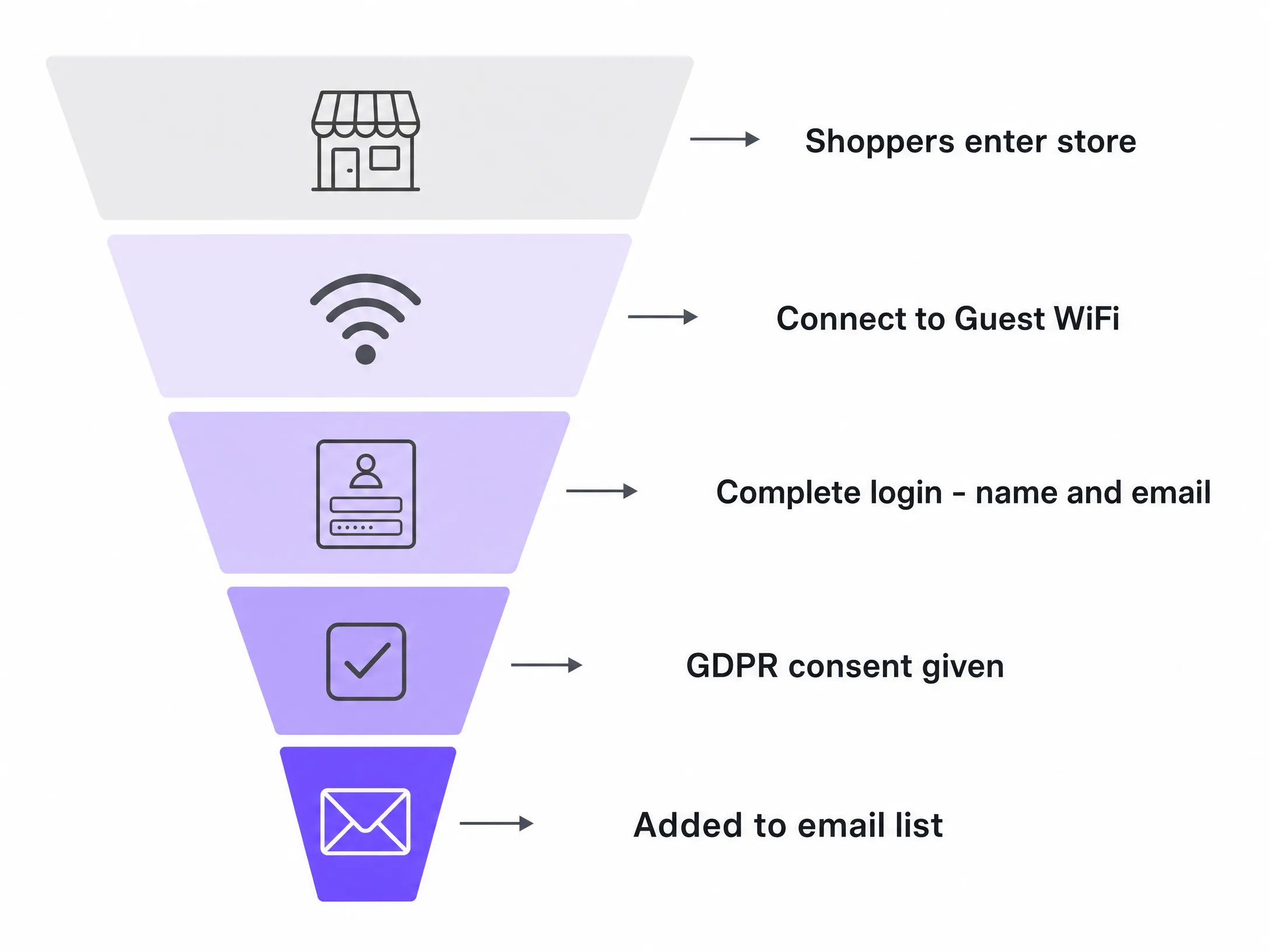
The Captive Portal is the interface where this exchange happens. When a shopper selects your Guest WiFi network, their device automatically displays the portal. They see your branding, a brief explanation of the benefit they are receiving, a simple form asking for their name and email address, and a clearly worded consent checkbox. They tick the box, tap the button, and are online in seconds.
This is the physical equivalent of an e-commerce pop-up. The difference is that it is tied to a real value exchange - internet access - rather than a discount code. Conversion rates on Captive Portal logins consistently outperform website pop-ups because the motivation to complete the form is immediate and tangible.
The collected data is first-party data. You own it. It is not rented from a platform, inferred from third-party cookies, or bought from a data broker. It is a verified contact who walked into your store, connected to your network, and actively chose to hear from your brand.
To learn more about how Guest WiFi captures first-party data at scale, see the Purple Guest WiFi overview.
How to do this with your Guest WiFi
You do not need to replace your existing network hardware. Purple works as a cloud overlay, integrating directly with your current infrastructure. We are hardware-agnostic, supporting Cisco Meraki, HPE Aruba, Ruckus, Juniper Mist, Ubiquiti UniFi, Cambium, Extreme, and Fortinet. If your store already has access points from any of these vendors, you can deploy Purple without touching the physical network.
Once integrated, Purple Engage handles the Captive Portal display, data capture, and authentication. Customer details flow securely into the Purple Engage CRM, where they are enriched with behavioural context: when the shopper visited, how long they stayed, how often they return, and which areas of the store they spent time in.
Authentication options give you flexibility over data quality. A shopper logging in via Microsoft Entra ID or Google Workspace automatically provides a verified identity - the email address is confirmed by the identity provider. Shoppers logging in directly with an email address can be sent a verification link before access is granted, ensuring the contact is genuine and active.
The Purple Engage Capture plan manages the portal and data collection. The Engage plan adds CRM, segmentation, and campaign automation tools. Together, they provide you with a complete in-store email capture stack.
For UK venues, the consent mechanism must meet both GDPR and PECR requirements. The consent checkbox must be unticked by default, the language must be specific about what the shopper is consenting to, and the record of consent must be stored alongside the contact. Purple handles this by design. For a detailed breakdown of the legal requirements, see the UK PECR and soft opt-in: email marketing rules for venues guide.
What to send and when
Capturing the email is the first step. The real value lies in what you do with it. Purple Engage allows you to trigger automated campaigns based on physical behaviour, not just digital engagement.
| Trigger | Audience | Message | Timing |
|---|---|---|---|
| First login | New customer | Welcome email with a discount on their next visit | 30 minutes after login |
| No return in 60 days | Lapsed customer | Win-back offer with a time-limited incentive | 60th day of inactivity |
| 4+ visits in a month | Regular customer | Loyalty reward or early sale access | Day after the 4th visit |
| Dwell in a specific zone | High-intent customer | Product recommendation email for that category | Next morning |
The welcome series is the highest priority automation to build first. A shopper who has just connected to your WiFi for the first time is at their peak level of engagement with your brand. An email arriving 30 minutes later - when they might still be in the store or on their way home - converts at a much higher rate than a campaign sent days later.
The win-back campaign is the second priority. A shopper who visited four times in January and has not returned since March is a recoverable contact. A targeted email with a relevant offer sent on the 60th day of their absence is far more cost-effective than paying to re-acquire them through paid social.
Segmentation enhances every campaign. Purple Engage segments your list based on visit frequency, recency, and in-venue location. A shopper who regularly visits the menswear section should not receive womenswear promotions. A shopper who visits every Saturday morning should receive offers timed to land on Friday evening.
Measuring what works
Open rates and click-through rates measure digital engagement. They do not measure whether your campaign drove a physical visit. For a retail email programme built on guest WiFi data, the primary metric is return visits.
Because Purple tracks device connections to the network, you can attribute a physical visit to a specific email campaign. Send a win-back email on Tuesday. Check how many of the recipients connect to the WiFi over the next seven days. This is your campaign-to-footfall conversion rate. It is a metric that a standard email platform cannot provide, because a standard email platform does not know when a customer walks back through the door.
Secondary metrics to track:
- Revenue per send: Total in-store revenue during the campaign divided by the number of emails sent. This requires integration with your EPOS system.
- List growth rate: New contacts added per week as a percentage of total footfall. A healthy rate indicates that the Captive Portal is converting well.
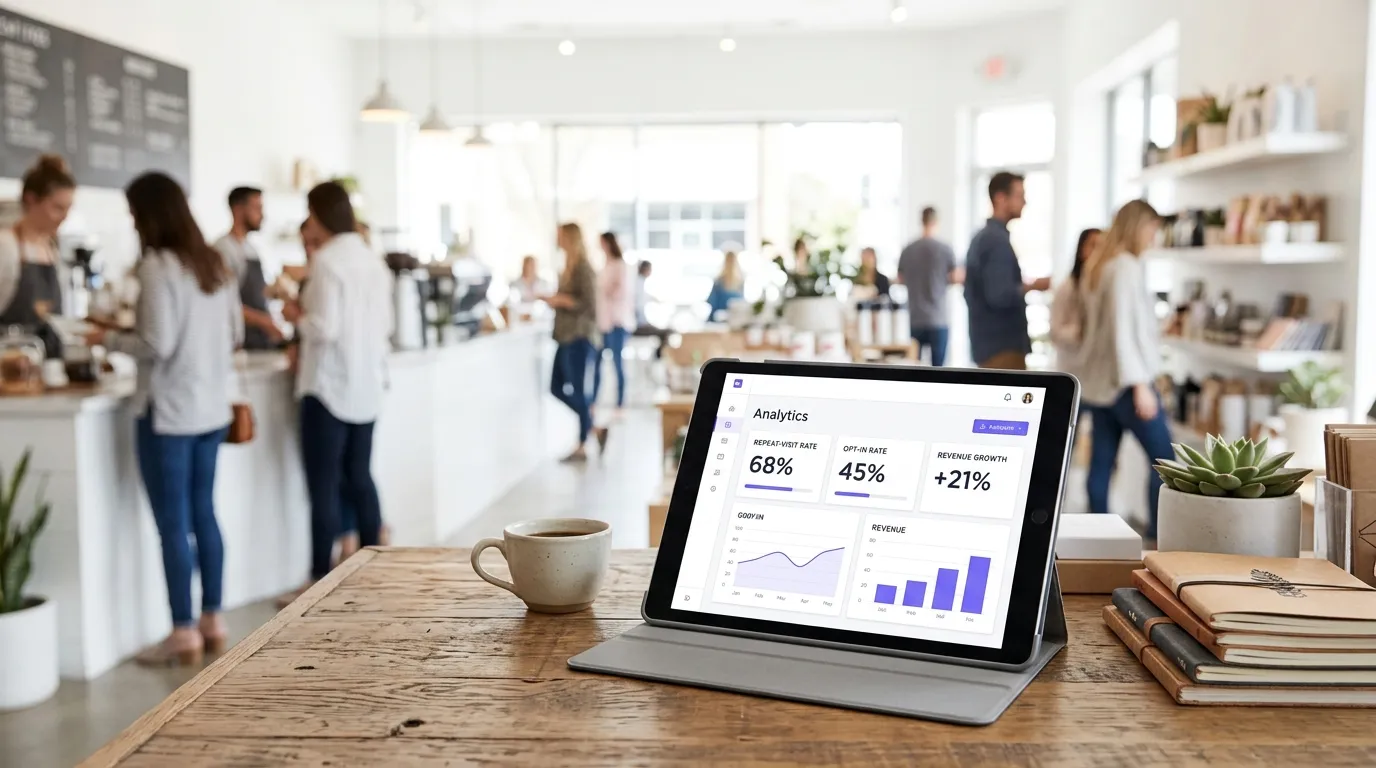
- Opt-in rate: The percentage of shoppers who connect to the WiFi and complete the login with marketing consent. A benchmark of 60-70% is typical for a well-designed portal (Purple internal data, 2024).
- Lifetime value by channel: Compare the average spend of customers on your email list against those who are not. This is the clearest proof of the programme's commercial value.
ISO 27001 certification covers the data handling infrastructure behind Purple's platform, giving you confidence that the data you collect is stored and processed to the highest security standards.
Where to start
- Audit your current guest WiFi setup. Walk into your store as a customer. Is the network open? Is there a password written on a chalkboard? If so, you are not collecting any data. Identify your hardware vendor.
- Map your footfall. Understand how many shoppers are connecting to the WiFi versus how many are walking through the door. This gap is your opportunity.
- Design the Captive Portal. Keep it simple, asking only for name and email address. Add a clear, specific consent statement. Test it on a mobile device before going live.
- Build the automations first. Set up the welcome series and win-back campaigns before launching. Do not wait for the list to grow.
- Set your baseline metrics. Record your current email list size, weekly footfall, and any existing email engagement rates. You need a point of comparison to measure success.
- Review compliance. Ensure your consent language meets GDPR requirements. Store consent records alongside contact data.
- Go live and iterate. Review the opt-in rate after the first two weeks. If it is below 50%, simplify the portal or review the language of the value exchange.