
Stadium fan marketing with WiFi data: a match-day campaign checklist
You will be able to plan a full match-day email programme from guest WiFi logins: capture consented fan emails, tag each record by fixture, and run pre-match, half-time and post-match sends.
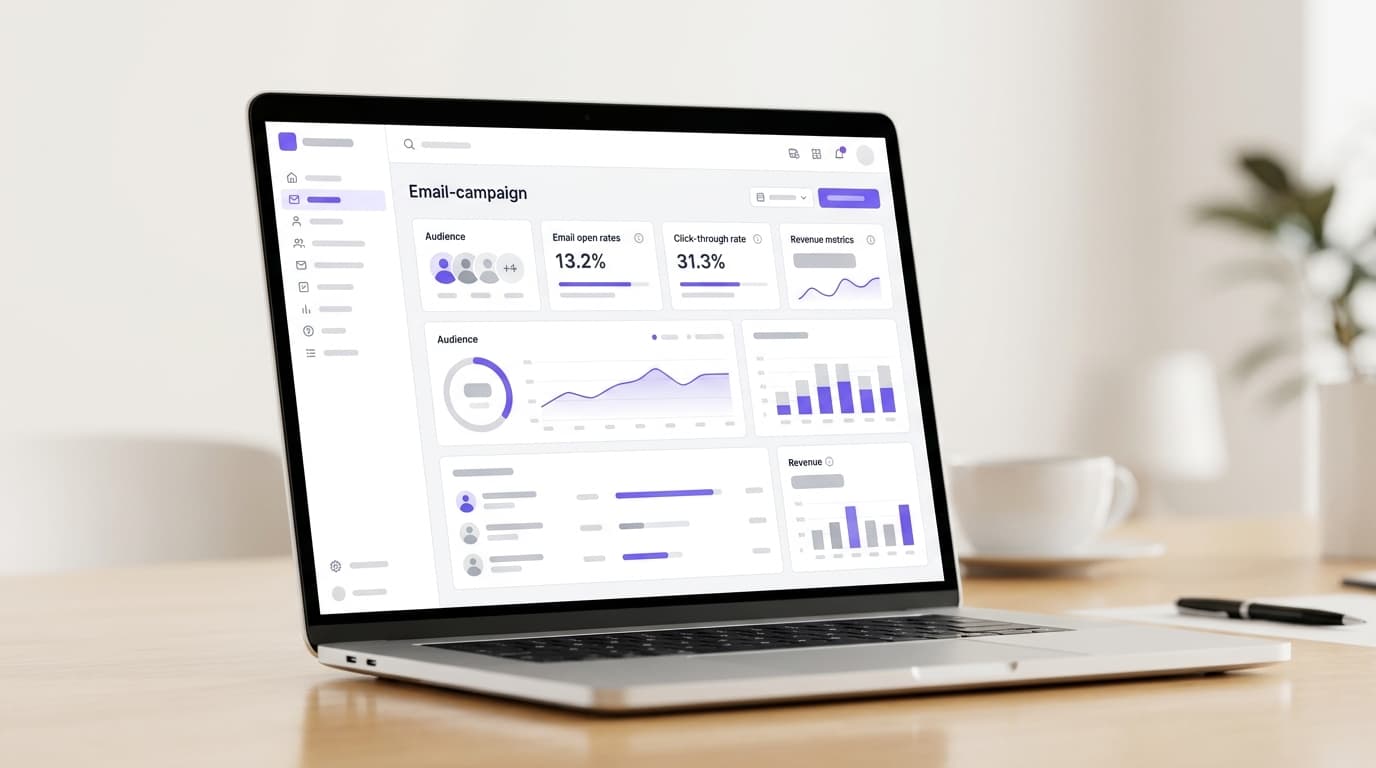
Stadium fan marketing with WiFi data works in three steps. Capture a consented email when fans log in to guest WiFi. Segment them by the matches they attended. Then send timed emails: a pre-match guide, an in-match shop or food offer, and a post-match message selling the next ticket. Purple Engage builds the fan list automatically from each login.
What does match-day WiFi data do for stadium fan marketing?
Your ground hosts thousands of fans every home fixture, but your CRM usually holds only the people who paid. When one fan buys four seats, the ticketing system records one email address. The other three fans leave nothing you can market to.
Guest WiFi closes that gap. Each fan who logs in on the concourse can give their own email address and their own marketing consent. That is first-party data: collected by you, at your ground, with a recorded opt-in. Guest WiFi captures it at the login page. Purple Engage turns it into segmented, timed email campaigns.
The four outcomes to set targets for
Set a target against each of these before you write a single email:
- Opt-in rate. The share of WiFi logins that agree to marketing. This number decides how fast your list grows.
- Repeat attendance. Fans on the list who come back for another fixture this season.
- Revenue per send. Ticket, shop and food revenue attributed to a campaign, divided by emails sent.
- Lifetime value. What a fan spends across a season, and across seasons, once they are on the list.
Why the list matters more than the send
Mailchimp, Klaviyo and HubSpot send email to contacts you already hold, whether imported or gathered through web forms. None of them sits on your stadium WiFi, so none of them reaches the fan queuing at half-time. Purple Engage starts one step earlier. The list builds itself from consented guest WiFi logins, with the fixture and date attached to each record. Purple recorded 440 million logins in 2024 across 80,000+ live venues (Purple's own data).
What do you need before your first match day?
Most of the preparation is commercial and legal, not technical. Work through this checklist before the season opener.
Network and coverage
- Coverage where fans have time. Concourses, bars, the club shop and hospitality lounges matter most. Queues, pre-match and half-time are when phones come out.
- No new access points. Purple runs as a cloud overlay on the hardware you already own. It is hardware-agnostic and works with Cisco Meraki, HPE Aruba, Ruckus, Juniper Mist, Ubiquiti UniFi, Cambium, Extreme and Fortinet.
Consent and privacy
- A privacy notice that names your club as data controller and explains how fans' data is used.
- Consent wording signed off by your data protection officer against UK GDPR or EU GDPR.
- Age handling. Under UK GDPR, children under 13 cannot consent for themselves to online services offered directly to them (Data Protection Act 2018, section 9). Add an age confirmation to the login page and keep under-13s off marketing lists.
- A retention period for fans who stop attending and stop opening.
Commercial inputs
- The full fixture calendar, with ticket on-sale dates for each match.
- Agreed offers from your retail and catering partners, each with a unique code or landing page.
- A ticket landing page for every upcoming fixture, plus your online shop.
- Baseline numbers: how many fans you can email today, average attendance and shop revenue per head.
People and sign-off
- One owner for the campaign calendar.
- One approver who can sign off match-day sends within the hour.
- A named contact in ticketing for data matching and season ticket exclusions.
How do you turn match-day WiFi logins into a fan list?
The work has three stages. Capture consent at login, tag each record with the match, then connect the list to your ticketing and CRM data.
Build a login page fans will complete
The captive portal is the page a fan sees before getting online. Treat it as your highest-volume sign-up form. Ask only for what your first three campaigns need: first name, email address and a marketing opt-in. You can ask for a favourite player or home postcode later, inside an email.
Consent has to pass the GDPR test. Four rules shape the page:
- Consent must be freely given, specific, informed and unambiguous (GDPR Article 4(11)).
- Pre-ticked boxes do not count as consent (GDPR Recital 32).
- Fans must be able to withdraw consent as easily as they gave it (GDPR Article 7(3)).
- Avoid making WiFi access conditional on marketing consent. GDPR Article 7(4) treats that as a sign consent was not freely given.
Purple calls this approach conscious-choice opt-ins. A fan ticks the box because the offer is worth it. Give them that reason in the wording. "Be first to hear when cup tickets go on sale" tells a fan what they get. "Sign up for our newsletter" does not.
Tag every login with the fixture
Each login carries a date and time. Map those to your fixture list and every record gains context:
- Fixture and competition. League, cup, friendly or women's team match.
- Attendance frequency. First visit, two to four visits, or five or more.
- Recency. Days since the fan last logged in at the ground.
- Area. Hospitality lounge or general concourse, if those areas run separate WiFi networks.
These segments drive every message in the next section. A first-time attendee needs a welcome. A five-match regular needs a reason to buy a season ticket.
Connect the list to ticketing and CRM
Purple integrates with CRM and marketing platforms, so the fan list never sits in isolation. Match WiFi records to ticketing records on email address. That match lets you exclude season ticket holders from "buy your next ticket" sends. It also reveals fans who attend but have never bought directly, the group you most want to convert. The Purple Engage Product overview covers the campaign tools and integrations.
What should you send before, during and after the match?
Build the sequence once, then reuse it for every home fixture. The table sets out a default calendar. Adjust the timings to your kick-off times and on-sale dates.
| When | Trigger | Who receives it | Message | Measure |
|---|---|---|---|---|
| 7 days before kick-off | Fixture goes on sale | Fans who attended this competition, no ticket for this match | Next fixture, kick-off time, one-click buy | Tickets sold per 1,000 sends |
| 2 days before kick-off | Scheduled | Ticket holders matched from ticketing | Match-day guide: gates, transport, food, shop pre-order | Shop pre-orders per send |
| On first login of the day | WiFi login | Opted-in fans at the ground | Welcome and one concourse food or drink offer | Offer redemptions on the day |
| Half-time | Scheduled to kick-off | Opted-in fans logged in today | One shop or food offer, valid until full time | Redemptions per send |
| 2 hours after full time | Scheduled | Fans logged in today | Thank you, highlights, next fixture tickets | Ticket revenue per send |
| 2 days after the match | Scheduled | Fans logged in who bought nothing in the shop | Kit, training wear, online shop link | Shop revenue per send |
| 3 days after a first visit | First-ever login | First-time attendees | Welcome series: club story, membership, next fixture | Membership and ticket conversions |
| 30 days after last visit | No login since | Lapsed fans | Win-back: a lower-demand fixture | Reactivation rate |
Before the match: sell the seat, then the visit
Seven days out, email fans who attended this competition but hold no ticket for the next match. Lead with the opponent, the kick-off time and one link to buy. Leave the shop out of this email.
Two days out, send ticket holders a match-day guide. Include gate opening times, transport, food options and a shop pre-order link. Pre-orders collected at a pickup point move transactions out of the half-time rush.
During the match: one offer, one action
Fans in a stand give a message seconds, not minutes. Keep in-match emails to one offer and one tap. The login welcome arrives just after a fan has chosen to connect, so use it for today's concourse offer.
At half-time, send one short food or shop offer valid until the final whistle. Never send during play.
Think about what each offer costs you. An added-value offer, such as a free scarf with a shirt, costs the scarf's cost price. A blanket 20% off costs a fifth of every basket, including shoppers who would have paid full price. Discounts vs added-value offers for restaurants: protecting your margin sets out the trade-off. The same logic applies to your kiosks and club shop.
After the match: the next ticket and the shop
Two hours after full time, send the thank-you email with highlights and the next fixture. Write two versions in advance. The win version celebrates. The loss or draw version thanks fans for their support and moves straight to the next match. Your approver picks the right one at full time.
Two days later, email fans who bought nothing in the shop. Lead with one product line, such as the home shirt or training wear. First-time attendees enter a three-email welcome series over two weeks. Lapsed fans get a win-back offer for a lower-demand fixture after 30 days.
These are trigger-based sequences, the same pattern used outside sport. Customer journey automation for gyms and leisure centres: an implementation guide walks through the welcome, active and lapsed stages in detail.
Set a frequency cap before the season starts. In a congested month with two home matches a week, limit each fan to three marketing emails a week.
What does a match-day campaign look like in practice?
Both scenarios below are illustrative models built on stated assumptions, not customer results. Replace each assumption with your own figures to build your business case.
Scenario 1: a 25,000-seat football ground selling the next home ticket
Situation. A club averages 18,000 fans per home league fixture. It can email 6,000 ticket buyers, but holds no contact details for most of the crowd. The commercial director wants more single-match sales for lower-demand fixtures.
What the club does. The login page offers "first access to cup tickets" in exchange for a marketing opt-in. Records are tagged by fixture and deduplicated against ticketing. The club runs the full sequence from the table above. It holds back 10% of each segment as a control group that receives no email.
Modelled outcome. Assume 15% of attendees log in (2,700 fans) and 40% of those opt in (1,080). After the first match, regulars repeat, so assume 700 new unique opt-ins per fixture. After 10 home fixtures, the club has added 7,380 opted-in fans, taking its list from 6,000 to 13,380.
Now the post-match email. If 2% of recipients buy two tickets at £25, every 1,000 sends returns £1,000 in ticket revenue. That is £1 revenue per send. The control group shows how much of that £1 is genuinely new money.
Scenario 2: a council-owned stadium filling concerts and its café
Situation. A local authority runs a multi-use stadium hosting athletics, community events and three summer concerts of 12,000 people each. The café trades daily but is quiet on weekdays. Concert attendees come once and leave no contact details.
What the council does. The concert login page names the council as data controller. It offers two separate, unticked opt-ins: event news and café offers. This keeps consent specific to each purpose, as GDPR requires. After each concert, attendees receive a thank-you with next summer's presale. Café opt-ins get an added-value weekday offer, a free coffee with any lunch, with a unique code.
Modelled outcome. Assume 20% of attendees log in (2,400 per concert) and 50% opt in (1,200). Three concerts build 3,600 contacts. If 3% redeem the café offer, one send brings 108 extra weekday visits. If 4% buy a presale ticket at £45, next summer's first concert opens with £6,480 in sales before general release.
How do you know your match-day campaigns are working?
Review six numbers on a fixed cadence. The first three show whether the list is growing. The last three show whether it is earning.
| Metric | How to calculate it | Healthy direction | When to review |
|---|---|---|---|
| Login rate | WiFi logins ÷ match attendance | Rising across the season | After every match |
| Opt-in rate | Marketing opt-ins ÷ WiFi logins | Stable or rising | After every match |
| New fans added | Unique new opt-ins per fixture | Above zero every match | After every match |
| Revenue per send | Attributed revenue ÷ emails sent | Rising across the season | Weekly |
| Repeat attendance | Fans seen at 2+ fixtures ÷ fans on list | Rising across the season | Monthly |
| Unsubscribe rate | Unsubscribes ÷ emails delivered | At or below your season average | After every send |
Measure incremental revenue, not total revenue
Some fans would have bought the next ticket anyway. A control group separates them from the fans your email moved. Hold back 10% of each segment from a send, then compare spend between the two groups. The difference is the revenue your campaign created.
Judge clicks and redemptions, not opens
Apple's Mail Privacy Protection, introduced in 2021, preloads email content in Apple Mail. That can record an open the fan never made. Give each email its own offer code and tagged links. Redemptions and purchases tell you what worked. Opens alone do not.
Hold a 15-minute review after each fixture
Look at login rate, opt-in rate and match-day redemptions the morning after each game. A sudden drop in login rate usually points to a coverage or signage problem, not a campaign problem. Fix the physical issue before the next fixture.
What goes wrong, and how do you avoid it?
Bundled or pre-ticked consent
A single box covering WiFi terms and marketing fails the GDPR test for specific, unambiguous consent. Split them. Leave the marketing box unticked and let fans connect without it.
A login page that asks too much
Every extra field is another reason to skip the form. Collect name, email and opt-in at the turnstile. Ask for preferences inside your welcome email, once the fan has a reason to answer.
One message for every fan
A season ticket holder who receives "buy your next ticket" learns to ignore you. Exclude season ticket holders using your ticketing match. Send first-timers a welcome, not a sales pitch.
Discounts that teach fans to wait
Fans who see 20% off every Saturday stop paying full price on Friday. Rotate added-value offers, and reserve price cuts for genuine overstock or lower-demand fixtures.
The wrong tone after a defeat
A cheerful post-match email after a heavy loss damages trust. Prepare win and loss versions before kick-off and give one person the decision.
Children on the list
Family stands bring younger fans to the login page. Add an age confirmation and suppress anyone who indicates they are under 13.
Sponsor marketing without sponsor consent
Consent to club news does not cover a sponsor's offers. If partners matter commercially, add a separate opt-in for them on day one. Asking later means re-consenting a list you have already built.
Frequently asked questions
Do we need to replace our stadium WiFi to run fan marketing with Purple Engage?
No. Purple runs as a cloud overlay on the access points you already own, so there is no rip and replace. It is hardware-agnostic and works with Cisco Meraki, HPE Aruba, Ruckus, Juniper Mist, Ubiquiti UniFi, Cambium, Extreme and Fortinet. Your IT team connects the existing network to Purple. Your marketing team then builds the login page and campaigns. Most launch effort sits in consent wording, offers and content, not hardware.
How does Purple Engage compare with Mailchimp, Klaviyo or HubSpot for a stadium?
Purple Engage builds the fan list; those platforms send to a list you already hold. Mailchimp, Klaviyo and HubSpot work from imported contacts and web forms, so they never reach the fan standing in your concourse. Purple captures a consented email at each guest WiFi login and tags it with the fixture attended. Purple also integrates with CRM and marketing platforms, so you can keep an existing sending tool and feed it WiFi-sourced fans.
Is collecting fan data through guest WiFi GDPR compliant?
Yes, when the login page collects valid consent. GDPR requires consent to be freely given, specific, informed and unambiguous, with no pre-ticked boxes and an easy way to withdraw. Purple builds login pages around conscious-choice opt-ins. Purple is ISO 27001 certified, GDPR and CCPA compliant, and holds Cyber Essentials and B Corp certification. You still need your own privacy notice, a retention period and sign-off from your data protection officer.
Who owns the fan data collected on our WiFi?
You do. Fans give consent to your club or venue, so the records are your first-party data. Under GDPR you act as the data controller, deciding how fans' data is used, while Purple processes it on your behalf. Your privacy notice, consent wording and retention policy govern every record. You can use the data in Purple Engage and pass it to connected CRM and marketing platforms.
Can we match WiFi logins to our ticketing database?
Yes, by email address. Once WiFi records sit alongside ticketing data in your CRM, you can exclude season ticket holders from ticket offers. You can also find fans who attend regularly but have never bought directly. Purple integrates with CRM and marketing platforms, which is the usual route. Check which export and import options your ticketing provider supports before the season, so matching works from the first fixture.
Can we share the fan list with sponsors or retail partners?
Not without specific consent for it. GDPR requires consent to be specific to each purpose, so an opt-in to club news does not cover a sponsor's marketing. If sponsor offers matter commercially, add a separate, unticked opt-in that names the type of partner. Alternatively, keep the list in-house and send partner offers yourself, under your own brand, to fans who agreed to hear about club partners.
How is Purple licensed for a stadium?
Purple is licensed through three plans: Connect, Capture and Engage. Campaign features for running email from WiFi-sourced fan data sit in Purple Engage, the CRM and email marketing platform built for physical venues. For pricing, request a quote through the Purple Engage product overview. Have your ground capacity, number of home fixtures and any additional venues, such as a club shop or training ground, to hand.
Can we use the same fan list for concerts, tours and conference days?
Yes. Tag every login with the event type, then segment by it. A concert attendee and a league regular need different messages. If you plan to cross-sell, your consent wording should cover both event news and match news. Stadium tours and conference days in your hospitality suites add contacts on non-match days. Treat each event type as its own segment, with its own calendar, rather than one list for everything.