
Post-visit feedback survey checklist for hotels and restaurants
You will be able to design a three- to five-question post-visit survey, set send times by venue type and build a consented send list from guest WiFi logins. You will also know which six metrics to review monthly by site.
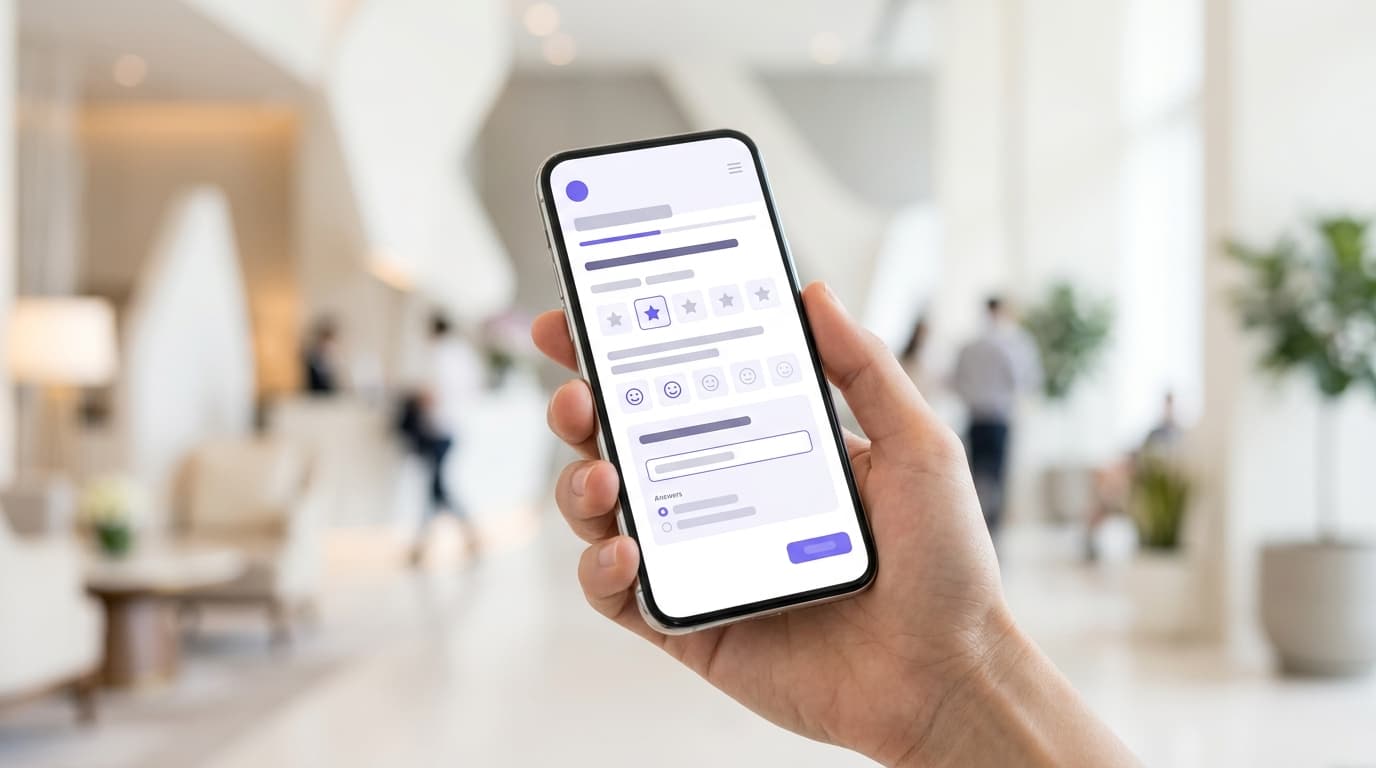
Ask three to five questions: one overall score, one or two about the stay or meal, and one open text box. Send hotel surveys within 24 hours of checkout. Send restaurant surveys two to three hours after the visit, the same day. Short surveys sent promptly get answered and give you scores you can compare month on month.
What does a post-visit feedback survey do for your hotel or restaurant?
A post-visit survey does three jobs. It tells you what to fix while the guest still remembers the visit. It gives an unhappy guest a private route to complain before they go public. It also shows you which guests intend to return, so your next campaign can treat them differently.
The outcome that matters is repeat visits. A guest whose complaint gets a fast, personal reply has a reason to come back. A guest who hears nothing has none.
Most survey programs fail on usability, not on response. A guest feedback survey for hotels that arrives anonymously, a week late, from a list nobody refreshes, produces a score but no action. Feedback becomes usable when each answer is tied to a known guest, a visit date and a site.
That link is what Purple Engage adds. Each response sits against a guest record built from guest WiFi logins. A low score can reach the right manager the same day. A high score can feed a review request or a loyalty segment.
What do you need before you send your first survey?
Settle six things before you write a single question. Each one prevents a failure that is expensive to fix later.
A consented, current contact list
CCPA/CPRA definitions require consent to be explicit and informed. You must be able to demonstrate that a guest gave it. A list exported from an old booking system rarely passes that test. A list built from conscious-choice opt-ins at WiFi login does, because each record carries its own consent.
A privacy notice that mentions feedback
CCPA/CPRA guidelines require you to tell guests what you will do with their data at the point you collect it. If you plan to email a survey after the visit, say so in the notice linked from your WiFi login page.
One core metric, fixed for 12 months
Pick Net Promoter Score (NPS) or a satisfaction score (CSAT) and keep it. Changing the scale mid-year breaks every trend line you have.
A named owner at every site
Every low score needs a person who reads it and replies. Name the general manager or duty manager, and agree on a response target, such as within 24 hours.
A recovery playbook
Decide in advance what a manager can offer an unhappy guest: an apology call, a return visit on the house or a room upgrade. Without that, replies stall while managers wait for approval.
A baseline
Record your current public review rating per site and your current repeat visit rate. Without a starting point, you cannot show the survey changed anything.
How do you build the survey list from guest WiFi data?
Why the list matters more than the email
Mailchimp, Klaviyo and HubSpot send email well. None of them builds the list. They start from contacts you import, and for a venue, those contacts are usually incomplete.
A hotel's property management system holds the person who booked, not the second guest in the room. A restaurant's booking platform holds the lead booker, not the three other diners at the table. Walk-in guests appear in neither.
Guest WiFi closes that gap. Every guest who logs in creates a consented, first-party record, with the venue and visit time attached. The list grows with every visit, without anyone exporting a spreadsheet.
Purple runs at 80,000+ live venues and recorded 440 million logins in 2024 (Purple's own data). The capture mechanism is proven at the scale of a national hotel or restaurant group.
Separate feedback consent from marketing consent
Keep two purposes distinct at login: feedback about the visit, and marketing offers. The FTC and state attorneys general guidance on direct marketing treats genuine market research as separate from marketing. A survey that also promotes offers, though, counts as direct marketing and needs marketing consent.
The practical rule is simple to apply. If a guest opted in to feedback only, send a clean survey with no promotions. If they opted in to marketing too, you can add a relevant offer to the thank-you page.
Prepare the send list
- Confirm your WiFi login form records consent per purpose, not one blanket checkbox.
- Segment contacts by venue and visit date, so each survey names the right site.
- Keep staff on Staff WiFi rather than the guest network, so employees never receive guest surveys.
- Suppress anyone surveyed in the last 30 days.
- Merge property management system contacts for hotels, removing duplicates by email address.
Host the survey wherever your team already works, and time and send it from Purple Engage. The Purple support documentation covers current trigger and segment settings.
What should you ask, and how many questions?
Five questions is the ceiling for a hotel. Three is right for a restaurant, bar or store. Most guests answer on a cell phone, between other tasks, and every extra screen is a reason to close the tab.
The question set
| Question | Format | Hotel example | Restaurant example | Why it earns its place |
|---|---|---|---|---|
| Overall score | 0-10 likelihood to recommend (NPS) | "How likely are you to recommend us to a friend?" | "How likely are you to recommend us to a friend?" | One number you can compare across sites and months |
| Driver rating | 1-5 stars on two or three areas | Check-in, room cleanliness, breakfast | Food, speed of service, value | Shows which team to talk to |
| Open text | Optional free text | "What one thing should we change?" | "What one thing should we change?" | Explains the score in the guest's own words |
| Return intent | Yes, maybe, no | "Would you stay with us again?" | Not asked, to keep it to three | Links feedback to the outcome you care about |
| Review link | One link on the thank-you page, shown to every respondent | TripAdvisor or Google | Adds to public review volume |
NPS comes from Fred Reichheld's 2003 Harvard Business Review article "The One Number You Need to Grow". Scores of 9-10 are promoters, 7-8 are passives and 0-6 are detractors. NPS is the percentage of promoters minus the percentage of detractors, so it runs from -100 to +100.
A five-question hotel survey
- How likely are you to recommend us to a friend? (0-10)
- How would you rate check-in? (1-5)
- How would you rate the cleanliness of your room? (1-5)
- Would you stay with us again? (Yes, maybe, no)
- What one thing should we change? (Optional text)
A three-question restaurant survey
- How likely are you to recommend us to a friend? (0-10)
- How would you rate your food? (1-5)
- What one thing should we change? (Optional text)
Rules for every question
- One idea per question. "Was the food hot and tasty?" is two questions. A guest with hot, bland food cannot answer it honestly.
- Neutral wording. "How was your meal?" not "How much did you enjoy your meal?"
- The same scale everywhere. Every site, every month, the same wording and the same scale.
- Nothing you already hold. Your WiFi record and property management system already know the visit date, the site and often the room type. CCPA/CPRA Article 5(1)(c), data minimization, says collect only what you need.
- One tap per answer. Use buttons and star ratings, not drop-down menus or sliders.
When should you send a post-visit feedback survey?
Send while the visit is fresh, at a time the guest is likely to read email. Never send more than one reminder. Never survey a regular every time they visit.
Timing by venue type
| Venue | Send window | Questions | Reminder | Core metric |
|---|---|---|---|---|
| City hotel, one to three nights | Morning after checkout, within 24 hours | 5 | One, after 48 hours | NPS |
| Resort or vacation park | Day after departure | 5 | One, after 72 hours | NPS |
| Restaurant, lunch | Same day, two to three hours after the visit | 3 | None | NPS |
| Restaurant, dinner ending after 9:00 PM | Next morning, 9:00 AM-11:00 AM | 3 | None | NPS |
| Bar or tavern | Next day, late morning | 3 | None | NPS |
| Retail store | Same day, within four hours of the visit | 3 | None | CSAT, 1-5 |
| Event or stadium | Next morning | 4 | One, after 48 hours | NPS |
Treat these windows as starting points. Change one variable at a time, such as the send hour, and compare response rates over four weeks before you change another.
Why the morning after checkout works for hotels
A survey sent before checkout catches the guest mid-task, with a bill and a cab to deal with. A survey sent a week later meets a guest who has already told friends about the stay. The morning after checkout sits between the two. For stays of three nights or more, add a one-question pulse on day one, so you can fix a problem while the guest is still with you.
Cap the frequency for regulars
A diner who visits weekly should not get a survey weekly. Cap surveys at one every 30 days per guest. The WiFi visit record shows how often each guest returns, so the cap applies automatically rather than relying on memory.
How do you know your feedback survey is working?
Measure the survey itself, then the outcomes it drives. Review these monthly, by location.
| Metric | How to calculate it | What it tells you | If it falls |
|---|---|---|---|
| Response rate | Completed surveys ÷ surveys delivered | Whether timing, sender name and subject line work | Send sooner, use the location name as sender, shorten the subject line |
| Completion rate | Completed surveys ÷ surveys started | Whether the survey is the right length | Remove the lowest-value question |
| Score by location | NPS per location, per month | Where to act first | Read that location's open text before anything else |
| Recovery time | Hours from detractor response to manager contact | Whether location managers act | Reassign the manager and agree to a same-day target |
| Repeat visit rate | Respondents who return within 90 days ÷ all respondents | Whether feedback changes behavior | Compare recovered and unrecovered detractors |
| Review volume | New public reviews per month | Whether the review link works | Move the link higher on the thank-you page |
Repeat visits are where guest WiFi data earns its place. A returning guest logs in again, so you can see the return even when they did not book. A booking-only list misses that walk-in return visit entirely.
Set a minimum number of responses before you compare locations. For smaller locations, report a rolling three-month score rather than a single month, so one bad weekend does not dominate.
What does this look like in a real venue?
The two worked examples below use illustrative assumptions, not benchmarks. Substitute your own occupancy, covers and response rate to see what your program would produce.
A 200-room city hotel moves its survey from day seven to day one
Situation. The hotel emailed an 18-question survey seven days after checkout, to the booker's address from the property management system. Results were reviewed once a quarter. Low scores reached the general manager weeks after the stay.
What was done. The survey dropped to the five questions above, sent the morning after checkout. The send list combined property management system contacts with guests who opted in at WiFi login, removing duplicates. Any score of 6 or below went to the duty manager the same day. One TripAdvisor link appeared on the thank-you page for every respondent.
Measurable outcome. At 80% occupancy and an average two-night stay, the hotel has about 2,400 checkouts a month. Assume 1,800 consented contacts after merging both sources, and a 10% response rate. That gives 180 responses a month, or about 45 a week. Department scores for check-in, housekeeping and breakfast can now be read weekly instead of quarterly. If 15% of respondents are detractors, about 27 guests a month get a personal call within a day. The hotel measures recovery time and its TripAdvisor rating against the pre-change baseline.
A 12-site restaurant group standardizes one survey
Situation. Each restaurant ran its own survey with different questions and scales. Head office could not compare sites. The booking platform list held only the lead booker, so most diners were never asked.
What was done. Every site adopted the same three-question survey. Lunch diners received it two to three hours after the visit, late dinners the next morning. The list came from guest WiFi logins, with a 30-day cap per diner. Site managers owned detractor replies within 24 hours, and recovered detractors received a personal invitation back from the general manager.
Measurable outcome. Assume each site records 350 consented WiFi logins a week, or 4,200 across the group. After the 30-day cap, assume 2,500 surveys go out each week. At an 8% response rate, that is 200 responses a week, about 17 per site. Each site gets roughly 70 responses a month, enough for a monthly league table on one scale. The group compares the 90-day return rate of recovered detractors with detractors who were not contacted.
The post-visit feedback survey checklist
Before you start
- Consent recorded per purpose at WiFi login, in line with CCPA/CPRA.
- Privacy notice mentions post-visit feedback emails, in line with CCPA/CPRA.
- One core metric chosen and fixed for 12 months.
- A named owner and a response target for every site.
- Baseline review rating and repeat visit rate recorded.
Building the list
- Contacts segmented by venue and visit date.
- Staff kept on Staff WiFi, out of guest sends.
- 30-day suppression for recent respondents.
- Feedback-only contacts receive no promotions.
Writing the survey
- Five questions maximum for hotels, three for restaurants, bars and stores.
- One idea per question, neutral wording, one tap per answer.
- No questions about data you already hold.
Sending
- Hotels: morning after checkout, one reminder at 48 hours.
- Restaurants: two to three hours after the visit, or next morning for late dinners, no reminder.
- Sender name is the venue, not corporate office.
Acting and measuring
- Detractor responses reach the site owner the same day.
- Review link shown to every respondent, not only promoters.
- Response rate, completion rate, score by site, recovery time, repeat visits and review volume reviewed monthly.
What goes wrong with feedback surveys, and how do you avoid it?
The survey is too long
Every team wants its own question. Cap the survey at five and make teams compete for a slot. If a question has not changed a decision in six months, remove it.
It arrives too late
A survey a week after the visit measures memory, not experience. Automate the send from the visit record so timing never depends on someone remembering to export a list.
Reviews are gated
Sending only happy guests to a review site breaks platform rules. Google's review policies prohibit selectively soliciting positive reviews and offering incentives in exchange for reviews. Show one review link to every respondent and handle low scores privately. Our guides on TripAdvisor vs Google reviews for hotels and Google review requests for restaurants cover where to point the link and how to stay compliant.
Nobody owns the replies
Scores pile up in a dashboard nobody opens. Name one person per site and report recovery time to corporate office every month, next to the score itself.
Marketing slips in without consent
A discount code in a feedback-only email turns research into direct marketing under FTC guidance. Check the consent flag before any promotional content goes into the survey or the thank-you page.
Scales change between sites or years
A five-point scale at one site and a 10-point scale at another cannot be compared. Fix the wording and scale group-wide, and change them only at the start of a reporting year.
Regulars get surveyed every visit
Your most loyal guests stop opening your email if every visit triggers a survey. Apply the 30-day cap and keep their inbox for offers they opted in to.
Incentives skew the answers
A sweepstakes open to every respondent, whatever their score, is a fair way to lift response. A reward tied to a positive answer or a public review distorts your data and breaches Google's review policies.
Frequently asked questions
Can we send feedback surveys to guests who opted in through our guest WiFi?
Yes, provided your consent and privacy notice cover it. CCPA/CPRA requires you to show the guest agreed and to explain how you will use their data when you collect it. FTC guidance treats genuine market research as separate from direct marketing, but a survey that promotes offers counts as marketing. Keep feedback emails free of promotions unless the guest has also given marketing consent.
How is Purple Engage different from Mailchimp or Klaviyo for feedback surveys?
Purple Engage builds the list; Mailchimp and Klaviyo wait for you to supply one. Every guest who logs in to your guest WiFi adds a consented, first-party record with the venue and visit date attached. You can time each survey to the actual visit and reach diners who never booked. Mailchimp, Klaviyo and HubSpot can send the same email, but only to contacts you import.
Does Purple work with the WiFi hardware we already have?
Yes. Purple is hardware-agnostic and layers on top of your existing network, with no rip and replace required. It works with Cisco Meraki, HPE Aruba, Ruckus, Juniper Mist, Ubiquiti UniFi, Cambium, Extreme and Fortinet. Your IT team or managed service provider handles the connection, and your marketing team works in Purple Engage once guest logins start arriving.
How many questions should a guest feedback survey for hotels include?
Five at most for a hotel, three for a restaurant or bar. Use one overall score, one or two ratings on parts of the stay you control, one open text box and, for hotels, a return-intent question. Skip anything you already hold, such as room type or visit date. Each question you remove makes the survey quicker on a cell phone and keeps answers focused on decisions you can act on.
When is the best time to send a restaurant feedback survey?
Two to three hours after the visit, on the same day. For dinners that end after 9:00 PM, send the next morning between 9:00 AM and 11:00 AM instead. The meal is still fresh in the diner's mind, and they are likely to be reading email. Skip reminders for restaurants and cap surveys at one every 30 days, so a weekly regular is not asked after every visit.
Can we ask for a Google or TripAdvisor review in the same email?
Yes, as long as you ask every respondent, not only the happy ones. Google's review policies prohibit selectively soliciting positive reviews and offering incentives for reviews. Place one review link on the thank-you page for all respondents, and handle low scores through a private follow-up from the general manager. Choose one platform per venue rather than offering several links at once.
Do we need to replace our current CRM or property management system?
No. Purple integrates with CRM and marketing platforms and works alongside the systems you already run. Your property management system remains the record of bookings and stays, while guest WiFi adds the guests and diners who never appear in it. You can combine both sources for survey sends and keep reporting in the tools corporate headquarters already uses.