Do I have to rebuild a segment before each send?
No. Segments keep themselves up to date, so a campaign or journey always uses the current members.
 Engage
Segmentation
Status: BetaBuild segments on any field, tag, visit, spend, survey answer or source, nest the rules with AND and OR, and Purple Engage keeps each segment current as guests visit and spend.
Any field, tag, visit, spend, survey answer or source. Source covers WiFi, import, form, API and connector, so you can target guests by how they first reached you. Rules nest with AND and OR, so one segment can hold several groups of conditions at once.
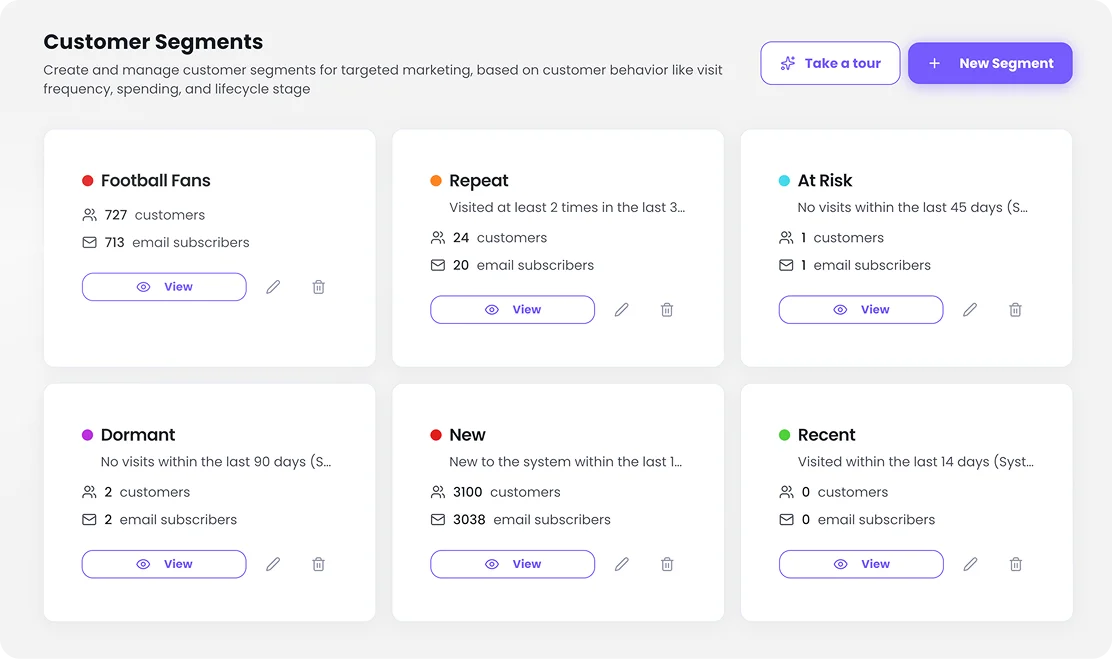
Yes. Segments keep themselves up to date. A guest who starts matching the rules joins, and one who stops matching leaves, with no list to re-run. Joining or leaving a segment can also start a journey, so a regular who drops out of your weekly segment can get a win-back message.
Yes. Date and number comparisons work, so "not visited in 30 days" or "spent more than a set amount" is a single rule. Combine them with visit counts and venues to find the regulars who have gone quiet at one site.
Not yet. Segments by products bought are on the roadmap. You can already segment on POS spend and visits from connected POS systems, and on survey answers, so a list of your highest spenders at one venue is a single segment.
Survey answers are written to the guest profile, so any answer can be a segment rule. You can also save everyone who responded to a survey as a segment. Surveys offer 15 question types and 24 hospitality templates, sent by email, QR code, link or kiosk.
No. Segments keep themselves up to date, so a campaign or journey always uses the current members.
Yes. Joining or leaving a segment is one of the journey triggers, alongside WiFi visits, purchases, bookings and birthdays.
Yes. Source is a segment field, with WiFi, import, form, API and connector as its values.
Not yet. Segments by products bought are on the roadmap. Segments on POS spend are in Beta.
The free plan includes 500 Actions a month and unlimited contacts, with no card needed.