
Creative Studio
Describe it once, get every piece in your brand
Describe a campaign in one sentence and the Creative Studio drafts the email, the text and the offer page. One library holds every template, shown in your brand first. Nothing sends until you send it.
Purple Engage screens shown with sample data for a fictional pub group. Every name and figure is invented.
Where do my templates live?
In the Studio library: starter templates, your saved designs and the ones in use, with one search across every kind. An edit never changes a campaign that is already scheduled.
- Three tabs, Studio templates, Saved and In use, filtered by category, type and brand
- Photo-led starters for welcomes, offers, events, newsletters, win-backs and feedback, plus 36 survey starters
- Show in: see every template in your own brand kit's colors, fonts and logo before you pick one
- Preview the whole email at desktop and phone width, then use it or send it in a campaign
- Each template lists the campaigns and automations using it: edits reach drafts, and scheduled campaigns keep their copy
- Results on each design: how it did every time it went out
See every template in your own brand before you pick one. Preview the full email before you commit.
Can one sentence draft the campaign?
Yes. Say what the campaign is for, when it runs and what guests get, and the Studio drafts the email, the text and the offer page in your brand voice. Each draft is checked and waits for you.
- Add the offer, venues, dates and tone if you like, or leave the Studio to ask
- An email, a text and an offer page, written in your brand voice on your brand kit
- Not quite right? Rewrite every draft in another tone, and the first set stays in Your kits
- One set of checks covers every piece: contrast, the never-say list, merge fields, length, links and alt text
- Nothing is sent: emails and texts go to Campaigns as drafts, where you choose who gets them and when
How do I build an email?
In one editor with everything in one bar. Drag blocks into place, click the words to type and drop in each guest's first name. Library templates save themselves a few seconds after each change.
- One bar for save state, desktop and mobile width, undo, checks, preview and a test send
- A grouped block palette, with blocks you drag into and out of sections and columns
- Edit words where they are drawn, with a format bar for bold, italic, links and merge fields
- Merge fields with fallbacks, and account-wide defaults, so a guest with no first name never reads "Hi ,"
Build an email by dragging blocks and typing where you see the words. Edit the words right on the email, with each guest's first name dropped in.
What stops a mistake reaching a guest?
Checks run on every email before it can be sent, sorted into what to fix and what is worth a look, each linked to its block, some with a one-click fix. Every save is kept, so you can always go back.
- Fix before sending and Worth a look, each with Show this block
- One-click fixes, such as shortening a subject line too long for a phone
- Preview as a named guest, or as someone who matches no conditional block, and send yourself a test
- Version history: a version at each save, the last 50 for up to 90 days, with who saved it, and Restore
Studio checks every email before a guest ever sees it. Every save is kept, so you can go back to any version.
How does one brand kit reach every message?
A brand kit holds your colors, fonts, logos and photos, plus a voice with a never-say list. Every email, form and hosted page reads it, so one change reaches drafts and new sends at every venue.
- One or more kits, each with colors, fonts, logos, icons and photos, and one set as the default
- Email blocks, the offer page, survey pages, sign-up forms and the preference center all follow it, and with no kit Purple's palette is used and no logo is ever invented
- A contrast guard flags color pairs guests cannot read
- Describe your brand voice, and list the words and phrases you never use
- The never-say list is a hard check: the subject score names the phrase, AI suggestions containing one are dropped and ad copy containing one is refused
Are texts and surveys made in the same place?
Yes. Texts, WhatsApp templates and surveys open in the same Studio, on the same brand kit.
- SMS and WhatsApp templates in one library, with the length, part count and a cost estimate shown as you type, and merge fields with fallbacks
- Surveys built on a canvas you type straight into, with a branded preview
Can I work from my phone?
Yes. Pick a template and make a quick change to an email from your phone: the editor fits the screen and you tap the words to type.
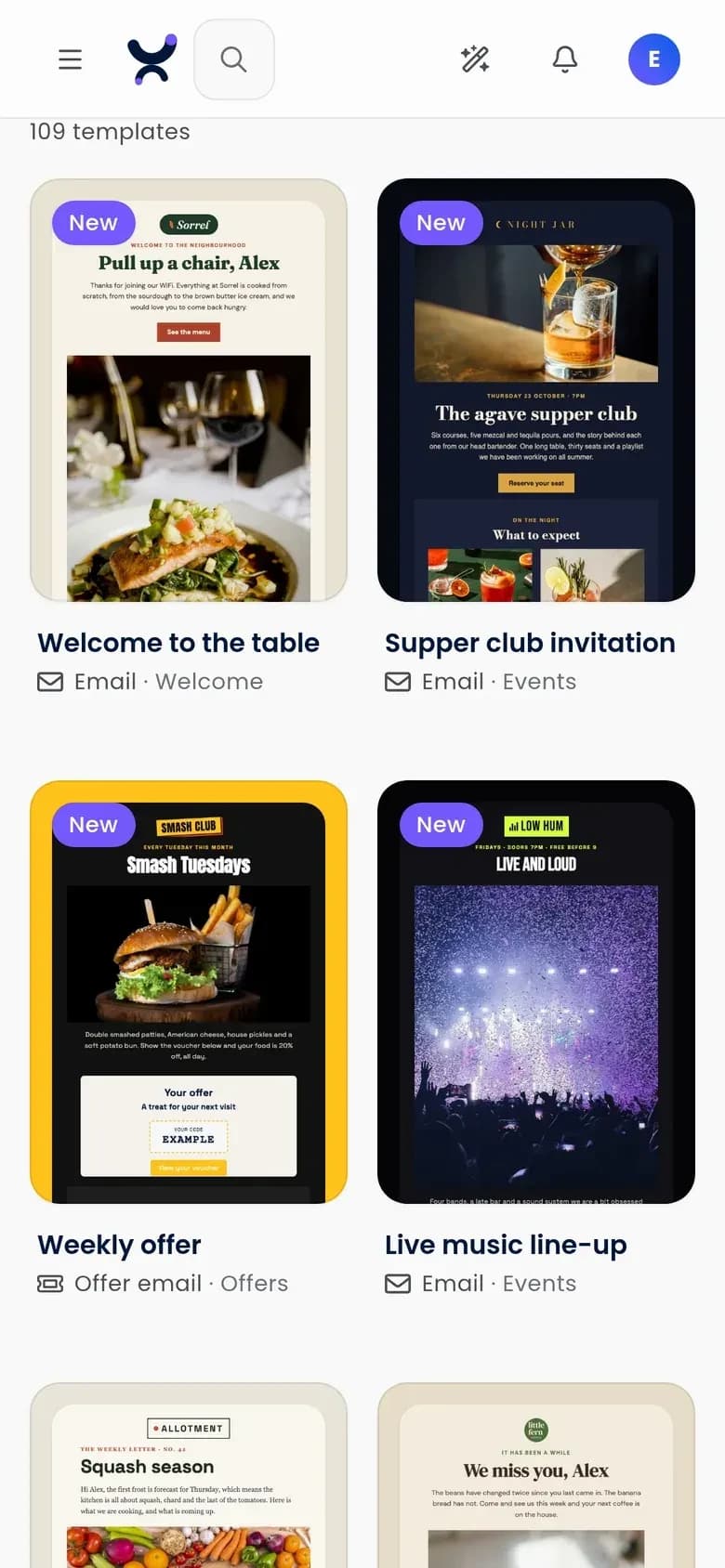
Pick a template from your phone. 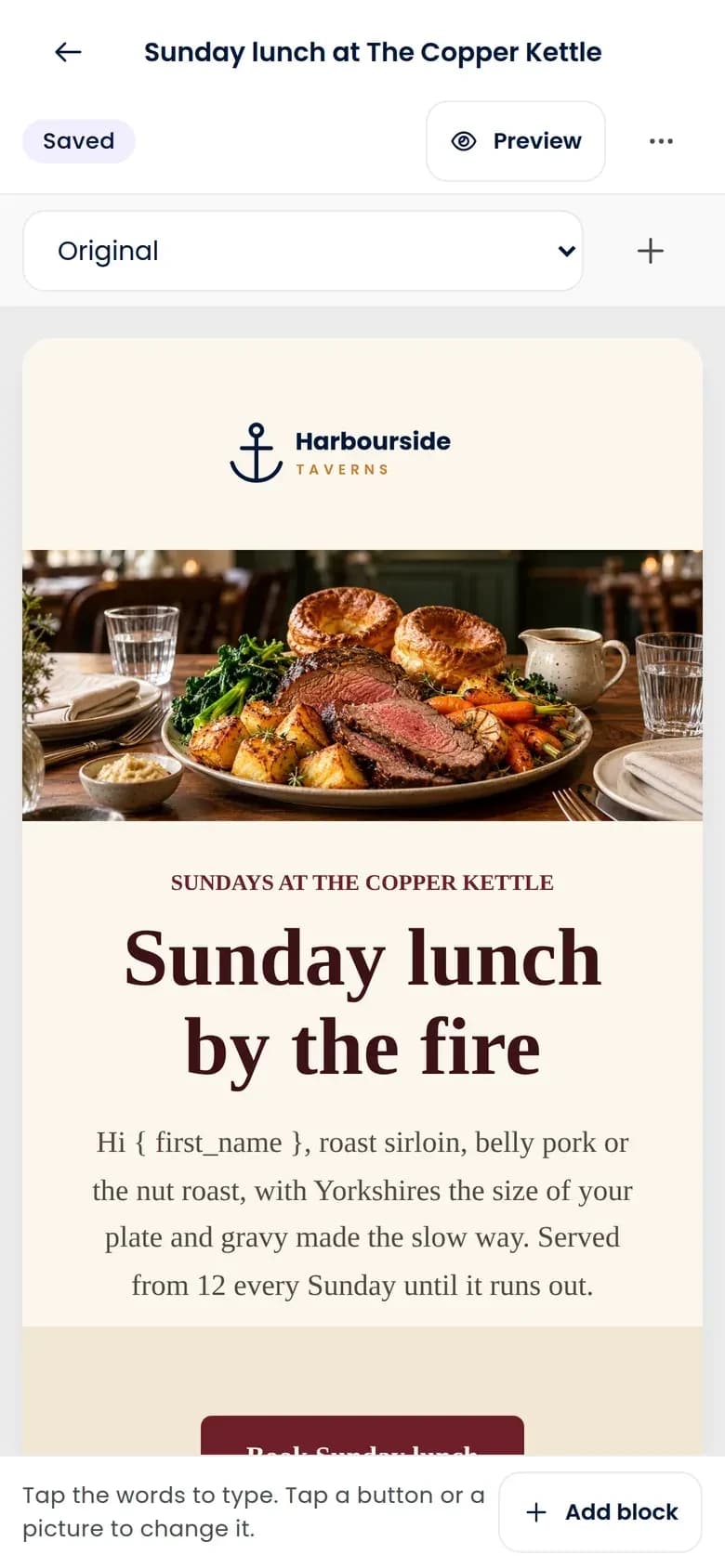
Make a quick change from your phone.
What help does the AI give with the words?
A subject-line score as you type, suggested subject lines and a rewrite on any paragraph. The writing tools see your copy and your rules, never your guests.
- A subject-line score from 0 to 100 as you type, from a rules engine rather than a model, so it is free and scores the same everywhere
- Five suggested subject lines (urgent, playful, direct, curious and, once you have described your brand voice, one in that voice), each scored
- Shorten a paragraph, make it more engaging or fix spelling and grammar, shown beside the original with Accept, Try again and Discard
- The writing tools send only your own copy, voice and never-say list, never guest data, and output that breaks a rule is dropped, not repaired
- Ask the AI team and it can write templates too: its edits are drafts with one-click undo, and nothing reaches a guest without a separate approval
How do I get pictures without a designer?
Start with one picker for your brand kit's photos and your recent uploads, plus stock photos where they are switched on.
- One picker for brand kit assets, recent uploads and stock
- Unsplash photos and GIPHY GIFs where they are switched on for your account, linked to the provider and never copied, with credit shown, and never used in ads
How do head office and venues share creative safely?
Head office builds once on the brand, and each venue gets its own version with its own details. An approval is tied to the exact content, and any edit voids it.
- Head office builds once and each venue gets a draft with its own details filled in
- One document carries each venue's name and photo across many venues
- An approval is tied to the content, and any edit voids it
Can each guest get their own language?
Yes. Add a language to an email without copying the template, and each guest receives the version that matches their language.
- Add a language or regional variant as a tab that changes only what you override; the guest's language comes from the WiFi sign-in, forms, imports or the API
- The preference center, unsubscribe page and double opt-in page show in German, Greek, English, Spanish, French, Italian, Dutch or Norwegian
- The built-in page translations are machine-drafted and held for a native speaker's review before they are switched on, and surveys carry their own language
Questions
Do we still need another design or email tool?
For email, mostly not: templates, the editor, checks, your brand kit and AI help with the words are all in the Studio, with drafts from one sentence and hosted offer pages on the same brand kit.
Do AI drafts cost extra?
They draw credits from the same monthly allowance as your sends, so there is one allowance to watch. Previews use none.
Can it stop "Hi ,"?
It stops most of it. A merge field with a fallback reads "Hi there" for a guest with no first name. An unknown field name blocks scheduling, and a real field with no fallback is warned about, not blocked.
Does our guest data go to the AI?
Not from the writing tools. Subject lines, rewrites and ad copy send only your copy, brand voice and never-say list, with typed emails and phone numbers masked. The separate AI team works as the signed-in person and treats what it reads as data.
Are stock photos copied into our account?
No. They link to Unsplash or GIPHY with credit shown, so a photo the provider removes disappears from earlier emails too. Stock images are not allowed in ads.
Put one brand behind every message
Set up your brand kit and voice once, and every email, form, survey and offer page follows it. The free plan is listed at 500 credits a month, with unlimited* contacts.