
How Does CRM Work? Guest Data, Matching and Journeys
How does CRM work? Learn how data capture, contact matching, segmentation, journeys and POS, WiFi and booking links turn guest records into action.
A regular walks into your café, joins the WiFi, pays for lunch, and books a table for Friday. Your team might recognise her face, but your systems probably don't recognise her as the same person. The WiFi portal has her email, the till has a card payment, and the booking diary has a name and a phone number.
That's the gap a CRM closes. It doesn't ask staff to remember more. It gives the whole venue a shared guest memory they can check, segment, act on, and measure. If you're asking how CRM works in practice, follow that one guest through the system. Each stage either adds a detail to her record, decides what should happen next, or checks whether what you sent changed what she did.
Table of Contents
- How a CRM Works in Five Steps
- Where Guest Data Comes From and How It Connects
- Matching Records Into One Guest
- Segments and Journeys Turn Records Into Messages
- Measuring Whether CRM Changes Guest Behaviour
- Confirm Consent and Approval Rules Before You Send
How a CRM Works in Five Steps
A CRM is a shared memory of every guest, like an old hotel card file that lets any member of staff greet a returning guest by name. It works by capturing an interaction, matching it to the right person, sorting that person into a segment, triggering a journey, and measuring the result.
Say our guest joins your café WiFi on Tuesday, pays by card on Thursday, and books a table on Friday. Without a CRM, those are three unconnected events in three places. With one, they become one timeline showing when she visits, what she spends, and when she plans to return.
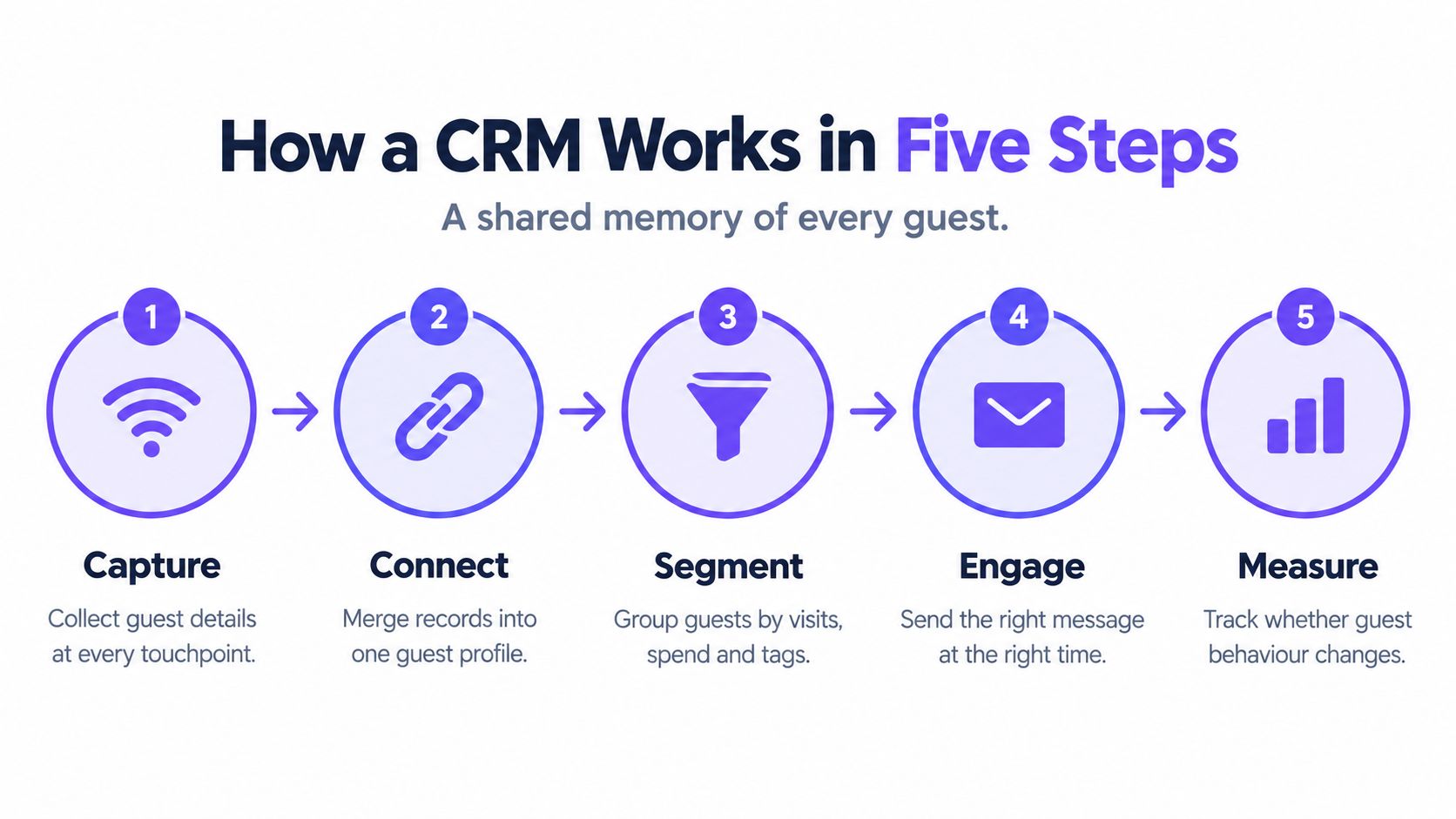
| Stage | What happens | Venue example | Output |
|---|---|---|---|
| 1. Capture | A guest interaction creates a record | Guest joins WiFi with an email address | One raw activity event |
| 2. Match | Events are attached to the same person | A till receipt with the same email joins the WiFi record | One guest profile with a timeline |
| 3. Segment | Rules sort guests into groups | Guests with no visit in 45 days join a lapsed group | A live audience list |
| 4. Act | Journeys send messages or offers when triggered | A win-back message goes out 3 days after a guest joins the group | A sent message and any redemption |
| 5. Measure | Results are compared with a holdout group | 10% of lapsed guests receive no offer | Incremental visits with a confidence range |
The software alone doesn't create the value. In a peer-reviewed study of 202 U.S. companies, only 39% used CRM software, and among CRM users, 40% were satisfied with the return on investment, according to the Nucleus Research summary of marketing and CRM return. That study found CRM was used most often for customer retention and development, and that meeting retention expectations predicted profitability.
Practical rule: If a stage has no repeatable process behind it, the CRM just stores the gap more neatly.
Try a quick exercise before you buy or rebuild anything. List your current guest touchpoints against the five stages, then mark which events you can't connect to a person today. Those marks show you where work is needed first.
Where Guest Data Comes From and How It Connects
Capture starts the record, and each source adds a different slice of the guest. One system knows she visited, another knows what she bought, and another knows she's coming back on Friday. The CRM's job is to read those slices without taking over the systems that created them.
Guest WiFi as the front door
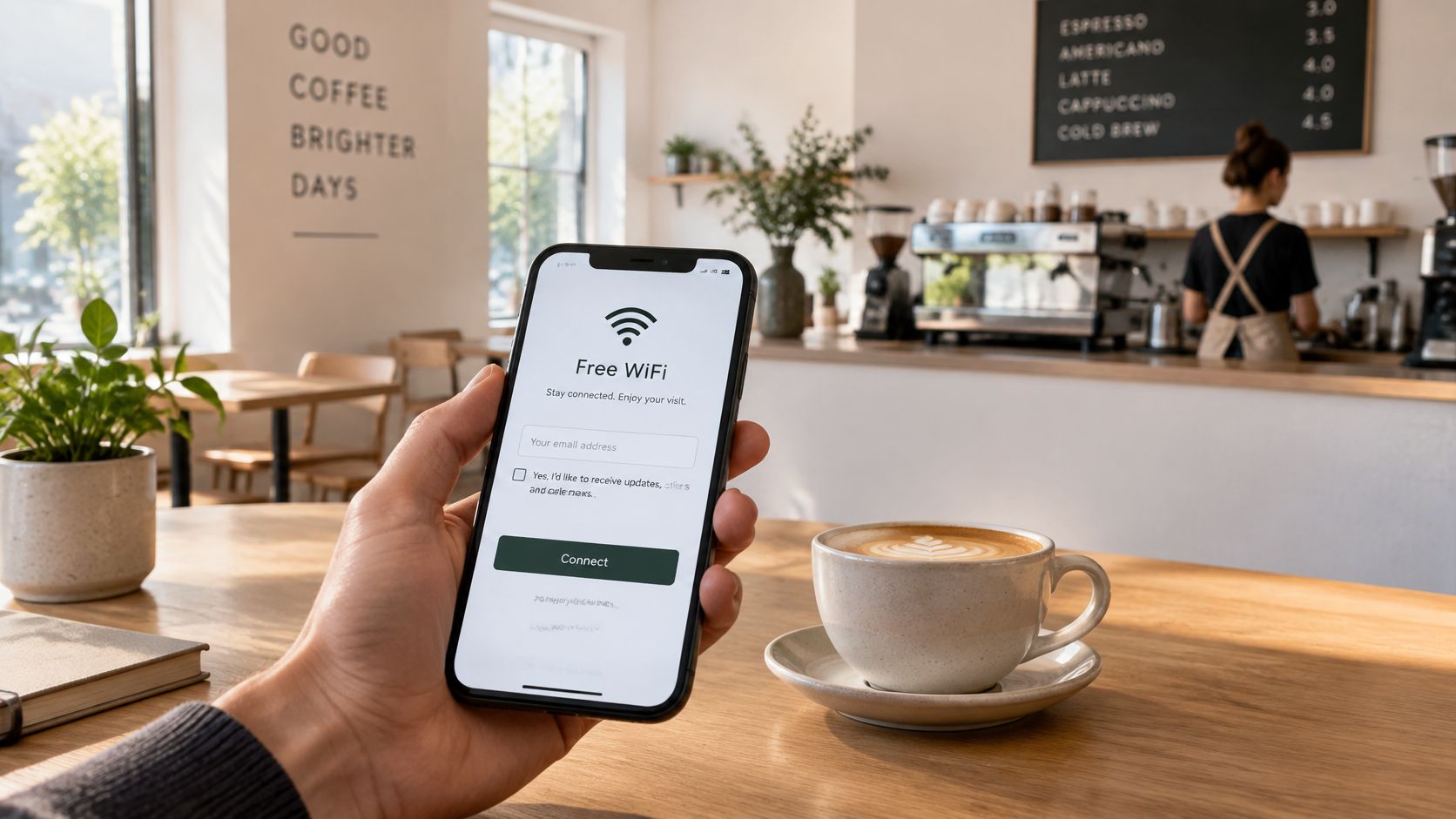
Guest WiFi is often the richest first touchpoint for a physical venue. Our guest opens a captive portal, enters her email, accepts your terms, and chooses whether to opt in to marketing. When she does, we store her email, visit date, dwell time, and preferred location in a centralised CRM, so a simple login becomes the start of her timeline.
The till then adds transactions, items, and spend when a receipt is keyed to that same email. A booking system adds party size, covers, cancellations, and no-shows. A hotel system adds check-in, room type, and stay dates, while forms and surveys add preferences and direct feedback. Our guide to building first-party data for venues sets out how to plan those sources before you start connecting them.
| Source | Example systems | What it records | How it reaches the CRM | Main limit |
|---|---|---|---|---|
| Guest WiFi | Cisco Meraki, Juniper Mist | Email, visit date, dwell time, preferred location, marketing opt-in | Guest enters email and accepts terms at sign-in | Captures only guests who connect |
| Point of sale | Square, Epos Now, Loyverse | Transactions, spend, items, date and site | Till connector or export keyed to guest email | Cash sales with no email cannot be linked |
| Booking | ResDiary (pilot) | Booking date, party size, covers, cancellations, no-shows | Connector or API from the reservation platform | Depends on the guest giving an email when booking |
| Hotel stay | Mews (pilot), apaleo (pilot) | Check-in, check-out, room type, stay dates | Property management system integration | Covers only connected properties |
| Enterprise till | Lightspeed X-Series (pilot), Oracle Simphony (pilot) | Sales records keyed to the guest | Connector to the till, pilot only | Not yet live at most venues |
| Forms and surveys | Web forms, QR surveys, kiosk forms | Answers, preferences and feedback | Guest completes the form and answers are written to the record | Only as complete as the response rate |
How the connection actually runs
Each source reaches the CRM in its own way. WiFi writes at sign-in through the captive portal, a till may send data through a connector or a scheduled export, and a reservation platform usually connects through an API. Property management systems pass stay data through an integration, and a completed form writes its answers straight to the guest record.
Those different routes don't run on the same clock. A connector might sync quickly, while a scheduled file import arrives hours later, and the same event can turn up twice if a retry isn't handled cleanly. Time zones matter too, because a late-night visit in one region can land on the wrong day if every site reports in head office time.
A CRM doesn't replace those source systems. Payments stay with your payment provider, tables stay with your booking platform, room billing stays with your property system, and till operation stays at the till. You can also keep a tool your team already knows, since the CRM layer can work alongside existing tools like Mailchimp or you can consolidate everything in one place.
A connected source isn't the same as a usable record. You still need an identifier and a consent status you can trust.
Three limits to accept early
- No identifier, no link: A record exists where a guest gives an identifier, usually email, so anonymous cash sales stay unlinked and can't support per-person measurement.
- Consent is captured, not assumed: The opt-in a guest gives at sign-up is stored with the record. Don't infer permission later because she bought something or booked a table.
- Imports carry the most risk: Spreadsheet imports can bring old, duplicated, or unconsented contacts into an otherwise clean database. Check consent fields and dates before you import, not after the first send.
Finish with a simple audit for each source you run. Note whether it captures an email, whether it records consent, whether it only logs anonymous activity, and whether its connector is live or still in pilot. That short list tells you what your CRM can honestly know.
Matching Records Into One Guest
Matching works like a library returns desk. The assistant doesn't guess who borrowed a book from a familiar face. The borrower's card number does the work, and in a venue CRM, the guest's email address usually does that job.
Email is the shared key because guests type it in several places. Our guest enters it at WiFi sign-in on Tuesday, gives it for an e-receipt on Thursday, and uses it again when she books on Friday. When the same address appears, the CRM attaches each event to one profile with one timeline instead of leaving three fragments.
Cleaning the key before comparing it
Before two addresses are compared, the CRM normalises them. It ignores capitals and stray spaces, so a capital first letter doesn't create a second person. That small cleanup prevents false duplicates, but it can't fix a genuinely different address or a typo in the domain.
| Matching case | What the CRM does | Risk if handled badly |
|---|---|---|
| Same email at WiFi and till | Merges into one profile | Low risk when the email is entered correctly |
| Email typo, such as gmial.com | Creates a separate profile | Guest gets no offers and a duplicate profile forms |
| Shared family or work email | Merges several people into one profile | Wrong offers and wrong booking history |
| Till sale with no email | Stays as an anonymous transaction | Cannot be linked to a guest or measured per person |
| One person with two email addresses | Two profiles unless linked | Double messages or a missed win-back |
| Booking with a phone number only | Matches only if the phone is on file | Duplicate profiles from reservation platforms |
Rules your team has to decide
Software can apply matching rules, but your team has to choose them. Decide when two profiles should merge, such as when email and phone both agree. Decide when they should stay apart, because a shared family inbox may represent two guests with different habits.
When profiles do merge, keep the full combined timeline. Visits, purchases, bookings, consent changes, and messages from both records should survive, with the most recent consent status treated carefully. If a merge deletes history, segments built on visit frequency or last visit date will go wrong without any warning.
Audit first: Count duplicate profiles from the last quarter before trusting any segment built on them.
That audit doesn't need to be complicated. Group profiles by similar email, shared phone number, and near-identical name, then sample a few by hand. If you find our guest twice, every claim about her visit frequency is already suspect.
Segments and Journeys Turn Records Into Messages
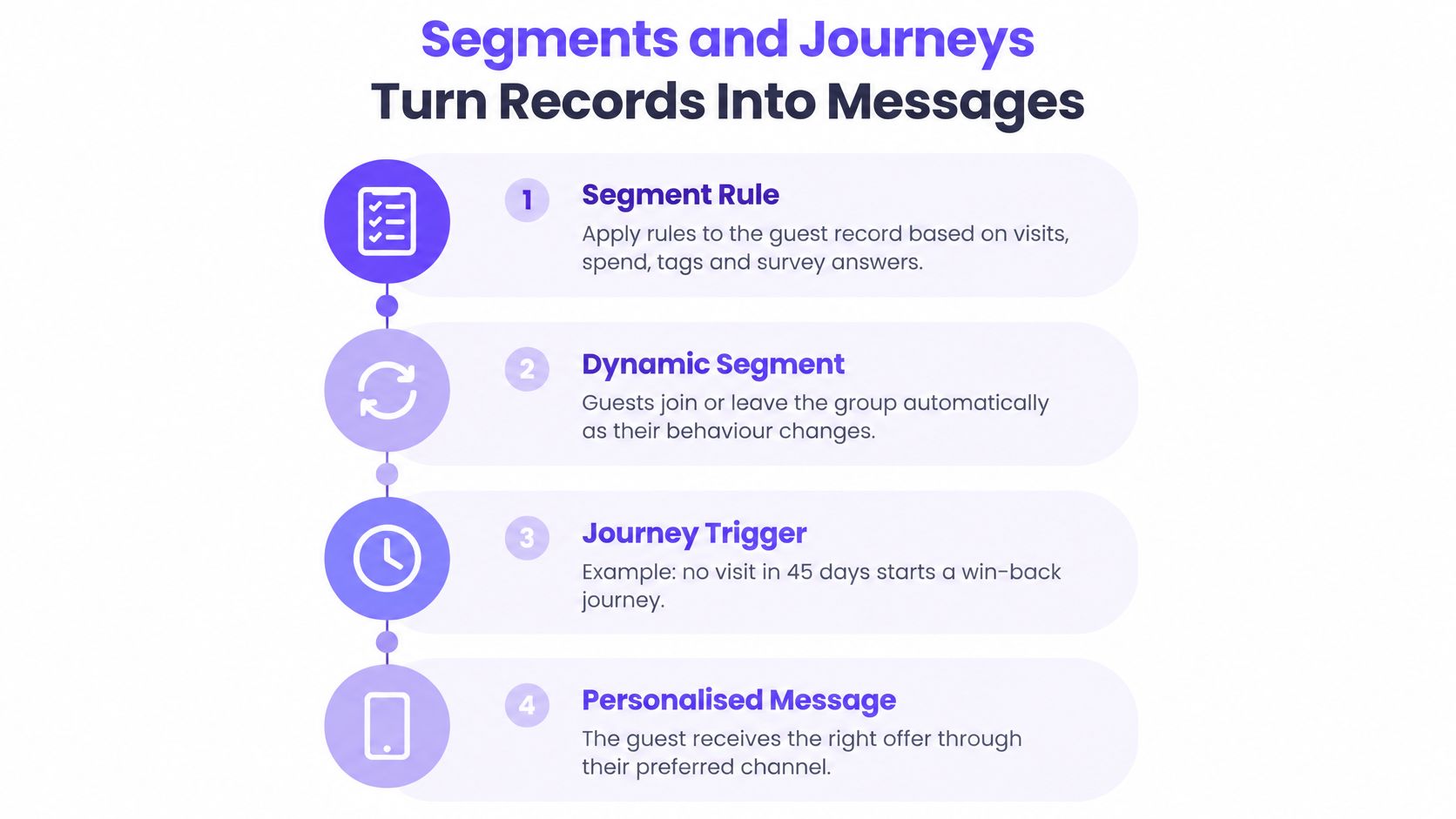
A segment is a rule applied to the guest record. It might say visited at least twice, spend above a set amount, tagged as a hotel guest, answered a survey a certain way, or no visit in 45 days. Every guest whose record meets the rule belongs to the group.
That record matters to guests, not only to marketers. In 2024, 81% of U.S. consumers surveyed for Forbes' State of Customer Service and CX Study said they preferred companies offering personalized experiences, and 70% said it was important for employees to know their identity and history with the company, according to the Forbes report on the personalized customer experience. A shared timeline is what lets staff and messages act on that history consistently.
Dynamic segments and static lists
A dynamic segment updates as guests act. Our guest leaves the lapsed group the moment a new visit is recorded, and she joins a regulars group when her visit count crosses your threshold. Nobody has to rebuild the list before each campaign.
A static list is a frozen snapshot. It's useful for a one-off event invitation where the audience shouldn't change, but it goes stale within weeks because visits, spend, and opt-outs keep moving. Use static lists deliberately, and date them so nobody reuses an old snapshot by mistake.
How a journey runs
A journey turns segment membership or an event into a timed sequence. The trigger might be joining WiFi, making a purchase, completing a booking, or checking out of a stay. From there, the same five parts repeat in most journeys.
- The trigger fires: The guest joins a segment or completes an event, such as reaching 45 days without a visit.
- The condition is checked: The CRM reads her record for consent, recent messages, location, and any exclusion you've set.
- The wait is set: The journey pauses for a defined period, such as 3 days, so she isn't contacted the instant the rule changes.
- The message or offer is sent: She receives a win-back email, text, or offer through an allowed channel.
- The guest exits or re-enters: She leaves when she visits, redeems, opts out, or completes the path, and she can re-enter only after a set period.
Say our guest hasn't visited for 45 days. She enters the lapsed segment, the journey checks that she's opted in and hasn't just received another offer, then waits 3 days and sends a win-back message. If she visits during the wait, the exit rule should remove her before the message is sent.
Before you build any segment, describe it in one plain sentence a duty manager would understand. "Guests who visited twice, haven't been back in 45 days, and opted in at this site" is buildable and testable. "Lapsed fans" isn't, because nobody can check whether the CRM picked the right people.
Measuring Whether CRM Changes Guest Behaviour
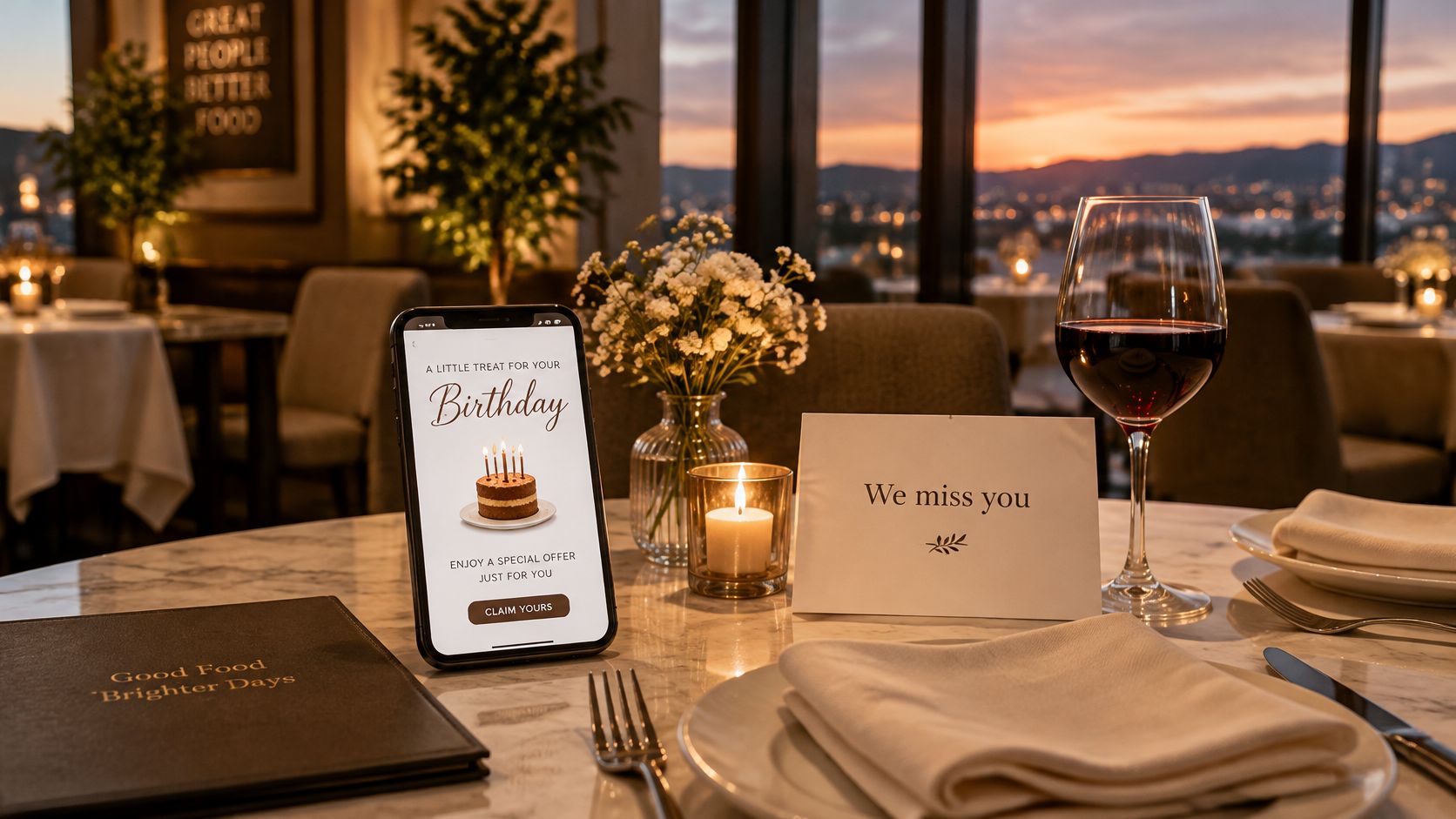
A 40-site restaurant group using Mailchimp with a 35 percent open rate deployed Purple Engage on their Cisco Meraki network. They set up a Birthday Month offer and a Lapsed Diner campaign, and could then report exact footfall numbers attributed to each campaign. Treat that as a vendor-reported account, so it's a claim to test in your own venues, not proof every group will see the same result.
Opens and clicks can't prove a message caused an extra visit. The AdExchanger and DISQO programmatic measurement report identifies fragmented data, inconsistent metrics, and inaccurate attribution as persistent barriers, and notes that first-party data is limited by incomplete records, organizational silos, and compliance constraints. For venues, the outcome that matters happens offline, in a visit, booking, receipt, or stay.
Our guide to measuring email return in physical venues beyond open rates goes deeper on choosing those offline outcomes. The basic fix here is a holdout, where a random share of eligible guests, for example 10% of lapsed guests, receives nothing. You then compare visit rates in the treated and untreated groups over a fixed window.
The walkthrough below shows that measurement mindset in practice, from sending a journey to checking what changed.
Reading a holdout result honestly
Report a range, not one heroic number. If treated guests visit more often than the holdout, the difference estimates the extra visits your message created, with uncertainty that shrinks as groups get larger. Keep the control group uncontaminated by excluding them from related offers, ads, and staff-led promotions during the test window.
Feedback needs the same discipline as footfall. If you ask guests why they returned, use a consistent guest feedback form from TopFoodApp for treated and untreated guests alike, so answers don't skew toward people who received an offer. Survey replies explain possible reasons, but they don't replace the behavioural comparison.
- A CRM is only a database: Storage doesn't change behaviour. Rules, journeys, and measurement do the work.
- More data means better decisions: Unified records still need a defined outcome, a comparable control group, and a confidence range.
- Opens prove impact: An open proves a phone rendered an email, not that a guest made an extra visit.
- Personalised always beats generic: A relevant generic reminder can beat a detailed message built on a merged or stale record.
Run one small test this month. Pick one journey, set a random holdout, and define one outcome, such as visits in the next 30 days. That's how a CRM earns its scorekeeper role.
Confirm Consent and Approval Rules Before You Send
Governance belongs inside the sending workflow, not in a privacy appendix nobody opens. The trust gap is clear in the SAS report on marketers and AI, where a 2025 global survey found 90% of marketers trusted agentic AI to some extent but only 5% expressed full trust, and 48% believed humans should approve AI-generated decisions. Separate research in that report found 77% of marketers preferred either low-risk AI decisions with human oversight or AI-generated insights followed by human final decisions.
Build the controls before the first send. Keep a durable consent record that's checked when a campaign is approved and again immediately before each send, because our guest may opt out between those two moments. Make opt-outs durable too, so a later till or spreadsheet import can't reverse them, and work alongside your existing consent tool rather than pretending the CRM replaces it.
Human approval should cover AI-drafted messages and audience changes, not just final creative. Keep an audit trail showing who approved what and when, name an owner for each venue, and set local rules for each market. One guest may move between sites with different time zones and rules, so a send time that's fine in one place may be wrong in another. Our guide to managing consent and unsubscribes for venue email covers the day-to-day handling in more detail.
- Confirm the opt-in wording: Check the exact wording at WiFi sign-in and on every form that feeds the CRM.
- Test suppression: Opt out a sample guest, import fresh data, and confirm she still receives nothing.
- Approve with a named person: Send the first campaign only after one accountable person signs off the audience, content, and timing.
- Check the audit log: Return a week later and confirm approvals, suppressions, and sends are traceable.
Use those checks as buying questions for any CRM or messaging platform. Does it keep the consent record alongside your existing consent tool, does it enforce approvals before anything is sent, and does it report results with a holdout range rather than a single attributed number? If a supplier can't answer plainly, don't let automation hide the gap.
If your WiFi logins, till receipts, bookings, and stays still describe the same guest as several different people, Purple Engage brings them into one record with shared consent, approval controls, segments, journeys, and holdout measurement. Visit the site to see how the guest timeline, campaign approvals, and incremental visit reporting work together for multi-site venues.