
How to get customer email addresses in a pub without a clipboard
You will be able to replace the pub clipboard with a branded WiFi login page that collects first names and email addresses with a separate, unticked GDPR opt-in. You will know the seven prerequisites to sign off and the seven setup steps to follow.
Part of the guide topicWiFi email capture: the guide for venues
Video overview
Collect guest email addresses in your pub in seven steps; it runs on the access points you already own. Put a branded WiFi login page in front of your guest network. Ask for an email address with a separate, unticked GDPR opt-in. Purple Engage then files each consented contact into your pub email list automatically.
{"slot":"hero","alt":"A guest at a pub bar holds a phone showing a branded WiFi login page with an email field and an unticked marketing opt-in box","caption":"The login page does the job the clipboard used to do.","prompt":"Warm, natural-light photograph inside a traditional British pub. A guest at the bar holds a smartphone showing a clean branded WiFi login page with an email field and an unticked opt-in checkbox. Pints and a chalkboard menu softly out of focus behind. No visible brand logos, no readable text except the phone screen, no emoji."}
What will your pub have when WiFi email capture is live?
When you finish, your pub email list grows every service and nobody has to pick up a pen. Every guest who joins your WiFi sees your branded login page. They enter a first name and email, then choose whether to hear from you. Purple Engage saves the contact with its consent status and sends the welcome email.
The working end state looks like this:
- A branded login page in front of your guest network, with your logo, colours and offer.
- A two-field form for first name and email, with a separate, unticked marketing opt-in.
- A contact record per guest in Purple Engage, showing venue, login time and consent status.
- An automatic welcome email to every guest who opts in.
- Visit history that grows each time a guest returns and logs in again.
That set-up moves the numbers your work is judged on. Opt-in rate shows how much of your trade turns into marketable contacts. Repeat visits show whether your emails bring guests back. Revenue per send and lifetime value follow from both.
A clipboard cannot reliably move any of these numbers. Handwriting goes unread, forms get lost, and nobody records what the guest agreed to. A WiFi login replaces the clipboard with typed, timestamped first-party data that guests enter themselves. Purple's own data shows opt-in rates around 50% higher on branded login pages than on unbranded ones.
What do you need before you start collecting emails in your pub?
Have these seven items ready before you change any settings. When a launch stalls, it is usually waiting on sign-off rather than on configuration.
{"caption":"Prerequisites for pub email capture through guest WiFi","columns":[{"key":"item","label":"Prerequisite"},{"key":"why","label":"Why it matters"},{"key":"owner","label":"Who owns it"},{"key":"check","label":"How to confirm it"}],"rows":[["Guest WiFi on supported access points","The login page sits in front of the network guests already join","IT partner or installer","Hardware is Cisco Meraki, HPE Aruba, Ruckus, Juniper Mist, Ubiquiti UniFi, Cambium, Extreme or Fortinet"],["A Purple venue for each pub","Every contact is tagged with the pub the guest visited","Marketing lead","Each site appears as its own venue in Purple"],["Brand assets","Branded pages see opt-in rates around 50% higher, on Purple's own data","Marketing","Logo, brand colours and one photo of the pub, ready to upload"],["A published privacy notice","GDPR requires guests to know who holds their data and why","Data protection owner","A live link that opens on a phone"],["Approved consent wording","One plain sentence naming the pub, what you send and how to stop","Marketing and legal","Wording signed off in writing"],["A welcome offer","Gives guests a reason to opt in and to open the first email","Owner-operator or general manager","Offer, terms and expiry agreed"],["Signage and a staff briefing","Guests cannot join a network they do not know about","General manager","Table talkers and bar signs printed with the network name"]],"footnote":"Purple's opt-in uplift figure comes from Purple's own platform data.","download":{"filename":"pub-email-capture-prerequisites.csv"}}
{"tone":"warning","title":"Never pre-tick the marketing box","text":"Under GDPR, consent must be a clear affirmative act, so a pre-ticked box or consent buried in the terms is not valid. Keep the marketing opt-in separate and unticked, and never make it a condition of getting online."}
Agree the consent wording first
Write the opt-in sentence well before launch day. Name the pub or group, say what you will send, and say how guests can stop it. GDPR Article 7 requires consent to stand apart from other terms. It must also be as easy to withdraw as it was to give. Get the text approved in writing by marketing and by whoever owns data protection.
How does pub email capture through guest WiFi work?
A captive portal is the page a guest sees before the internet opens. Purple calls it the login page. Every connected guest stops on this page, and you control what is on it.
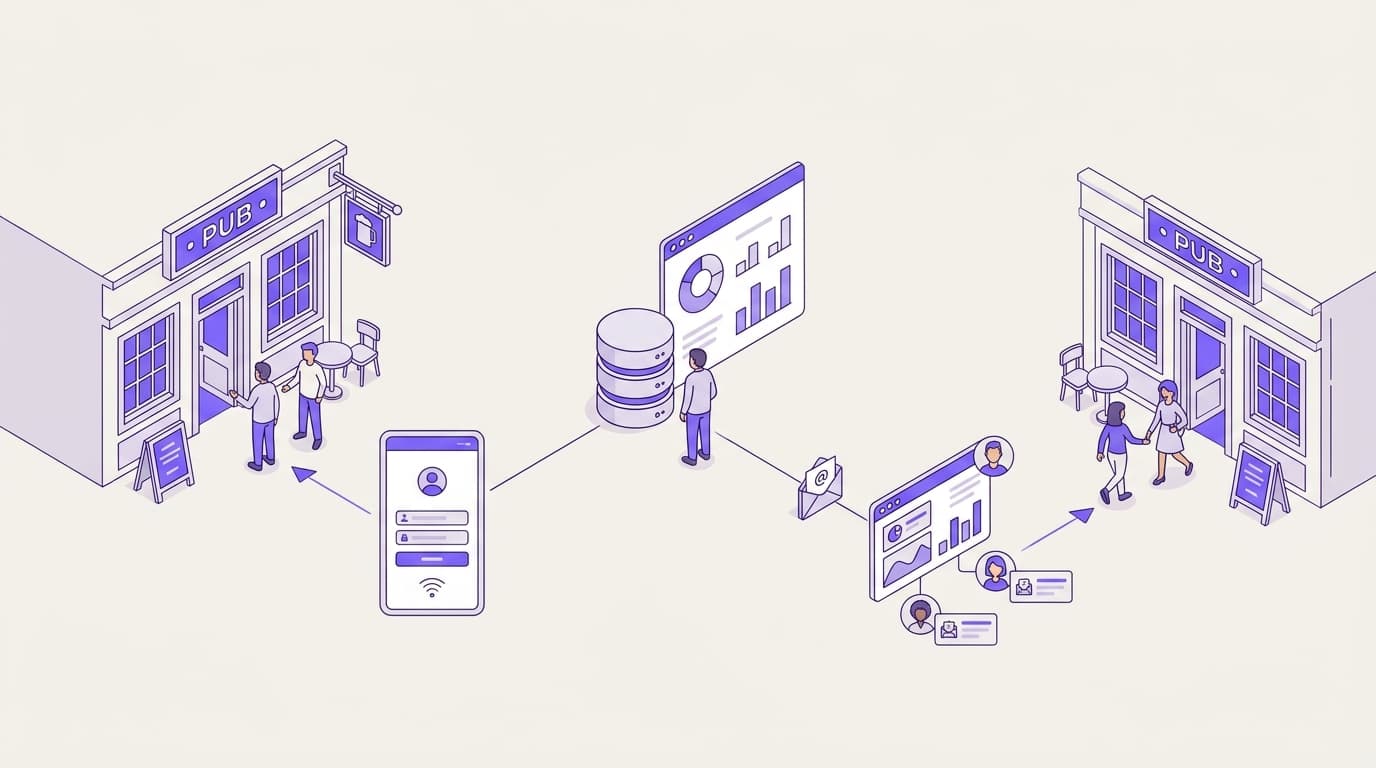
{"kind":"flow","direction":"lr","caption":"From joining the WiFi to a consented contact in Purple Engage","alt":"A flow showing a guest joining pub WiFi, completing a branded login page, making an opt-in choice, getting online and being saved in Purple Engage, which sends a welcome email to opted-in guests.","nodes":[{"id":"a","label":"Guest joins pub WiFi","sub":"Picks the network name from the sign at the bar","tone":"neutral"},{"id":"b","label":"Branded login page loads","sub":"Logo, colours and a reason to sign up","tone":"brand"},{"id":"c","label":"Guest enters name and email","sub":"Two fields, nothing more","tone":"brand"},{"id":"d","label":"Conscious-choice opt-in","sub":"Unticked by default; the guest decides","tone":"brand"},{"id":"e","label":"Guest is online","sub":"Access granted whether or not they opt in","tone":"success"},{"id":"f","label":"Saved in Purple Engage","sub":"Venue, login time and consent status recorded","tone":"success"},{"id":"g","label":"Welcome email sent","sub":"Only to guests who opted in","tone":"success"}],"edges":[{"from":"a","to":"b"},{"from":"b","to":"c"},{"from":"c","to":"d"},{"from":"d","to":"e"},{"from":"d","to":"f","label":"consent choice stored"},{"from":"f","to":"g","label":"opted in only","style":"dashed"}]}
The flow runs in one direction. The guest joins, sees your page, types their details and makes a conscious-choice opt-in. They get online whether or not they tick the box. Purple Engage stores the choice with each record, so your list only emails guests who asked to hear from you.
Why Mailchimp-style tools do not build the list
Mailchimp, Klaviyo and HubSpot send campaigns to contacts you already hold. In a pub, the hard part is getting those contacts in the first place. A send-only tool still needs someone to type up forms or move files between systems. Consent records can get lost along the way.
Purple Engage builds the list at the login. Each contact arrives with the venue, the time and the guest's own consent choice attached. You also send from the same platform, so the data never passes through a spreadsheet. See what Purple Engage stores for each guest.
How do you set up pub email capture, step by step?
Follow these steps in order with the Purple console open. Each step ends with a check, so you know it worked before you move on.
{"title":"Set up pub email capture through guest WiFi","steps":[{"title":"Connect your guest WiFi to Purple","body":"Your installer points the guest network's login page at Purple, following Purple's setup article for your access point brand. Staff and till networks stay as they are.","check":"A test phone that joins the guest network sees the Purple login page, not the old screen."},{"title":"Brand the login page","body":"Upload your logo, set brand colours, add one photo of the pub and one line on why to sign up.","check":"The phone preview looks like your pub and the button text is easy to read."},{"title":"Set the fields and the opt-in","body":"Ask for first name and email only. Add a separate, unticked marketing opt-in using your approved wording.","code":{"lang":"text","text":"Yes, email me offers and events from [Pub name]. I can unsubscribe at any time."},"check":"The box loads unticked and a guest can get online without ticking it."},{"title":"Link your privacy notice","body":"Place the privacy notice link next to the opt-in so guests can see who holds their data and why.","check":"The link opens the correct page on a phone."},{"title":"Turn on the welcome email in Purple Engage","body":"Create a welcome email for new opted-in contacts that delivers the offer from the login page.","check":"A test sign-up with your own address receives the welcome email."},{"title":"Brief staff and put up signage","body":"Show the network name on table talkers, the bar back and menus. Ask staff to mention it when guests sit down.","check":"Logins appear in Purple from the first service."},{"title":"Run an end-to-end test at every venue","body":"Sign up as a guest at each pub, then open your contact record in Purple Engage.","check":"The record shows the venue, the time and the consent status, and the unsubscribe link in the welcome email works."}]}
Step 1: connect the network you already own
Step 1 is the only one that needs your IT partner or installer. Purple is hardware-agnostic and runs as a cloud overlay on Cisco Meraki, HPE Aruba, Ruckus, Juniper Mist, Ubiquiti UniFi, Cambium, Extreme and Fortinet access points. The setting is in a different place for each brand. Follow Purple's setup article for your hardware rather than hunting through menus. You keep your current access points, so there is no rip and replace.
Steps 2 to 5: keep the page short
A logo, a photo, a single line about the offer and two fields are all the page needs. Every extra field gives guests another reason to skip the form. Hold off on birthdays and postcodes until you have a campaign that uses them. The welcome email should deliver the promised offer, name the pub the guest visited and ask for one action.
Steps 6 and 7: launch, then test everywhere
Signage decides how many guests ever see the login page. Put the network name wherever guests look, including the beer garden. Then repeat the end-to-end test at every venue, not just the first one.
How do you check that pub email capture is working?
Check twice. On launch day, use a test phone to prove the set-up works. After a week of real trade, check again to prove guests are using it.
{"title":"Launch-week verification","groups":[{"heading":"On launch day","items":[{"text":"Join the guest network on an iPhone and an Android phone","why":"Login pages can display differently by device"},{"text":"Confirm the marketing box loads unticked"},{"text":"Connect without ticking the box and confirm you still get online"},{"text":"Open your test record in Purple Engage and confirm venue, time and consent status"},{"text":"Receive the welcome email and test the unsubscribe link"}]},{"heading":"After the first week","items":[{"text":"Divide opted-in contacts by total logins to get your opt-in rate"},{"text":"Compare opt-in rates between your venues"},{"text":"Check the welcome email open rate"},{"text":"Walk the garden and function room with a phone to test signal"}]}],"download":{"filename":"pub-email-capture-checklist.csv"}}
Compare opt-in rates between your own venues before you compare them with anyone else's. A gap between two of your own pubs is easier to explain and easier to fix.
Worked examples
The figures below are illustrative planning numbers, not results from a named Purple customer.
A single-site food pub. Situation: a clipboard on the bar collected a few readable entries a week, with no consent record. What was done: the owner-operator worked through the seven steps and offered a free dessert in the welcome email. Outcome: 350 logins a week at a 35% opt-in rate gives the pub about 120 consented contacts a week. Over a year, that adds up to more than 6,000 guests with a recorded opt-in.
A 20-site managed pub group. Situation: most sites opted in around 45% of logins, but three were stuck at 30%. What was done: the multi-site marketing lead found those three still on an old, unbranded page. Their signage also left out the network name. The team applied the group's branded page and reprinted the table talkers. Outcome: the three sites now have a clear 45% target. That target matches Purple's data showing branded pages opt in around 50% more guests.
A match-day screening. Situation: a sports pub screening a weekend fixture sees 600 logins in one afternoon. What was done: the login page offered next weekend's fixtures by email. Guests who logged in during the match went into their own segment. Outcome: at 40% opt-in, 240 fans join the list from one fixture. Returning logins at the next screening show how many came back.
What goes wrong with pub email capture, and how do you fix it?
Most failures come from a handful of causes. Start with the symptom you can see.
| Symptom | Likely cause | Fix |
|---|---|---|
| No logins at all | Login page not attached to the guest network, or guests on the staff network | Repeat the step 1 check; keep the staff password away from guests |
| Plenty of logins, few opt-ins | Unbranded page, weak offer, or opt-in wording that reads like legal text | Brand the page, add a specific offer, rewrite the opt-in in plain English |
| Opt-ins but no welcome emails | Welcome email off, or not set for new opted-in contacts | Repeat the step 5 test with your own address |
| 0% opt-in at one venue | That venue's page is missing the opt-in field | Use the same approved form at every pub |
| No logins from the garden | Weak signal outside the main bar | Walk the site with a phone and ask your installer about coverage |
| Guests annoyed at repeat logins | Session settings force returning guests through the full form | Review session length and how returning guests reconnect |
Pre-ticked or bundled consent
The most expensive mistake is not a low opt-in rate. It is a list you cannot legally email. A pre-ticked box, or consent folded into "accept terms to connect", is not a clear affirmative act under GDPR. Fix the page first. Then treat every contact gathered on the old page as not opted in.
Testing one pub and assuming the rest
Multi-site groups often test the flagship and skip the others. One venue with a missing field or a broken privacy link can drag down the group's opt-in rate for weeks. Run step 7 at every site and record the result.
If a step still fails after these fixes, go back to the WiFi email capture guide for venues and rerun that step's check.
Where does this guide sit in WiFi email capture for venues?
This walkthrough covers one venue type and one job: replacing the clipboard in a pub. The WiFi email capture guide for venues covers the wider picture across venue types. For the data each login creates, see Purple Engage guest data. To plan campaigns around that data, read the WiFi marketing guide.
{"tone":"proof","title":"The scale behind the login page","text":"Purple runs across 80,000+ venues in 90 countries and handles 500 million logins a year, for brands including Harrods, Pizza Express and McDonald's."}
Frequently asked questions
How much does WiFi email capture cost for a pub?
Cost depends on how many venues you run and which Purple plan you choose: Connect, Capture or Engage. If your access points are on Purple's supported list, you buy no new hardware. Your spend is the subscription plus your installer's time for step 1. Ask Purple for a quote based on your venue count.
Will it work with the WiFi we already have?
Yes, if your access points come from Cisco Meraki, HPE Aruba, Ruckus, Juniper Mist, Ubiquiti UniFi, Cambium, Extreme or Fortinet. Purple is hardware-agnostic and runs as a cloud overlay, so the login page sits on top of the network you already own. Your installer connects the guest network using Purple's setup article for your brand.
Is collecting emails through guest WiFi GDPR compliant?
Yes, when consent is freely given, specific, informed and unambiguous. In practice, that means a separate, unticked opt-in and plain wording that names your pub. You also need a link to your privacy notice. In the UK, PECR also applies to marketing emails. Purple is ISO 27001 certified and GDPR compliant, and Purple Engage stores each guest's consent status.
How is Purple Engage different from Mailchimp or Klaviyo?
Purple Engage builds the list as well as sending to it. Mailchimp, Klaviyo and HubSpot send campaigns to contacts you already hold, so a pub still needs a way to collect them. Purple Engage captures each guest at the WiFi login, with consent and venue attached. It then sends from the same platform, with no exports or imports.
Do guests have to give an email address to get online?
Guests complete the login form, but they never have to accept marketing. You choose the fields, usually first name and email. The marketing opt-in stays optional, and guests who leave it unticked still get online. Making WiFi conditional on marketing consent would fail the GDPR requirement that consent is freely given.
What should we do with the paper forms we already hold?
Only email guests whose forms show clear, recorded consent to marketing. If a form has no opt-in, no date or handwriting you cannot read, leave it out. From launch day, the WiFi login replaces the clipboard, so every new contact arrives with a consent record. Talk to Purple about bringing valid existing contacts across.
How long does it take to set up?
Most of the effort goes into preparation, not configuration. Agreeing the consent wording, the privacy notice link and the welcome offer usually takes longer than changing the settings. Once those are signed off, you work through the seven steps in order with a check after each. Only step 1 needs your installer.
Does it work across a multi-site pub group?
Yes. Each pub runs as its own venue in Purple, so every contact records where the guest logged in. You can use the same approved login page and consent wording across the group, then compare opt-in rates site by site. Purple runs across 80,000+ venues in 90 countries, so a 20-site estate is well within range.