
Restaurant email marketing: A multi-site playbook for 2026
Restaurant email marketing for multi-site groups: build journeys, clean consent, segment guests, and measure real return visits, not just opens.
You've inherited a list built from WiFi sign-ins, booking exports, and an old spreadsheet from a site that closed last year. Someone sends a monthly newsletter, reports the open rate in a meeting, and nobody can answer the only question that matters. Did those emails bring anyone back who wouldn't have returned anyway?
That's where most multi-site restaurant email marketing stalls. The fix isn't a prettier template or a bigger list. It's fewer, better-timed journeys, one clean record per guest, and a holdout group for every send so you can measure incremental visits, not applause metrics. Build in that order and your first quarter gets much simpler.
Table of Contents
- The Five Journeys Worth Building First
- How to Clean Your List and Confirm Consent
- Segment Guests and Prove Incremental Visits
- How to Set Up Journeys Across Several Sites
- Confirm the Journey Order Before You Send
The five journeys worth building first
Start with this working list. It's the order I would build in, and it puts the strongest triggers first.
| Journey | Trigger | Send timing | Suppress when | Return-visit benchmark |
|---|---|---|---|---|
| Post-visit thank-you | Visit recorded at till or WiFi | 24-48 hours after the visit | Guest has already booked again | 29.9% |
| Welcome | First-time guest leaves after WiFi sign-in | Two hours after leaving | Guest has returned within 14 days | 7.2% |
| Visit milestone | Fifth or tenth recorded visit | Same day as the milestone | Guest redeemed an offer in last 14 days | 19.8% |
| Win-back | No visit in 45 days (test 30 and 45) | Once, when the threshold is reached | Guest booked or redeemed in last 14 days | 6.5% |
| One-time blast | Manual send to the whole list | Ad hoc | Guest visited in last 7 days | 0.27% |
Why the gap is so wide
Those figures come from an independent restaurant email benchmark that reported a 0.27% return-visit rate for one-time blasts, compared with 7.2% for welcome emails, 6.5% for win-back emails, 19.8% for visit-milestone messages, and 29.9% for post-visit thank-you emails. Treat them as directional rather than guaranteed, because the study covered a specific US and Canadian restaurant network. Your sites won't land on the same numbers. The ordering is the lesson.
A blast reaches a guest on your schedule, often weeks after any relevant moment. A journey reaches them while they're still deciding whether you're worth a second visit, whether a regular habit is slipping, or whether a fifth visit deserves recognition. That timing does most of the work. Copy and design matter, but they can't rescue a message sent for no behavioral reason.
Note where win-back sits. At 6.5%, it's useful, but it's the low end of what triggered journeys can do, not the typical result. Operators often start there because lapsed guests feel urgent. I'd start with post-visit or welcome if your data supports it, because those guests are warmer and your trigger is cleaner.
Every row needs a suppression rule
Without suppression, journeys collide. The same guest can receive a welcome on Monday, a milestone on Wednesday, and a win-back on Friday because three separate rules fired and none of them checked the others. That's how you stack discounts, train guests to wait for offers, and generate complaints from people who visited yesterday.
Practical rule: Start with the journey your till or WiFi data can already trigger without a manual export. A live trigger you trust beats a perfect journey map in a spreadsheet.
For each journey, write down four things before you build anything:
- One trigger: A recorded event, such as a visit, a first sign-in, or 45 days without a visit.
- One commercial objective: A second visit, a booking, or an event ticket, not engagement in general.
- One suppression rule: The condition that stops the send, such as a recent booking or redemption.
- One conversion event: A recorded return visit, booking, or single-use code redemption you can verify.
Don't optimize on opens while you test these. Apple Mail privacy features can inflate or obscure opens, so a rising open rate may tell you nothing about revenue. Clicks are closer, but recorded visits and redemptions are what pay rent. If a journey can't be tied to one of those, it isn't ready to scale across sites.
How to clean your list and confirm consent
Consent comes first because every later decision depends on who is allowed to receive marketing. Under UK GDPR and PECR, marketing email needs a clear opt-in, so store the consent wording, timestamp, and source with each record. If you can't show where permission came from, don't send.
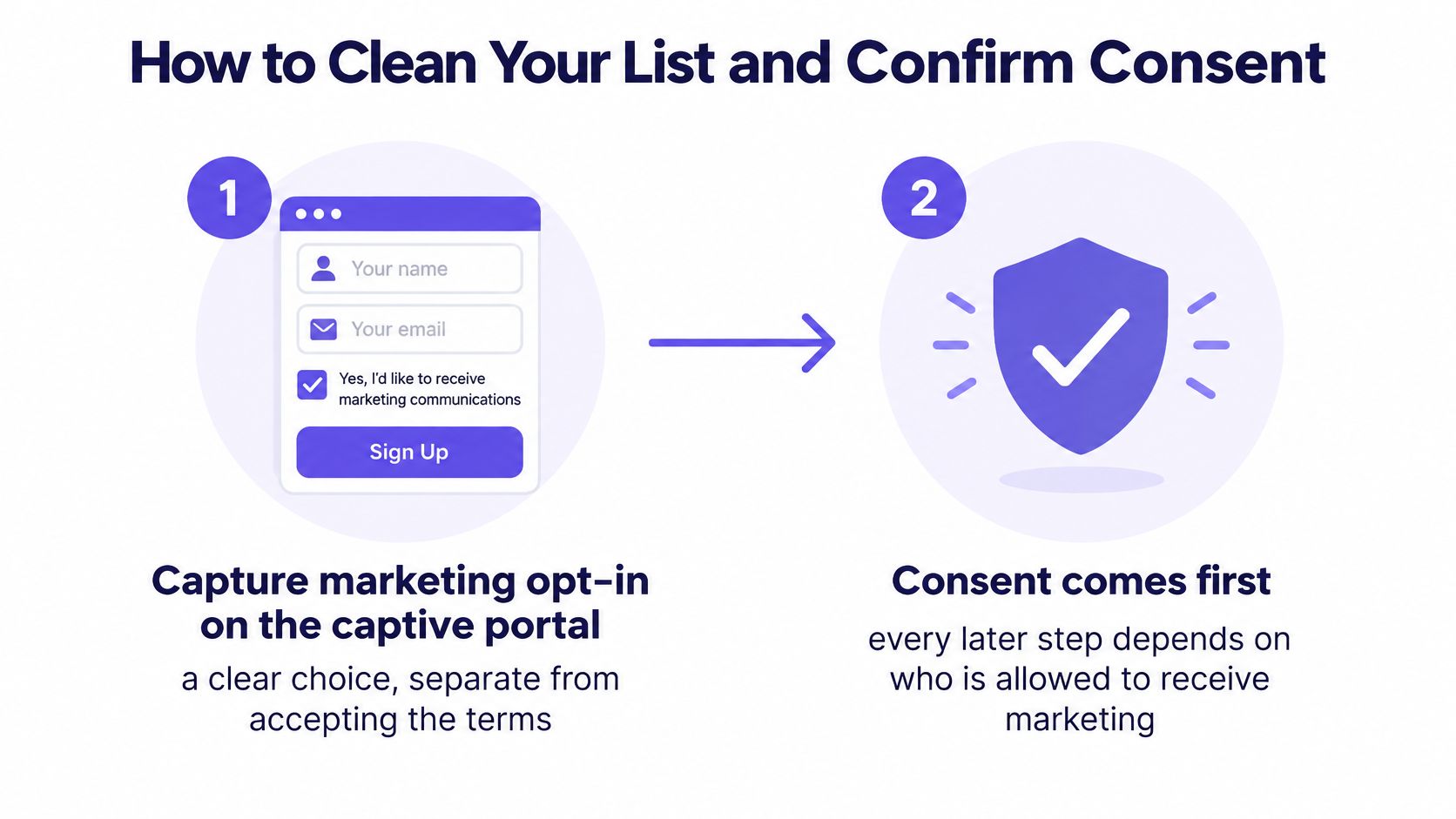
- Capture marketing opt-in on the captive portal as a clear choice. Keep it separate from accepting the terms, so the guest makes a conscious decision. We provide GDPR-compliant consent at the captive portal, and when a guest connects, enters their email, accepts terms, and opts in, we store email, visit date, dwell time, and preferred location in a centralised CRM. The common slip is a pre-ticked box. That isn't a choice, and it poisons the record from day one.
- Keep reservation contacts separate. A booking email is an operational contact for confirmations and changes. It doesn't become a marketing subscriber until the guest opts in to promotions.
- Match identities on a verified email. One guest should have one record across WiFi, till, and booking systems. Duplicates break suppression, inflate your list size, and later corrupt your holdout.
- Validate addresses and remove hard bounces before the first send. Sending to dead addresses damages deliverability for every site on the domain. Clean first, then warm up volume.
- Honor global opt-outs in every connected system. Keep opt-outs when records merge, so an unsubscribe at one site never resurfaces from another site's export. Re-importing a suppressed record from a booking file is the slip that causes real trouble here. Our guide to managing consent and unsubscribes for venue email covers how to keep that ledger intact.
- Authenticate the sending domain with SPF, DKIM, and DMARC. This is basic sender hygiene. Without it, legitimate mail looks spoofed and inbox placement suffers.
- Record baseline complaint and unsubscribe rates for each site. Pause a journey if complaints rise. A problem at one venue can drag down the whole group's sender reputation.
If you're reviewing how other operators capture restaurant emails through guest WiFi, judge the method by the consent record it produces, not just the volume it promises. A smaller list with a clean source on every record will outperform a large list you can't legally or confidently mail.
What clean looks like
You don't need perfection. You need most guests on a valid address, each with a recorded consent source and a visible opt-out status that every system respects. When a site manager asks why a guest didn't receive an offer, you should be able to answer from the record in under a minute. If that takes three exports and a guess, your list isn't ready for automation yet.
Segment guests and Prove incremental visits
Segments aren't labels for personalization. They're test cells. Build these five first from till and booking data refreshed daily, not from manually maintained spreadsheets.
| Segment | Definition | Primary message | Suppress when |
|---|---|---|---|
| Recent diner | Visit in last 14 days | Post-visit thank-you | Guest has already booked again |
| Lapsed regular | Three or more visits, none in 45 days | Win-back offer | Guest redeemed an offer in last 30 days |
| High-frequency guest | Four or more visits in 30 days | Early menu or event invitation without discount | Guest booked in last 7 days |
| High spender | Top 10 percent of spend in last 90 days | Seasonal menu preview | Any promotional email in last 7 days |
| Event attendee | Booked a ticketed event | Feedback request 24 hours after the event | Guest already booked a repeat event |
Adjust the thresholds to each venue's natural visit pattern. Four visits in 30 days means something different for a city-centre coffee-led site than for a destination dining room. The definition should reflect how your guests behave, or the segment will be either empty or meaningless.
Compare like with like
Test each segmented journey against a broad-list send while holding offer, send time, creative, and eligibility window constant. Change one variable, the audience definition, or you won't know what caused the result.
The directional case for doing this is strong. An Evokad summary of restaurant email and SMS marketing reports Mailchimp's analysis of approximately 2,000 users, 11,000 segmented campaigns, and nearly 9 million recipients, which found segmented campaigns produced 14.31% higher opens and 100.95% higher clicks than non-segmented campaigns, with lower bounces, abuse reports, and unsubscribes.
Useful, but don't stop at opens and clicks. They're correlational. A segment of your most loyal guests will open and click more because they're loyal, not because the email changed their behavior. That's exactly the trap this section exists to avoid.
Cap frequency while you test. One promotional email per guest per seven days is a sane ceiling, tightened further for guests inactive over 90 days, with transactional messages such as booking confirmations exempt. Exclude guests who are already booked, recently redeemed, or repeatedly non-engaged. Fatigue doesn't announce itself. It shows up as quiet unsubscribes from people you wanted to keep.
The holdout is the measurement
A high open rate on a newsletter can create almost no additional demand. A duller email that produces measurable extra visits is worth more.
Randomly hold back 5 to 15% of each eligible segment. Send nothing to that group for this journey. Compare recorded visit rates between treatment and control over a fixed 14-day attribution window, which we recommend as a starting point for restaurants before adjusting for natural visit frequency. Report the treatment-minus-control difference with uncertainty, not a single confident number.
That difference is your incremental lift. It's the honest answer to whether email caused a visit or merely reached someone already planning one. A Bay Area News Group restaurant email guide reported that one-time email blasts generated a 19.5% open rate and 0.7% click rate, figures that look respectable in a dashboard while saying nothing on their own about extra covers. This is why our explainer on what marketing ROI actually means pushes you toward downstream outcomes over channel metrics.
Judge every journey on:
- Delivered-to-visit rate: Recorded visits divided by delivered emails, treatment versus control.
- Incremental revenue per eligible guest: Lift applied across everyone eligible, not just redeemers.
- Redemption margin after discount: What you kept, not what you rang through the till.
- Unsubscribe and complaint rates: The cost of the send, charged against future campaigns.
Identity matching makes or breaks this. If a guest sits in your WiFi data under one address and your booking system under another, they can land in both the treatment and control groups. Your lift calculation is then fiction. Match on verified email across booking, WiFi, and POS before you randomize, not after you get a strange result.
As an illustrative picture of why this matters, a 40-site restaurant group using Mailchimp with a 35 percent open rate deployed Purple Engage on their Cisco Meraki network, set up a Birthday Month offer and a Lapsed Diner campaign, and could then report exact footfall numbers attributed to each campaign. The open rate didn't get more interesting. The reporting did, because visits replaced opens as the outcome.
How to set up journeys across several sites
Set up one journey at a time, fully, before moving to the next. Partial automation across five journeys helps nobody.
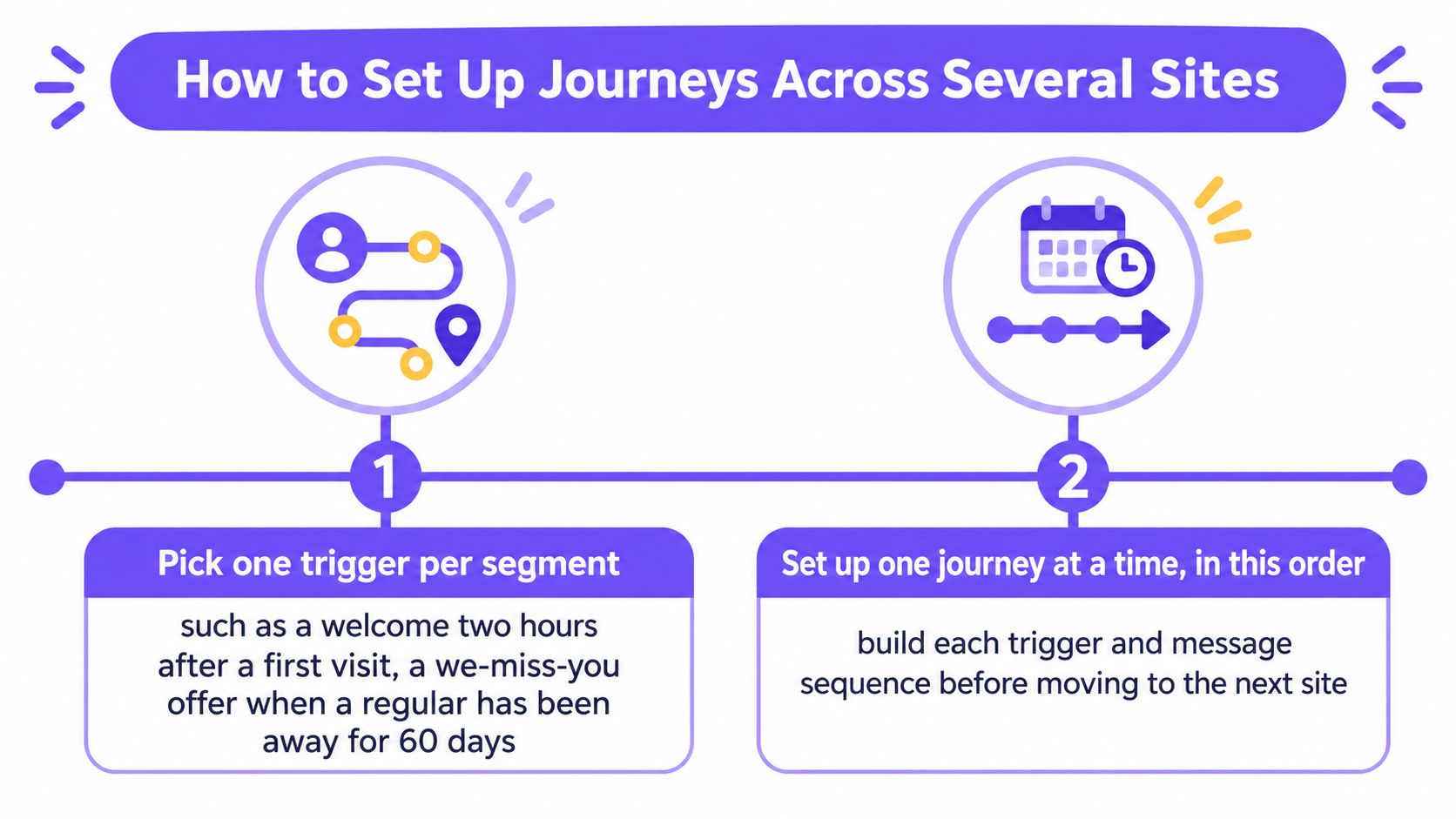
- Pick one trigger per segment. We offer automated triggers including a Welcome email two hours after a first-time guest leaves, a We miss you offer when a regular has not visited in 60 days, and a birthday promotion two weeks before their birth date. Copy that logic even if your tooling differs. One trigger, one audience.
- Write one commercial goal and one measurable event. A booking made, a return visit recorded, a code redeemed. If the team can't agree on the event, you aren't ready to write copy.
- Add a suppression rule that stops the journey. The guest books, redeems, or visits, and the journey ends. Continuing to chase someone who already converted is the fastest way to look careless.
- Generate unique single-use offer codes. Shared codes leak across sites and social channels, and then your redemption data tells you nothing about who responded.
- Cap stacking across journeys. A guest eligible for two journeys shouldn't receive two discounts in one period. Set a priority order so the higher-value journey wins and the other waits.
- Build from your brand kit, preview as a named guest, and test send to staff. Check the venue name, opening hours, offer terms, and expiry date as the guest will see them. Most embarrassing errors are local details, not headlines.
- Coordinate SMS and WhatsApp with email. One offer shouldn't arrive on three channels in one afternoon. Pick the primary channel per journey and let the others stay quiet.
Guests won't be surprised by any of this. BigMailer's summary of restaurant email marketing data states that in 2024, 64% of restaurants sent personalized offers through email marketing. Personalized offers are expected now, which means sending one isn't a differentiator. Tying each offer to a real trigger and a suppression rule, rather than a calendar date, is where the advantage sits.
One journey, local details only
Multi-site groups should keep a single journey structure and vary only site-level details such as venue name, opening hours, and the local offer. The moment each site rewrites the trigger logic, you lose comparability and your group reporting falls apart. Our guide to multi-site venue email segmentation walks through how to hold that structure while keeping local relevance.
This short walkthrough shows the build sequence in practice before you commit to a rollout order.
Roll out in dated steps. Week one, launch the post-visit thank-you and confirm visits are recording correctly. Week two, add the welcome for first-time guests. Week three, start the win-back test, and here we recommend testing We miss you emails at 30 days and 45 days of absence, measuring the return visit rate for each to find your optimal trigger point. Don't guess the threshold. Your own visit data will settle it within a few cycles.
Confirm the journey order before you send
Pick your first journey based on your cleanest data, not your biggest anxiety. We recommend starting with a We miss you campaign for 30-day lapsed guests as the easiest first automated trigger. If your till data is clean and visit recording is reliable, the post-visit thank-you is the lower-risk option, because the trigger is unambiguous and the message needs no discount.
Confirm four gates before anything sends:
- Consent source recorded: Every recipient has a source, timestamp, and wording on their record.
- Suppression rule written: In plain language, agreed by whoever owns the journey.
- Single-use codes generated: Tested at the till at more than one site.
- Holdout set at 5 to 15 percent: Randomized before the send, not carved out afterward.
Schedule a four-week review now, while you're building. At that review, compare visit rates for the journey against its holdout, not opens, and decide whether to scale it, move the trigger point, or stop it. Stopping a journey that shows no lift isn't failure. It's the system working.
If your sites already share a WiFi estate and a till feed, a platform that keeps one guest record across sites, runs holdouts, and shows which campaigns drove visits will save you months of manual reconciliation. If you run one site with a simple POS, a spreadsheet and a disciplined manual export will do until a second venue arrives. Don't buy infrastructure for a problem you don't have yet.
Your single action this week is small. Write the suppression rule for your first journey, in one sentence, and get it agreed. Everything else in restaurant email marketing gets easier once you know when not to send.
Purple Engage is an all-in-one marketing system for physical spaces that turns every WiFi sign-in into a return visit, with or without Purple WiFi, and proves which campaigns did it. If you're running several venues and want one guest record, consent you can audit, and holdout-based proof of incremental visits instead of open-rate reporting, visit Purple Engage to see how it works for restaurant groups.