
8 WhatsApp business message templates for hospitality
Ready-to-use WhatsApp Business message templates for hospitality: confirmations, reminders, reviews and offers, with Meta category notes.
You confirmed the 7pm table. The guest should get the time, the party size, and the address. Then someone adds a dessert discount to the same message, and a utility template stops being utility. Most WhatsApp Business message templates fail for one of two reasons. The wording drifts from its approved category, or the guest never opted in. A café manager who adds that discount to a booking confirmation can see the template rejected or recategorised, and the message never arrives.
Meta does not treat this channel as ordinary chat. The WhatsApp Business Platform pricing documentation defines three template categories: marketing for promotional objectives, utility for transactional or informational objectives, and authentication for identity verification. Templates generally require approval before sending. The opt-in has to identify both the business and the messaging purpose. An imported contact list is not permission for unrestricted outreach.
A customer-service window changes the rules only for a while. After a guest messages the venue, service messages can go out without pre-approval. Once that window closes, outbound messages must use pre-approved templates. Quality scores and messaging limits make relevance, consent, and engagement part of delivery. The eight templates below follow the guest journey. Each one shows the copy logic, the category, and the rejection points I would check before launch.
Table of Contents
- 1. Reservation Confirmation (Utility)
- 2. Booking Reminder with Quick Reply Confirmation (Utility)
- 3. Pre-Arrival Stay Information (Utility)
- 4. Purchase Receipt with Next-Step Link (Utility)
- 5. Post-Visit Review Request (Marketing)
- 6. Win-Back Offer for Lapsed Guests (Marketing)
- 7. Double Opt-In Confirmation (Utility)
- 8. One-Time Passcode for Verification (Authentication)
- How the eight hospitality WhatsApp templates compare by Meta category, trigger and main element
- Turn These Templates Into a Working Message Library
1. Reservation Confirmation (Utility)
Send this at the booking event, while the guest still expects an answer. It sits first in the journey because it proves the request worked: table, room or appointment accepted, then the details needed to arrive. Keep the copy to the fields a booking slip would carry: date, time, party size or room type, venue name, address, and one manage link for amend or cancel.
A six-site restaurant group can confirm through a system such as ResDiary with "Your table for {{party}} is confirmed at {{venue}} on {{date}} at {{time}}." and a Manage booking button. A boutique hotel uses the same skeleton with check-in time and a pre-arrival link. Both stay utility because every variable points back to the reservation the guest just made.
WhatsApp and email carry the same job with different failure modes. Email forgives a soft footer; WhatsApp utility often does not. The comparison below is the one I use when a team argues for putting the offer in the confirmation anyway.
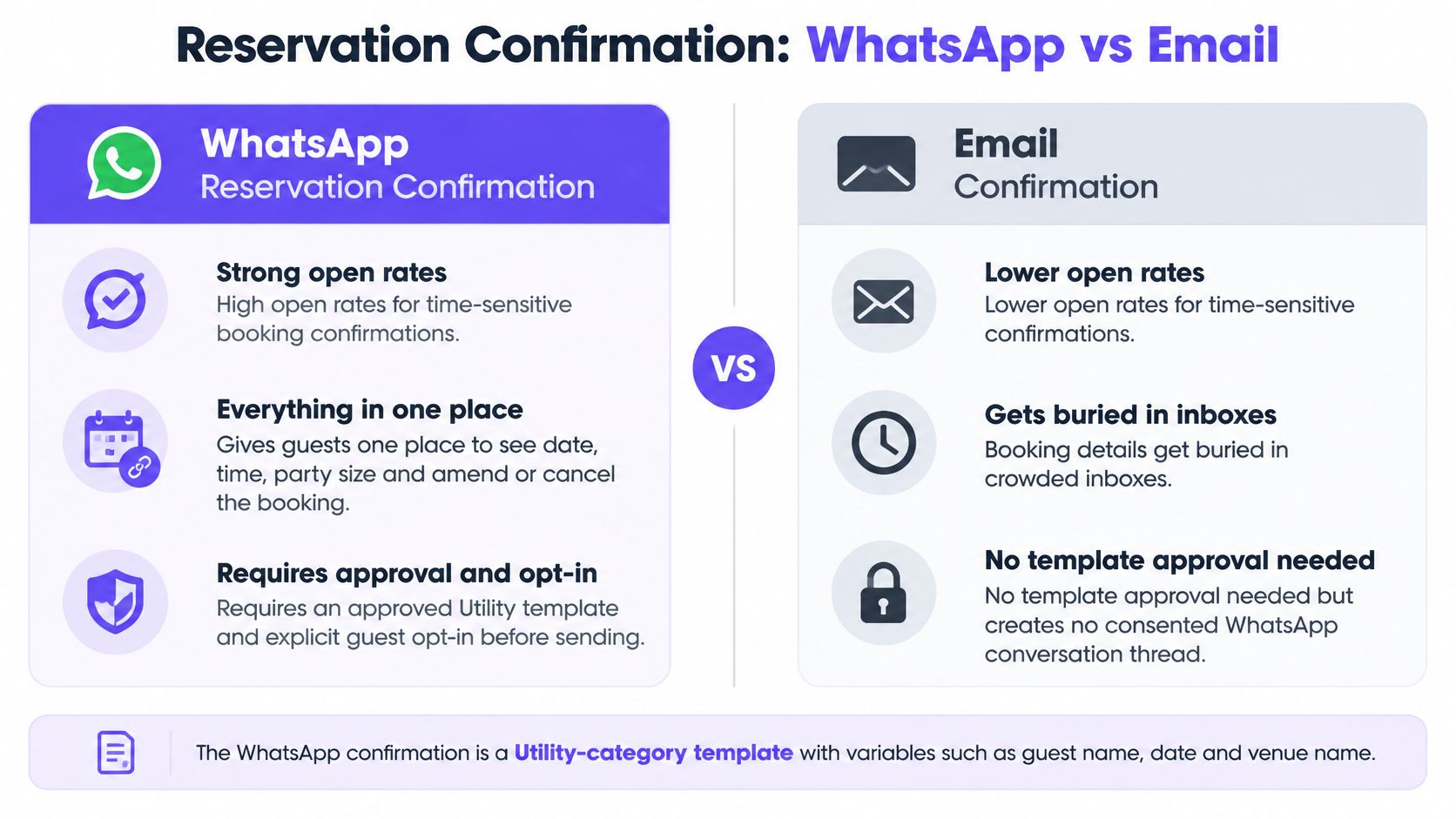
Keep the body transactional
One promotional line is enough for Meta to reject the template or move it into marketing. Marketing then needs its own consent, and a guest who only agreed to booking updates may never receive it. The other common failure is loose variables: if {{venue}} or {{time}} resolves blank, the message reads careless and the confirmation stops doing its job.
Practical rule: If the sentence would still make sense on a paper booking slip, it belongs here. If it sells the next visit, it belongs in a separate marketing template.
- Trigger from the booking event: Fire the message from the reservation so it arrives within a minute of confirmation.
- Store the opt-in with the booking: Record WhatsApp consent against the guest, with the business name and the purpose, not a generic tick.
- Hold the upsell: If the stay needs separate planning, such as the operator page a guest uses to plan your Hawaii manta ray encounter, keep it on that page and out of this body.
Do not delay this until the next morning. A late confirmation starts to look like a reminder, and guests who already have the email stop opening the channel.
2. Booking reminder with quick reply confirmation (utility)
Unused tables and unreleased rooms are a staffing problem, not a copy problem. One reminder, sent on a fixed clock before the visit, asks the guest to confirm, reschedule, or cancel. Quick reply buttons bring that answer back onto the booking so the floor team can release the slot.
A bar group can send a same-day note with a Confirm my table button. A hotel can send a pre-arrival note two days out with Confirm arrival time. The body stays factual: date, time, venue, and the three choices. It does not introduce a pre-drink offer or a room upgrade.
Service conversations became free for businesses starting November 1, 2024, replacing the previous limit of 1,000 free user-initiated conversations per month, as Twilio's pricing note records. That saving does not cover a reminder you start yourself the day before. The guest has not just messaged you, so the customer-service window is closed and the reminder still has to be an approved utility template.
The short walkthrough below shows how a confirm button should sit under a plain reminder, without a second sales line.
One reminder, in venue time
- Send once: A second nudge the same day trains guests to ignore the first and raises block risk on a template you need every weekend.
- Use the venue time zone: A group reminder set to head-office time lands at 6am for a coastal site and at closing for another.
- Write the button back to the record: Staff should see Confirmed, Reschedule, or Cancel without opening WhatsApp.
Schedule from the booking time, not from when someone on the team remembers. If the guest replies with a free-text question, answer inside the open window. Do not launch a fresh marketing template because they tapped a button.
3. Pre-Arrival stay information (utility)
The guest lands, the key is not ready, and the parking note was buried in an email they cannot find. A pre-arrival utility message fixes that with check-in instructions, arrival window, room details, and a short note on parking or WiFi. It also gives reception a clean way to collect an arrival time.
A hotel group can send check-in timings and a map link 48 hours out. An aparthotel can send access instructions with a button to request a late check-in. Dynamic fields should be only what changes per guest: name, date, room or apartment, and arrival window. Longer directions belong on a page, not in the bubble.
Guests who are still sorting transfers, including when they are coordinating airport pickups across different flights, need the hotel note to stay short. A map link and a late check-in button do that job. A paragraph about the spa does not.
The phone in the room is the right mental model. The message should be something a guest can act on while they are still in transit.
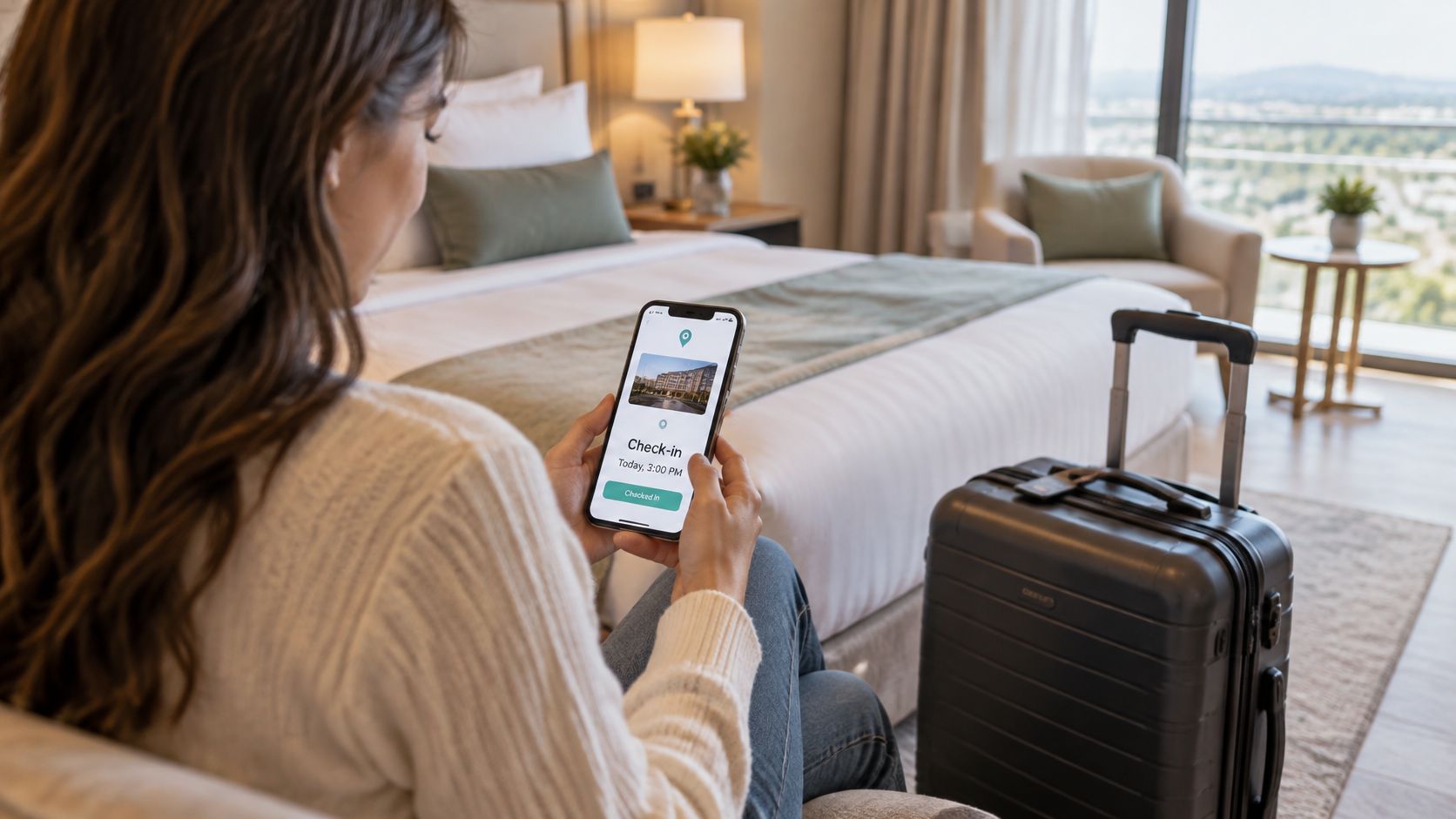
Pack the message for the taxi, not the brochure. One map, one arrival question, one link for the rest.
- Limit the variables: Every extra field is another approval variant and another way a blank name breaks the sentence.
- Ask arrival time with a quick reply: Reception can staff the desk from the answers instead of calling through the arrivals list.
- Watch recategorisation: "Upgrade available if you arrive early" is marketing. Check-in time is utility.
I would send this once, close to arrival, and let the confirmation template carry the booking facts. Two informational templates in the same afternoon feel like a campaign even when both are utility.
4. Purchase receipt with next-step link (utility)
The till closes, the paper receipt is in a pocket, and the guest has already left the café. A digital receipt on WhatsApp can summarise the items, the total, and the venue, then point to a feedback form, a loyalty page, or the returns policy. It stays utility only while it stays a record of a completed purchase.
A café chain can send that receipt with a link to a short survey. A retail site inside a shopping venue can link the returns policy. Match the guest on email at checkout so the receipt lands on the same record as the WiFi sign-in. If the till integration mis-states spend, fix that before you scale the template. A wrong total is a complaint, and complaints are how utility templates lose quality.
From April 1, 2025, utility templates sent inside an open 24-hour customer-service window incurred no Meta fee, which CM.com's pricing update sets out. A receipt fired straight after a purchase often sits in that window if the guest has just interacted. Do not treat the fee outcome as a reason to add an offer. The category test is the wording, not the invoice.
Split the offer from the receipt
- Keep the body to the sale: Items, total, venue, and one next-step link.
- Move promotions: A code or a "come back tomorrow" line needs a marketing template and its own opt-in.
- Prove the till match: Reconcile a sample of receipts against the point-of-sale record before the journey runs at every site.
Staff sometimes paste yesterday's promo into the receipt because it is the message guests open. That is the variant that gets recategorised, and then every future receipt waits on marketing consent the guest never gave.
5. Post-Visit review request (marketing)
Ask every eligible guest, or do not ask on WhatsApp. A review request after a recorded visit, stay, or purchase is commonly marketing, so explicit opt-in is required even when the tone is polite. Cherry-picking happy tables, or paying for stars, breaks review integrity and can breach the review platform's rules.
A hotel group can send the request the morning after checkout. A restaurant can send a review link two hours after a booked dinner. Same wording, same timing rule, every recorded visit. No "only if they smiled" filter, and no incentive in the body.
Kapso's template quality notes describe quality at both the phone number and the individual template, using feedback, engagement, read rates, and negative signals such as blocks or reports. A new template starts unknown or pending, then moves to high, medium, or low. Medium and low are not cosmetic. Meta can pace, pause, or disable a template when engagement is weak. A review ask sent to guests who never opted in is a fast way to collect those blocks.
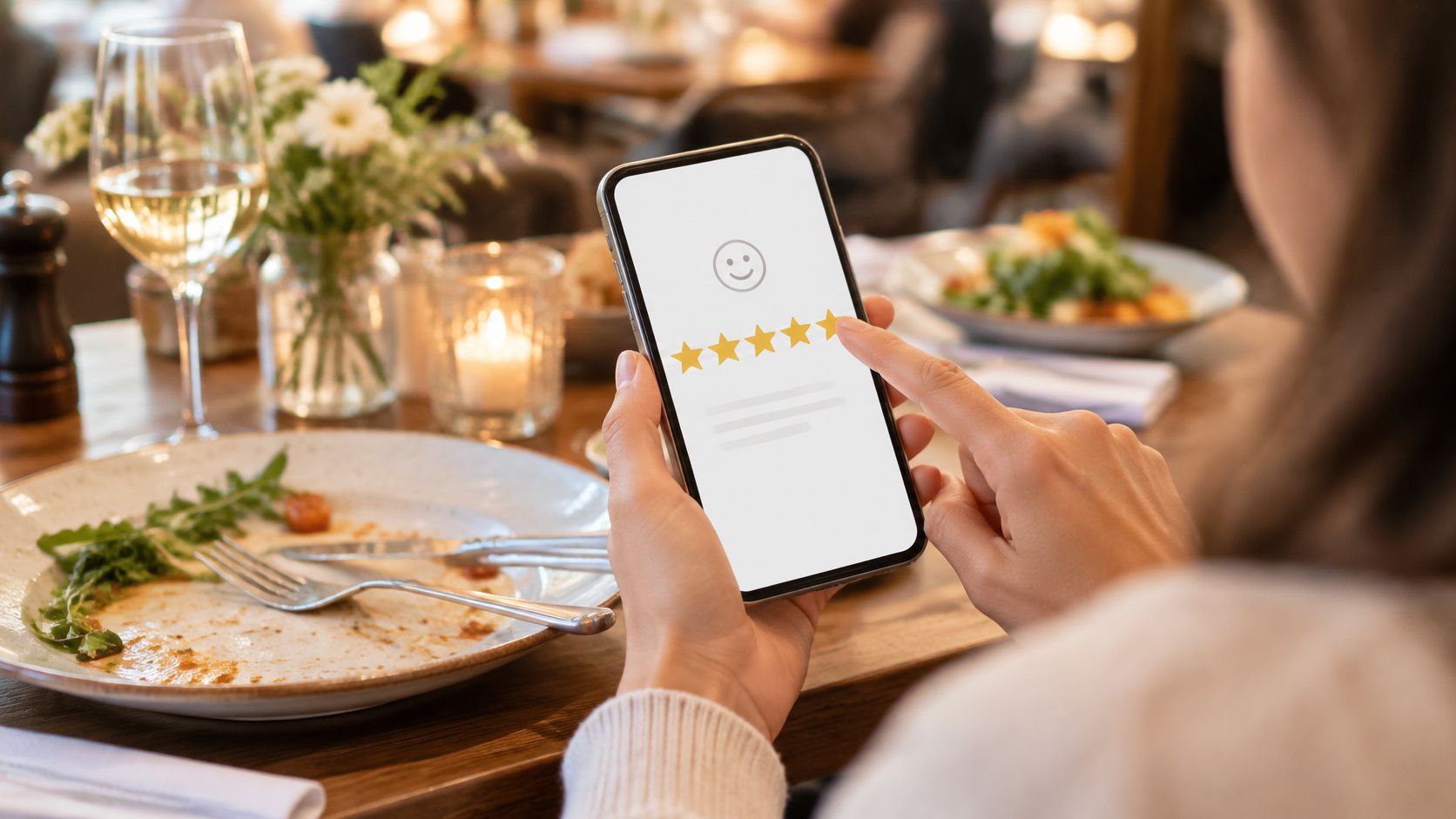
The screenshot is the guest side of that ask. The operational side is the rule that everyone eligible gets the same request.
If your email version of this ask is already clean, mirror that restraint. The review request email template pattern, one clear ask and no reward, is the right cousin for this WhatsApp body. Review request advice from Samba is useful when the commercial team wants a discount in exchange for five stars. Leave that out.
- Cap the ask: A guest who visits three times in a week should not get three review messages.
- Suppress non-consent: Marketing category means the consent record has to name WhatsApp and this purpose.
- Do not gate: Asking only promoters inflates the score and hides the visits you need to fix.
6. Win-Back offer for lapsed guests (marketing)
A lapsed guest is a defined absence, not a feeling. Pick a window, such as no visit in 45 days for a café or no booking in a year for a hotel, and send one offer with a single-use code and an expiry. This is marketing. It needs opt-in, and it should never go to someone who has just opted out.
A café group can send a short we-miss-you note with a code. A hotel brand can offer a return-stay discount to past guests. The body should name the venue, the offer, the expiry, and how to stop messages. Vague "exclusive treats" copy is what gets rejected, or approved and then paused when people block it.
WhatsApp Business grew from 50 million monthly users in July 2020 to more than 200 million in June 2023, about a fourfold rise in three years, according to the Chatfuel summary of Meta's milestone. That scale is why templates exist, and it is also why a win-back cannot be a blast. Marketing-template limits adapt to a recipient's recent marketing read rate and inbox activity, and each delivered marketing template counts toward the user-level limit.
The phone in this café is the offer. The measurement is the holdout, not the smile.
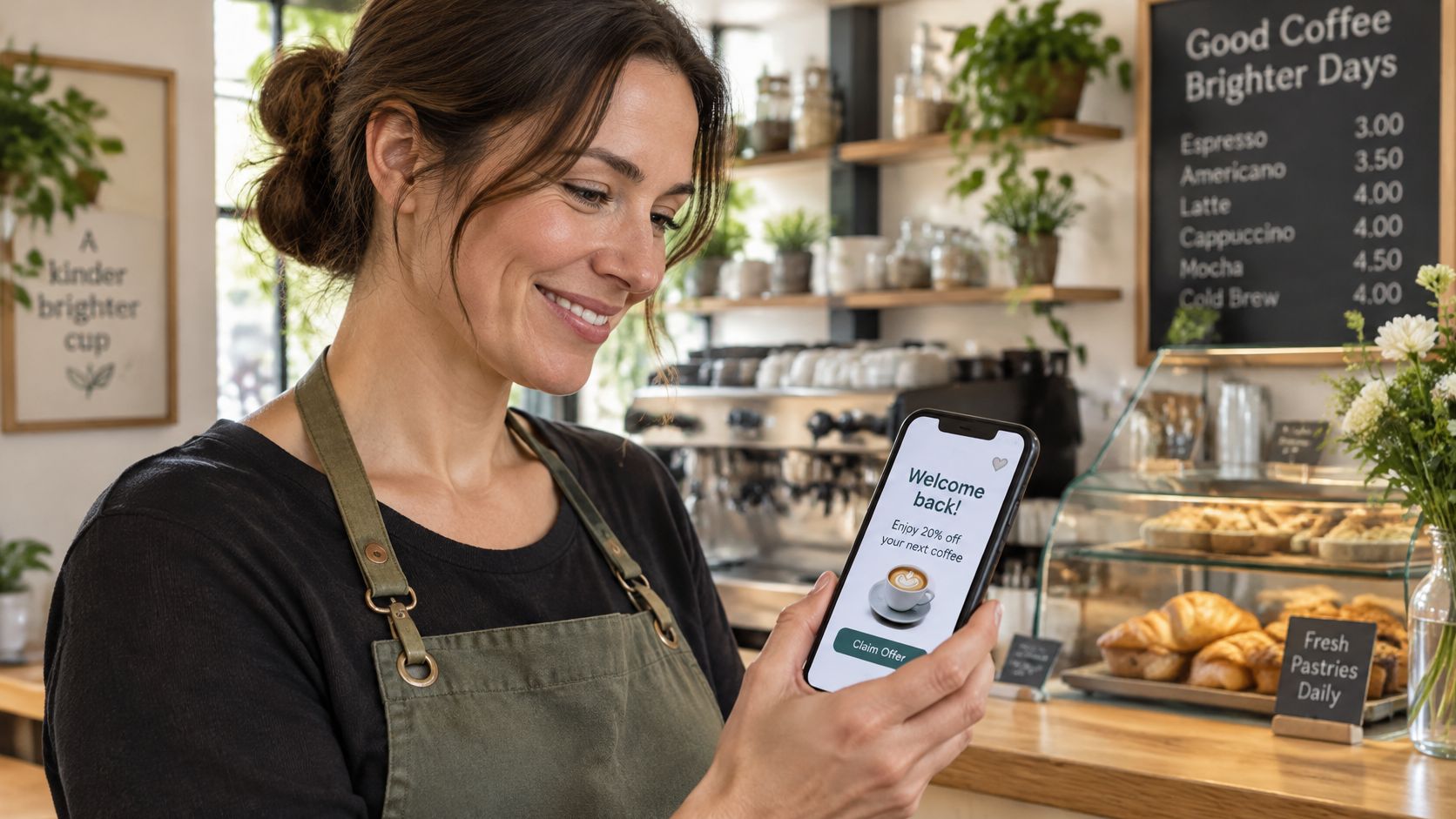
Read rate tells you the template survived the inbox. A withheld control group tells you whether anyone came back.
Hold a random slice of eligible guests out of the send and compare visits or bookings. Open and click rates will flatter a code that regulars would have used anyway. Single-use codes with an end date protect margin. For the segment logic and the holdout design, use the win-back guide for venues and keep this template's job to one offer.
7. Double Opt-In Confirmation (Utility)
WiFi sign-up is not WhatsApp consent until the guest confirms it. After a form or a captive-portal registration, send a short utility message that states what they are agreeing to and asks them to confirm. That second step records intent and cuts the people who typed a number to get online and nothing more.
A venue can send "Confirm you want updates from {{venue}} on WhatsApp" after guest WiFi. A hotel group can do the same after a pre-stay form. Name the business, the channel, and the kind of messages. "Yes, message me" with no object is how consent disputes start.
Meta's template overview is clear that quality is judged on usage, customer feedback, and engagement, and that rejected or non-approved templates cannot be sent. Monitoring status, quality rating, delivery, read rate, and block reasons is part of running the template, not an extra report. If you appeal a rejection, you need an example. A confirmation template that hides the marketing purpose will fail that appeal.
What to store before you send anything else
- Confirmation time and channel: Write both to the consent ledger with the exact wording version.
- Immediate opt-out: Honour stop across email, SMS, and WhatsApp, not only inside this thread.
- No offer in the confirm: A code in the double opt-in is a marketing template wearing a utility label.
The double opt-in explanation is the standard to match: the guest knows what they joined, and you can prove it later. I would rather lose the unconfirmed numbers than defend a list you cannot explain.
8. One-Time passcode for verification (authentication)
Authentication templates do one job. They send a one-time passcode before a sensitive action, such as issuing a digital room key or redeeming a high-value single-use offer. Meta fixes much of the format, including a copy-code button, so you do not write a promotional body and hope it passes.
A hotel can verify the phone number before the key goes out. A venue can verify the guest before a high-value code is released. The passcode should expire quickly. Guests who cannot receive WhatsApp need an email or SMS fallback, or the desk queues behind a message that never arrives.
Use this category sparingly. A passcode on every coffee receipt is friction without a security benefit, and guests start treating the number as spam. Authentication is not a place for a logo slogan, a survey, or a second button that opens your menu.
If the action is not worth a code, do not make the guest type one.
- Short expiry: A code that lives all afternoon is a code someone else can use.
- High-value actions only: Keys, account changes, and expensive redemptions. Not table reminders.
- Fallback ready: Staff need a path when WhatsApp delivery fails, or the guest is stuck at the door.
Do not reuse a marketing template to "just send a code." Mixed purpose is how authentication requests get rejected, and a rejected verification template stops the key journey for every site on that phone number.
How the eight hospitality WhatsApp templates compare by Meta category, trigger and main element
| Item | Meta category | Typical trigger | Main element |
|---|---|---|---|
| Reservation Confirmation (Utility) | Utility | Booking completed | Booking details and manage-booking link |
| Booking Reminder with Quick Reply Confirmation (Utility) | Utility | Scheduled time before a visit | Confirm, reschedule, or cancel quick replies |
| Pre-Arrival Stay Information (Utility) | Utility | Set time before a stay | Check-in details and arrival instructions |
| Purchase Receipt with Next-Step Link (Utility) | Utility | Point-of-sale transaction | Itemized receipt and optional next-step link |
| Post-Visit Review Request (Marketing) | Marketing | Recorded visit, stay, or purchase | Direct link to a review page |
| Win-Back Offer for Lapsed Guests (Marketing) | Marketing | Guest inactive for a set period | Time-limited, single-use offer |
| Double Opt-In Confirmation (Utility) | Utility | Form submission or WiFi sign-up | Consent confirmation and recorded response |
| One-Time Passcode for Verification (Authentication) | Authentication | Sensitive action requiring identity verification | Short-lived OTP with copy-code button |
Turn These templates into a Working message library
Start with the three utility templates that carry the most guest value: confirmation, reminder, and pre-arrival information. Add one marketing template at a time, each with a named holdout, and keep every body free of offers unless the category is marketing. Before launch, check the category against the wording, confirm the opt-in record, and set a frequency cap so a busy weekend does not become four messages to the same guest.
Approval is the start of the benchmark, not the end. The WhatsApp Business Platform overview exposes template analytics for sent, delivered, read, and button clicks, while throughput still depends on quality signals and the phone number's quality rating. Give each template a stable internal ID, a journey, a venue, a segment, and the conversion you care about, then join delivery events to bookings, purchases, visits, or redemptions. Delivered-to-sent and read-to-delivered ratios point to infrastructure or audience problems. Read-to-click and click-to-redemption ratios point to weak copy or a clumsy offer.
A holdout beats read rate for a go or no-go decision. Compare incremental visits or purchases among eligible recipients with a randomly withheld group, and review quality status by venue and category before you raise volume. Human approval on every new variant, plus version history, stops a "small" wording tweak from shipping as marketing under a utility name.
Purple Engage sends WhatsApp templates through your own Twilio account, submits them to Meta, tracks which templates are approved, and shows a message-part counter with estimated cost against your spending cap. That keeps drafting, consent, and approval in one place without changing the rule that Meta still has to approve the template before it can leave.
Purple Engage builds one guest record from WiFi sign-ins, till receipts, bookings, and hotel stays, then runs WhatsApp Business message templates from that record with shared consent and holdout measurement. You draft the template, we submit it to Meta through your Twilio account, and nothing sends without approval. See how that library works for your venues at Purple Engage.