
Hotel CRM vs email marketing tool: what a venue CRM adds
Decide whether your hotel needs a guest CRM that builds a consented marketing list from guest WiFi logins, or whether an email tool such as Mailchimp or Klaviyo is enough. You will be able to test the choice against your OTA share, non-resident trade and repeat-visit goals.
Video overview
A hotel guest CRM builds the marketing list: guests opt in when they log in to your guest WiFi, and each profile carries visit history and a consent record. An email tool such as Mailchimp or Klaviyo sends campaigns, but only to contacts you already hold. If your bookings already supply consented emails, an email tool can be enough.
Should a hotel choose a guest CRM or an email marketing tool?
The real question is not which platform sends better emails, because both send email. The question is where your marketing list comes from and whether it grows without extra work.
An email tool assumes the list already exists. Mailchimp, Klaviyo and HubSpot each price by contact or profile count, according to their own pricing pages. Each gives you forms, imports and templates. Someone on your team still has to bring the contacts in.
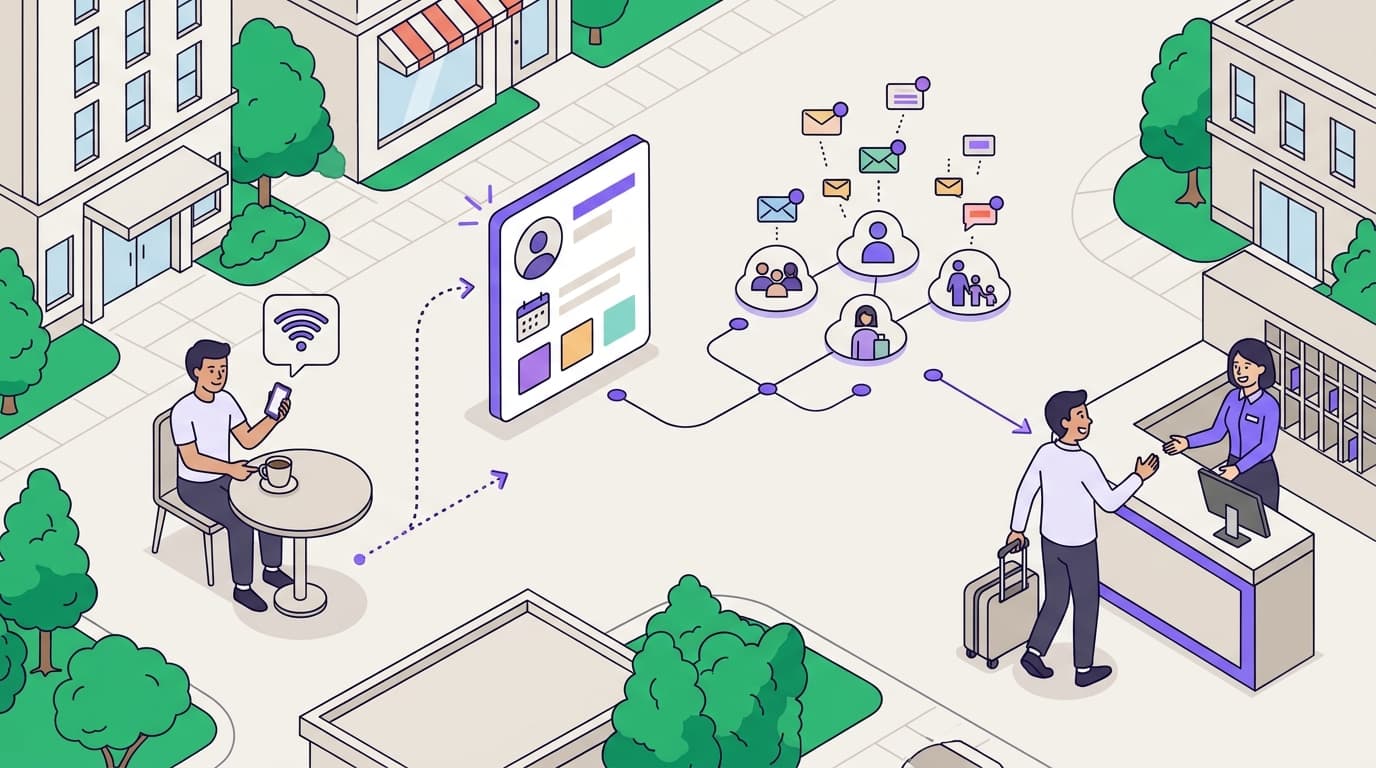
A venue CRM starts one step earlier. Purple Engage builds the list from Guest WiFi logins. A guest who connects in the lobby, the bar or the guest room can opt in at that moment. That opt-in arrives as consented, first-party data tied to a real visit.
For most hotels, the answer depends on three facts about your business:
- Your share of direct bookings. If most guests book through an online travel agency (OTA), you rarely hold a usable marketing email for them.
- Your non-resident trade. Restaurants, bars, spas and events bring diners and visitors who never book a room. They never appear in your booking data.
- Your repeat-visit goals. If revenue depends on return stays and repeat covers, you need visit history on each profile, not just an address.
If all three facts point to a small, direct-booking, rooms-only property, an email tool is usually enough. If any one points the other way, a guest CRM earns its place in your stack.
The outcome to measure
Judge either option on four numbers: opt-in rate, list growth per month, revenue per send and repeat-visit rate. An email tool can improve revenue per send through better segmentation and testing. It cannot raise your opt-in rate at venues where guests never meet a sign-up form.
Where does a hotel CRM differ from email marketing software?
Both categories send campaigns, schedule automations and report opens and clicks. The differences sit upstream of the send button, in how contacts arrive and what you know about them.
| What you compare | Email marketing software (Mailchimp, Klaviyo, HubSpot) | Venue CRM (Purple Engage) |
|---|---|---|
| Where contacts come from | Imports, website forms and booking-engine exports | Guest WiFi logins with conscious-choice opt-ins at every venue |
| Does the list grow on its own? | No - it grows only when you add contacts | Yes - it grows with every opted-in login |
| Consent record | Whatever your own form captures and stores | Captured at login and held against each guest profile |
| Visit data on each profile | None unless you import it from another system | Visit history from repeat WiFi logins |
| Reaches non-resident diners and spa visitors | Only if they give an email somewhere else | Yes, when they log in to your guest WiFi |
| Reaches OTA-booked guests | Rarely, because OTAs can mask guest addresses | Yes, when they log in on site |
| Pricing basis | Contact or profile tiers | Purple plans: Connect, Capture and Engage |
| Hardware needed | None | Your existing access points from Cisco Meraki, HPE Aruba, Ruckus, Juniper Mist, Ubiquiti UniFi, Cambium, Extreme or Fortinet |
| Best fit | Direct-booking, rooms-only properties | Hotels with an OTA mix, food and beverage, spa or events trade |
Difference 1: who builds the list
This is the difference that matters most. An email tool is a sending engine. You feed it, and it sends. A venue CRM is also a capture engine. Every guest who connects to your WiFi is offered a clear, unchecked choice to hear from you.
Purple runs at 80,000+ live venues and recorded 440 million logins in 2024 (Purple master deck, 2026). Those logins are the raw material for a list. A login is a moment when the guest is already on site and already engaged.
Difference 2: what you know about each guest
An address alone tells you very little. A WiFi login tells you the guest was physically at your property, at which venue and on which date. Repeat logins build a visit history over time.
That history is what lets you segment by behavior rather than by guesswork. A guest who has stayed three times this year needs a different message from a diner who visited once in March. An email tool can hold this data, but only if another system supplies it.
Difference 3: how consent is evidenced
CCPA/CPRA requires you to demonstrate that a person consented. It also requires withdrawal to be as easy as giving consent. Regulations state that silence, pre-checked boxes or inactivity do not count as consent.
With an email tool, consent evidence is only as good as the form you built and the records you kept. With a venue CRM, the opt-in happens inside the login flow and is held against the profile. Purple is CCPA/CPRA compliant, ISO 27001 certified and Cyber Essentials certified.
When is a venue CRM the right call for a hotel?
A guest CRM pays for itself when a large share of the people on your property never become marketable contacts through bookings. Four situations make the case clearly.
Your OTA share is high
OTAs control the booking relationship. Booking.com, for example, relays guest messages through an alias email address rather than the guest's own inbox, as described in its partner documentation. You can serve that guest's stay, but you often cannot market to them afterwards.
The guest still walks through your door and still wants to get online. A WiFi login with a conscious-choice opt-in is your chance to start a direct relationship. That relationship is what makes the next stay a direct booking.
You run restaurants, bars, a spa or events space
Non-resident trade is often invisible to a hotel's marketing. A diner who books a table through a third-party reservation platform may never give you a marketing consent. A wedding guest or conference delegate almost never does.
Guest WiFi reaches all of them. The same login flow works for a diner in your restaurant, a visitor in your spa and an attendee in your ballroom. Each one becomes a profile you can segment by the venue they used.
You operate several properties
A hotel group with several sites needs one view of each guest across every property. When each hotel collects emails its own way, you inherit duplicates, gaps and inconsistent consent wording.
Purple runs as a cloud overlay on your existing network, with no rip and replace required. One login flow, one consent wording and one profile per guest apply across the estate. A guest who stays in Chicago and dines in Boston appears once, with both visits on record.
You want automation driven by visits
Booking-based automation can only fire on booking events. Visit-based automation can fire on what guests actually do: a first visit, a third visit, or no visit for 90 days.
Purple Engage lets you trigger messages from that visit behavior. A welcome-back offer after a second stay, or a reactivation message to lapsed bar regulars, needs visit data that an email tool does not collect.
Worked scenario: a 200-room city-center hotel
The situation. A 200-room hotel takes around two thirds of its room bookings through OTAs. It also runs a street-facing restaurant and bar with strong walk-in trade. Its email list comes from direct bookings only. The marketing team sends a monthly newsletter and reports flat list growth.
What was done. The hotel switched on Purple Engage on top of its existing Ruckus access points. The login page offered a free connection plus an unchecked opt-in to receive offers. The team built three segments: room guests, restaurant diners and bar regulars. Each segment got its own welcome message and a 60-day follow-up.
The outcome, modeled. This is an illustrative calculation, not a reported result. Suppose 3,000 different guests and diners log in each month and 25% opt in. That is 750 new marketable contacts a month, or 9,000 a year, none of whom came through a booking. Most would have been invisible to an email tool working from booking data alone. Measure this on your own property by comparing monthly opt-ins against your booking-derived list growth.
When is an email marketing tool alone enough?
A guest CRM is not the right purchase for every property. Be honest about when an email tool covers what you need.
Most of your bookings are direct
If your own website takes most bookings, your booking engine already collects an email for nearly every guest. Add a clear, unchecked marketing opt-in at checkout and your list grows with your bookings. A WiFi capture layer would mostly add duplicates of guests you already hold.
You sell rooms and little else
A rooms-only guesthouse or serviced apartment building has few non-resident visitors. There is no restaurant crowd or spa trade to capture. The marketing problem is retention of the same guests, which booking data already supports.
Your volume is small and your campaigns are simple
If you send a seasonal newsletter and the occasional offer, an email tool's segmentation is enough. Visit-triggered automation adds value when you have the volume and the visit patterns to act on. Below that, it is capability you will not use.
You already have a mature data stack
Some groups already run a customer data platform fed by their property management system (PMS), booking engine and point of sale. If that stack already matches visits to people and records consent cleanly, the gap a venue CRM fills is smaller. Even then, Purple integrates with CRM and marketing platforms, so WiFi capture can sit alongside what you run.
Worked scenario: a 12-room boutique inn
The situation. A 12-room country inn takes most bookings through its own website. It has no public restaurant. Its booking engine passes guest emails to Mailchimp with an unchecked opt-in box at checkout.
What was done. The owner reviewed whether a guest CRM would add contacts. The inn compared the number of unique WiFi connections in a typical month against the number of booking-derived contacts in the same month.
The outcome, modeled. This is an illustrative calculation, not a reported result. With 12 rooms, the inn hosts a few hundred different guests a month. Nearly all of them already sit in Mailchimp through the booking engine. A WiFi capture layer would add very few new people. The owner kept Mailchimp and spent the budget on better welcome and pre-arrival emails instead. That was the right call for this property.
What does each option cost to run?
Subscription price is the smallest part of the comparison. The bigger costs are how you grow the list, how much data work your team does and the risk you carry on consent.
| Cost line | Email marketing software | Venue CRM (Purple Engage) |
|---|---|---|
| Subscription basis | Contact or profile tiers that rise as the list grows | Purple plan: Connect, Capture or Engage |
| Cost of growing the list | Paid acquisition, sweepstakes or front-desk staff collecting emails | Built into the guest WiFi login |
| Data preparation | Export from PMS and booking engine, then de-duplicate | Profiles created at login with visit history attached |
| Consent evidence | You design, store and audit it yourself | Captured in the login flow against each profile |
| Hardware | None | Your existing access points, no rip and replace |
| Staff time per month | Regular imports and list hygiene | Campaign planning and review |
The hidden cost of an email tool: acquisition
Contact-based pricing means you pay more as the list grows, which is fair. The less visible cost is getting contacts there in the first place. Every contact that does not arrive through a reservation has to be bought, asked for at the desk or won through a promotion. Each route costs money or staff time.
The hidden cost of a guest CRM: unused capability
A venue CRM costs more to justify when you do not use what it adds. If you never segment by venue or visit history, you are paying for capture and insight you ignore. Plan your first three campaigns before you buy, so the capability has a job on day one.
How to compare cost fairly
Work out cost per marketable contact added each month, not subscription per month. Divide the total monthly cost, including staff time and acquisition spend, by the number of new opted-in contacts. Then compare revenue per send across the two models once you have three months of data.
How do you decide for your hotels?
Use your own numbers, not a vendor's. The matrix below maps common hotel situations to a recommendation.
| Your situation | Recommendation | Why |
|---|---|---|
| Over half of reservations via OTAs | Venue CRM | OTA guests rarely give you a marketable email through the reservation |
| Restaurant, bar or spa with walk-in trade | Venue CRM | Non-resident diners and visitors only become contacts on site |
| Several properties under one brand | Venue CRM | One consent wording and one profile per guest across sites |
| Conference, wedding or events business | Venue CRM | Attendees never book and never enter your reservation data |
| Mostly direct reservations, rooms only | Email tool alone | The reservation engine already supplies consented emails |
| Fewer than 20 rooms, simple campaigns | Email tool alone | Low volume limits the value of visit-based automation |
| Mature data platform already in place | Email tool, plus WiFi capture via integration | Fill the on-site gap without replacing what works |
A four-step decision process
- Count the gap. Compare unique on-site guests and visitors each month with the contacts your reservation data produces. The difference is your uncaptured audience.
- Check consent quality. Audit how your current list was collected. If you cannot show who opted in and when, CCPA/CPRA compliance is already a risk.
- Name your repeat-visit goal. Decide which metric you need to move: return stays, repeat covers or spa rebookings. Pick the tool that holds the data behind that metric.
- Pilot one property. Run a venue CRM at one hotel for 90 days. Measure opt-in rate, new contacts per month and revenue per send against a comparable property on your email tool.
Questions to put to any vendor
- Where do new contacts come from, and how many will we add each month without extra spend?
- How is each opt-in recorded, and can a guest withdraw as easily as they gave consent?
- What visit data sits on a profile, and can we segment by venue?
- Will it run on the network hardware we already own?
- Can it pass data to the email or CRM platform we already use?
For the full capability set, read the Purple Engage product overview.
Frequently asked questions
Can I just add a WiFi sign-up form to Mailchimp instead of buying a venue CRM?
Yes, you can push contacts from a basic captive portal into Mailchimp, but you take on the integration and consent record-keeping yourself. A captive portal is the page a guest sees before getting online. You would also lose visit history, because Mailchimp stores contacts, not repeat visits. A venue CRM captures the opt-in, the consent record and every later visit in one profile, so you can segment by behavior without stitching systems together.
Do I need to replace my hotel's WiFi hardware to use Purple Engage?
No, Purple runs on the access points you already own. Purple is hardware-agnostic and works with Cisco Meraki, HPE Aruba, Ruckus, Juniper Mist, Ubiquiti UniFi, Cambium, Extreme and Fortinet. It sits as a cloud overlay on your existing network, so there is no rip and replace. Your IT team or network provider connects the access points to Purple, and your marketing team works in Engage.
Is guest data captured through WiFi compliant with CCPA/CPRA?
Yes, when the opt-in is freely given, specific, informed and unambiguous. Purple uses conscious-choice opt-ins, so guests actively choose to hear from you rather than meeting a pre-checked box. Purple is CCPA/CPRA compliant, ISO 27001 certified and Cyber Essentials certified. You remain the data controller, so set your own consent wording and privacy notice.
How is a venue CRM priced compared with Mailchimp, Klaviyo or HubSpot?
They use different pricing bases. Mailchimp, Klaviyo and HubSpot price by contact or profile count, so cost rises as your list grows. Purple prices by plan: Connect, Capture and Engage, with Engage adding the CRM and email capability. Compare cost per new marketable contact each month, including staff time and acquisition spend, rather than the headline subscription alone.
Do I have to stop using my current email platform if I choose Purple?
No, you can keep it. Purple integrates with CRM and marketing platforms, so WiFi-captured contacts can sit alongside the systems you already run. Some hotel groups keep their existing email platform for booking-driven campaigns and use Purple Engage for on-site capture and visit-based messages. Decide which system owns each campaign type, so guests do not receive duplicate emails.
Does a guest CRM replace my hotel's property management system?
No, a guest CRM does a different job. Your PMS runs reservations, rooms and billing. A venue CRM like Purple Engage builds a consented marketing list from guest WiFi logins and records visits across rooms, restaurants, bars and spas. The PMS knows who booked a room. The guest CRM also reaches the diners, spa visitors and event attendees who never booked one.
How quickly will a guest CRM add contacts to my list?
Contacts start arriving with the first opted-in logins after you go live. The rate depends on how many guests and visitors connect each month and the share who choose to opt in. Measure both in your first 90 days. Purple recorded 440 million logins in 2024 across 80,000+ live venues, so login volume at a busy hotel is typically steady from day one.