
Hospitality marketing automation: How it works for venues
Hospitality marketing automation links guest data, triggered journeys and consent to measured repeat visits. Learn how each part works.
A regular's usual table has stayed empty for weeks. A hotel guest left a glowing review but hasn't booked again. You could send everyone another offer, but your booking system, POS reports and email list don't agree on who's been back. You need a way to spot the right guests, contact them with permission and find out whether your message changed what they did.
Table of Contents
- What Hospitality Marketing Automation Actually Does
- Building One Guest Record from WiFi, POS Systems and Bookings
- Triggered Journeys With Real Timing Examples
- Consent Rules That Keep Every Message Lawful
- Choosing Email, SMS or WhatsApp for Each Guest
- Measuring Whether Automation Creates Real Demand
- Launch One Measured Journey Before Scaling
What hospitality marketing automation Actually does
Hospitality marketing automation is a set of rules that sends relevant messages after a guest's visit, purchase, booking or stay, with consent checked before every send. Instead of choosing a mailing date and exporting a list, you define the circumstances in which a guest should receive a message.
Think of a good host who remembers a regular's usual table and notices when they stop coming. Automation helps your team apply that attention across locations and outside office hours. It doesn't replace the host's judgment about what would make someone feel welcome.
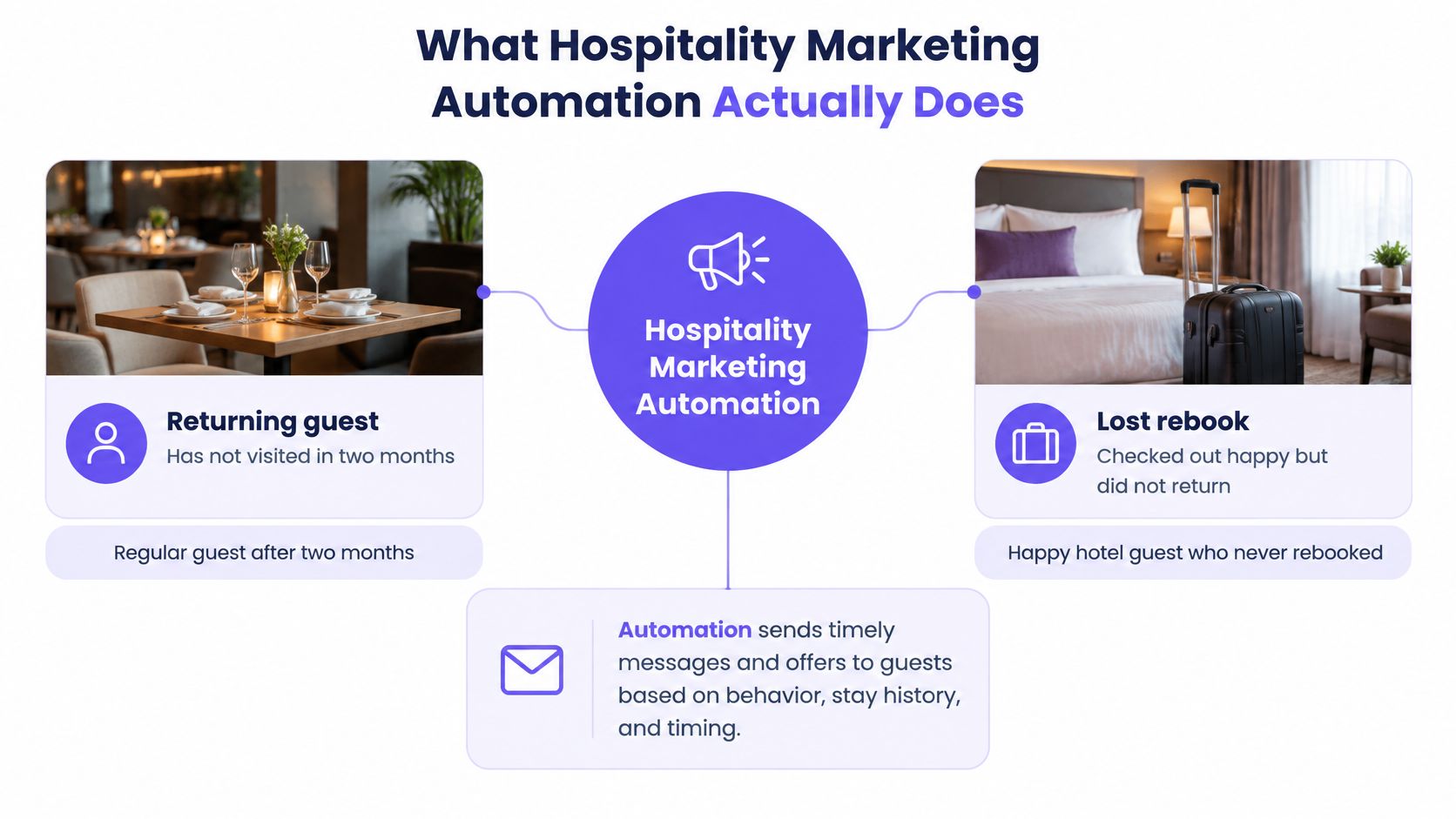
The five layers behind a useful message
Say a café regular stops visiting. Before sending an invitation back, the system needs to recognize that person, establish that they're eligible and choose an appropriate communication.
The five layers of hospitality marketing automation
| Layer | What it does | Example |
|---|---|---|
| Guest data | Joins WiFi, POS, booking and stay records into one guest | One record matched on email |
| Segmentation | Groups guests by visits, spend, tags and survey answers | Guests with no visit in 60 days |
| Journeys | Sends timed messages after a trigger event | Follow-up two hours after a first visit |
| Channels | Delivers messages by email, SMS or WhatsApp | Email for offers, SMS for same-day nudges |
| Consent and measurement | Checks opt-in before sending and holds back control groups | Held-back guests compared with treated guests |
Each layer depends on the foundation beneath it. If the cafe's WiFi system knows the guest but the POS system doesn't, the manager might mistake an active customer for a lapsed one. A well-written offer won't correct that mistake.
Segmentation answers who qualifies. A journey determines what happens when they qualify. Channels deliver the message, while consent and measurement govern whether it should go out and whether it produced additional demand.
The business case is to encourage known guests to book directly without another commission-bearing intermediary, supporting the owned guest relationships discussed in the D-EDGE Hotel Distribution Report.
Start by naming these layers in your current setup. You might already have an email sender but lack a joined guest history, or have reliable segments without a credible way to measure their effect. That missing layer is a better starting point than adding more campaigns.
Building one guest record from WiFi, POS and bookings
A guest record should tell a coherent story, not merely collect contact details. Managers need to distinguish a booking from an attended visit, a purchase from a refund, and a genuine absence from missing data.
Matching records is a decision about identity. An email address is a useful joining field, but it isn't proof that every associated event belongs to the same person.
Build the timeline in a controlled order
Capture the guest's WiFi interaction. When someone connects through our captive portal, enters their email, accepts terms and consciously opts into marketing, we store their email, visit date, dwell time and preferred location centrally. Keep the acceptance of service terms distinct from the marketing choice.
Match incoming activity on email. Bring POS sales, bookings, hotel stays, forms and survey answers into the guest history. Preserve each source's original identifier so staff can investigate a questionable match rather than guessing which system supplied it.
Put events in sequence. Show what happened, where it happened and when it happened. A reservation should retain its attendance or cancellation status instead of automatically becoming evidence of a visit.
Flag conflicts before using the profile. Shared addresses, typing errors and conflicting personal details can join different people incorrectly. Pause marketing eligibility while a staff member checks the original records, and don't repair an address by guessing.
For a fuller explanation of how separate records become a usable profile, our guide to identity resolution explains the underlying matching process.
Keep the minimum useful fields
Start with a verified email address, visit or purchase date, spend value and record source. Alongside those activity fields, retain the consent status needed for marketing eligibility. Mark missing spend as unknown rather than turning it into a zero-value purchase.
Say a café guest usually buys lunch on Tuesdays and then stops. Their combined timeline can distinguish a genuine lapse from a change in behavior, such as ordering at another location. A POS-only export can't connect those purchases to a separate WiFi identity unless the records share a reliable matching field.
Data-quality check: An unexpected pattern is a reason to investigate, not permission to personalize more aggressively.
Run a small audit before connecting journeys. Count guests with verified emails, guests matched across separate sources, and records flagged as duplicates or conflicts. Keep those counts separate, because a large contact list doesn't tell you how many guests are safe to include in an automation.
Triggered journeys with real timing Examples
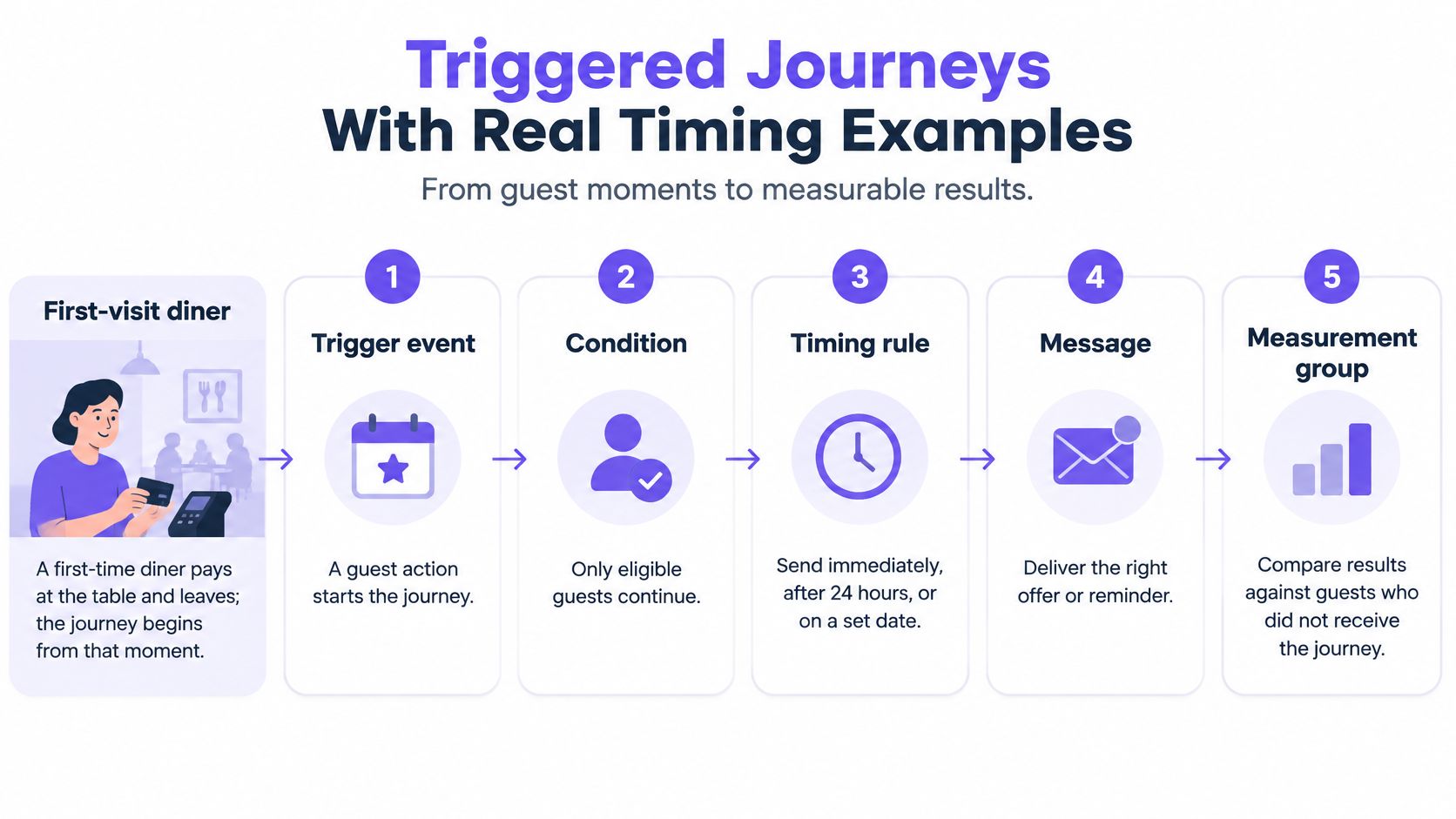
Say a first-time diner pays and leaves. A welcome email follows two hours later with an invitation to return. If they visit again, they should stop receiving first-visit reminders, but their return alone doesn't prove the email caused it.
A journey has a trigger, condition, timing rule and message, with a measurement group attached. Our guide to trigger emails explains how an event-led send differs from a scheduled broadcast.
Common journey triggers and their timing
| Trigger | Timing | Purpose |
|---|---|---|
| First visit or first purchase | 2 hours after leaving | Second visit |
| Regular guest with no visit | Day 60 without a visit | Win-back offer |
| Birthday in guest record | 2 weeks before birth date | Visit in birthday month |
| Booked event attended | 24 hours after the event | Feedback and rebooking |
These are available journey timings in our setup, not universal recommendations for every venue. A birthday invitation needs a usable birth date, while a post-event request needs evidence that the guest attended.
Check eligibility when the guest qualifies
Build the workflow in a deliberate order:
- Unify identity first. Use the joined WiFi, POS, booking and stay history rather than checking separate lists.
- Apply permission and exclusions. Remove guests whose consent, unresolved identity or campaign suppression prevents contact.
- Evaluate the behavior. Confirm that the guest meets the journey condition, such as reaching the lapsed-visit threshold.
- Recheck before sending. If a new event changes eligibility during the wait, stop or redirect the message.
Treating eligibility as a continuously evaluated decision, rather than a frozen mailing list, follows the testing architecture described in incrementality guidance.
The distinction matters when a guest returns while a win-back message is waiting. The system should recognize the new visit and remove them from that path. Otherwise, staff might greet someone at lunch and send them a message that evening saying they haven't been seen.
Be equally precise about the starting event. Paying a bill doesn't necessarily establish when someone left, and making a reservation doesn't establish attendance. Use the event your system can observe, and label any approximation.
A practical journey definition fits in a sentence: When this event happens, wait until this condition and timing rule are met, then send this message. If a manager can't say that plainly, simplify the journey before launch.
Consent rules that keep every message lawful
A guest opts out at the register, then receives a promotion after someone re-imports an older mailing list. The team may have collected permission correctly once, but its systems failed to preserve the guest's later decision.
Consent isn't a permanent property of an email address. Treat it as a current, channel-specific state checked at collection, campaign approval and immediately before sending. A correctly configured portal helps, but it doesn't make every later campaign lawful automatically.
Make permission a shared operational rule
Keep a separate consent ledger. Every journey should read the same permission record, including its source and history, rather than trusting a marketing flag copied into an export.
Make opt-outs durable. An imported record must not restore permission that the guest withdrew, because older information shouldn't overrule a newer refusal.
Separate historical imports from live triggers. Our imported history doesn't start automations, preventing an upload of past activity from immediately messaging those guests.
Pause uncertain identities. A possible mistaken merge should block sending until a person resolves it, because permission from one individual doesn't establish permission from another.
Require a named approver and an audit entry. Record who approved the message and its rules, then log each automated execution against that approval so staff can reconstruct what happened.
Our captive-portal process provides CCPA/CPRA-compliant consent through a conscious marketing opt-in. Don't replace that choice with a pre-checked box or assume that accepting WiFi terms grants permission for unrelated promotions.
These controls support responsible operation, but the rules that apply still depend on the guest, location, channel and purpose. Have your compliance owner review those requirements before activating a new use case.
Put a boundary around AI personalization
The emphasis on data minimization, visible consent, access controls and accountable AI in WebRezPro's hospitality marketing guidance is useful here: more detailed personalization isn't automatically better service.
An AI assistant may suggest a lunch offer based on recorded purchases. It shouldn't infer sensitive traits, such as health conditions or religious beliefs, from those purchases. Require each recommendation to show the supporting events and its confidence, with uncertain suggestions routed to a human rather than sent automatically.
Permission to store a transaction isn't permission to make intimate assumptions about the person who made it.
Before approval, ask: Where is consent stored? Who approved this message? What happens if this guest opted out yesterday? If anyone has to reconcile spreadsheets to answer, pause the launch.
Choosing email, SMS or WhatsApp for each guest
Email, SMS and WhatsApp compared for hospitality journeys
| Channel | Best used for | Consent to confirm | Planning limit |
|---|---|---|---|
| Offers that need detail, event invitations and feedback surveys | Marketing opt-in recorded on the guest record | Preview as a named guest and test-send before each journey goes live | |
| SMS | Same-day reminders and time-sensitive offers | Explicit text-message opt-in held against a phone number | Short length; per-message cost depends on the provider account |
| Guests who already message the venue, offers and reminders | Opt-in recorded and matched to the guest | Templates must be approved before marketing messages can be sent |
Start with email when the guest has time to consider the message, add SMS only when urgency and text permission justify it, and use WhatsApp marketing only with approved templates.
Choose the channel for the journey, not for the entire venue. A hotel's event invitation and its same-day restaurant reminder have different communication needs, even when they reach the same guest.
Email gives the guest room to decide
Use email when the message needs context: an event menu, an explanation of an offer or a feedback request with supporting detail. Keep the main action obvious rather than placing several competing promotions in the same message.
Preview it as a named guest so missing names, incorrect locations and conditional content become visible. Then test the actual email in a staff inbox, including its booking, redemption and unsubscribe paths.
Your IT team should also check sender authentication before launch. MailAdept's email authentication guide is a useful resource for understanding that work without asking venue managers to configure technical records themselves.
Shorter channels need tighter decisions
SMS suits a message that remains useful when read quickly on a cell phone. State the venue, the reason for contacting the guest and the action clearly, and don't turn a simple reminder into a crowded sales pitch.
WhatsApp can fit guests who already use it to contact the venue, but a previous conversation isn't blanket marketing permission. Allow time for template approval and confirm that the approved wording still matches the intended offer.
For SMS and WhatsApp, check the per-message charge in the account you'll use before expanding the audience. A journey can be commercially weak even when guests respond if its communication and incentive costs outweigh the additional value.
Channel discipline: A failed email doesn't create permission to send a text.
Give each journey a primary channel and a permitted fallback. Where the guest lacks permission for the fallback, suppress the message rather than finding another route around their choice.
Measuring whether automation Creates real demand
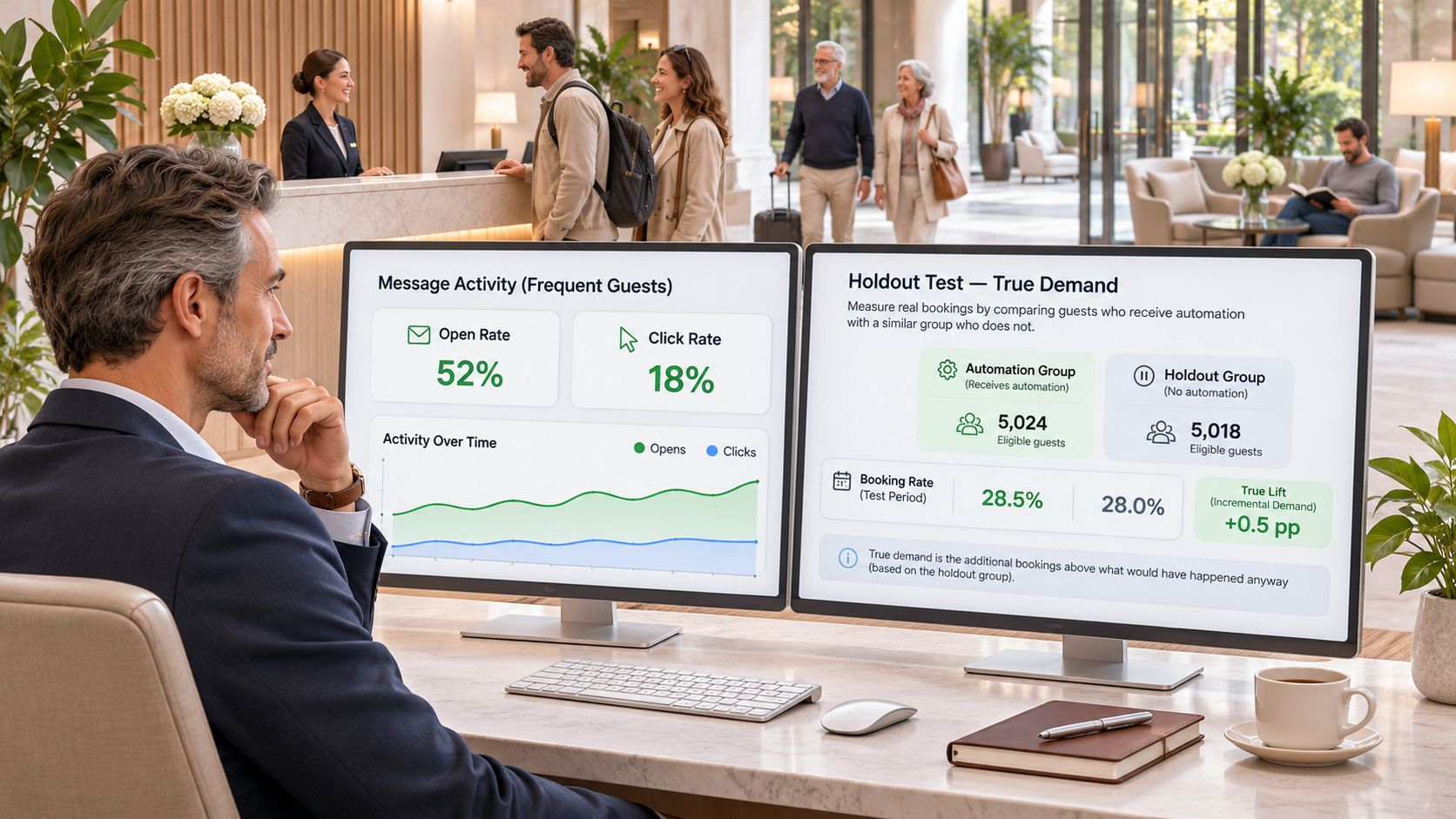
Frequent guests may open every email and return regardless of what you send. A dashboard can credit those visits to a campaign while the venue gains little additional business. Attribution describes the path before a conversion; incrementality asks whether the conversion happened because of the campaign.
Consider a hypothetical win-back test: 1,000 eligible guests receive the offer and 1,000 are held back. If the treated group records 85 visits and the holdout records 60, the observed difference is 25 visits per 1,000 guests. That's an estimate of additional visits, not a claim that every treated-group visit came from the message.
Create a fair comparison
Randomly assign eligible guests to treatment or holdout before contact. The holdout receives no campaign contact during the defined window, creating the counterfactual described in the marketing incrementality lecture: what comparable guests did without the intervention.
Set the test rules before launch:
- Fix the outcome and window. Our measurement counts return visits and bookings over 14 days and sales over 30 days, for contacted and held-back guests alike.
- Size the holdout through power planning. Use baseline conversion, outcome variability, expected lift and the cost of withholding contact. A convenient round number doesn't establish a reliable sample.
- Protect the comparison. Suppress overlapping campaigns and keep append-only assignment records. Where cross-venue exposure makes guest-level separation unreliable, consider venue or regional assignment with analytical support.
- Account for operational differences. Run groups concurrently, check venue balance and define cancellation, refund and attendance rules in advance. Don't remove inconvenient outcomes after seeing the result.
Metrics that show activity versus real impact
| Metric | What it shows | Where it misleads |
|---|---|---|
| Open rate | Whether the subject line appeared to earn attention | Says nothing about extra visits |
| Click rate | Interest in the offer | Counts guests who would have returned anyway |
| Attributed booking | Bookings that followed a message | Credits the message for demand that already existed |
| Incremental visit rate | Treated visit rate minus holdout visit rate | Needs a holdout and the same window for both groups |
| Incremental revenue per treated guest | With equal-sized groups, treatment revenue minus holdout revenue, divided by treated guests | Needs enough guests for a confidence range to be meaningful |
For unequal groups, compare revenue per guest rather than subtracting raw totals. Also distinguish a visit rate based on unique returning guests from a count of visits that includes repeat trips.
Report uncertainty alongside the effect
Give managers the estimated effect and its confidence range. If that range includes zero, the test hasn't established a positive effect, although it hasn't necessarily proved the journey is useless.
Evaluate incentive costs, messaging costs and contribution margin before calling a lift profitable. Our guide to marketing ROI helps connect that operational result to the financial decision. Without a valid holdout comparison, report campaign activity and attributed outcomes, not proven additional demand.
Launch one Measured journey before Scaling
Start with a win-back journey for guests who haven't visited in 60 days. It gives managers a straightforward behavior to verify and an offer whose purpose is clear. Avoid adding birthday, event and first-visit sequences at the same time, because resolving problems becomes harder when several journeys overlap.
Use a launch checklist
Confirm the audience. Count guests with the relevant marketing opt-in and remove unresolved duplicates, conflicting identities and other suppressed records.
Set the experiment. Have the analyst calculate the holdout size and save assignments before sending. Record the primary outcome and what would make the result commercially worthwhile.
Lock the observation rules. Use the agreed visit and sales windows for both groups, with written rules for cancellations, refunds and cross-location activity.
Preview and test. View the message as an actual eligible guest, then send it to a staff inbox. Check the offer conditions, destination links and opt-out process.
Keep the test stable. Don't change eligibility, incentives or allocation while interpreting the same experiment. If a material correction is necessary, document it and decide whether a fresh test is needed.
Review before expanding. Scale only when the confidence range supports a positive incremental effect and the economics justify continued contact.
Bring a decision, not a dashboard
Your readiness test is operational: one guest record, one consent ledger and one measurement method across channels. Staff should be able to trace an outcome to the guest, campaign version, assignment and named approver without reconstructing the process from inboxes.
For the next planning meeting, bring the calculated holdout size, chosen observation windows and first journey's result with its confidence range. If the test hasn't closed, bring its scheduled review date instead of an early success claim. Assign an owner to the decision to continue, revise or stop.
Purple Engage combines WiFi, POS, booking and hotel-stay activity into a shared guest record, with consent controls, automated journeys and holdout-based measurement. Visit Purple Engage to explore how to build a lapsed-guest journey that checks permission before sending and measures additional visits rather than just engagement.